
Topographic Map#
Download Python source code | Download Jupyter notebook
Plot aerial imagery from a GeoTIFF on top of a topography mesh.
Similar to the Applying Textures example.
import matplotlib as mpl
import matplotlib.pyplot as plt
import pyvista as pv
from pyvista import examples
Start by loading the elevation data and a topographic map.
# Load the elevation data as a surface
topo = examples.download_crater_topo().resample(0.25, anti_aliasing=True)
elevation = topo.warp_by_scalar()
# Load the topographic map from a GeoTiff
topo_map = examples.download_crater_imagery()
topo_map = pv.Texture(topo_map.to_image().resample(0.5, anti_aliasing=True))
topo_map = topo_map.flip_y()  # flip to align to our dataset

elevation
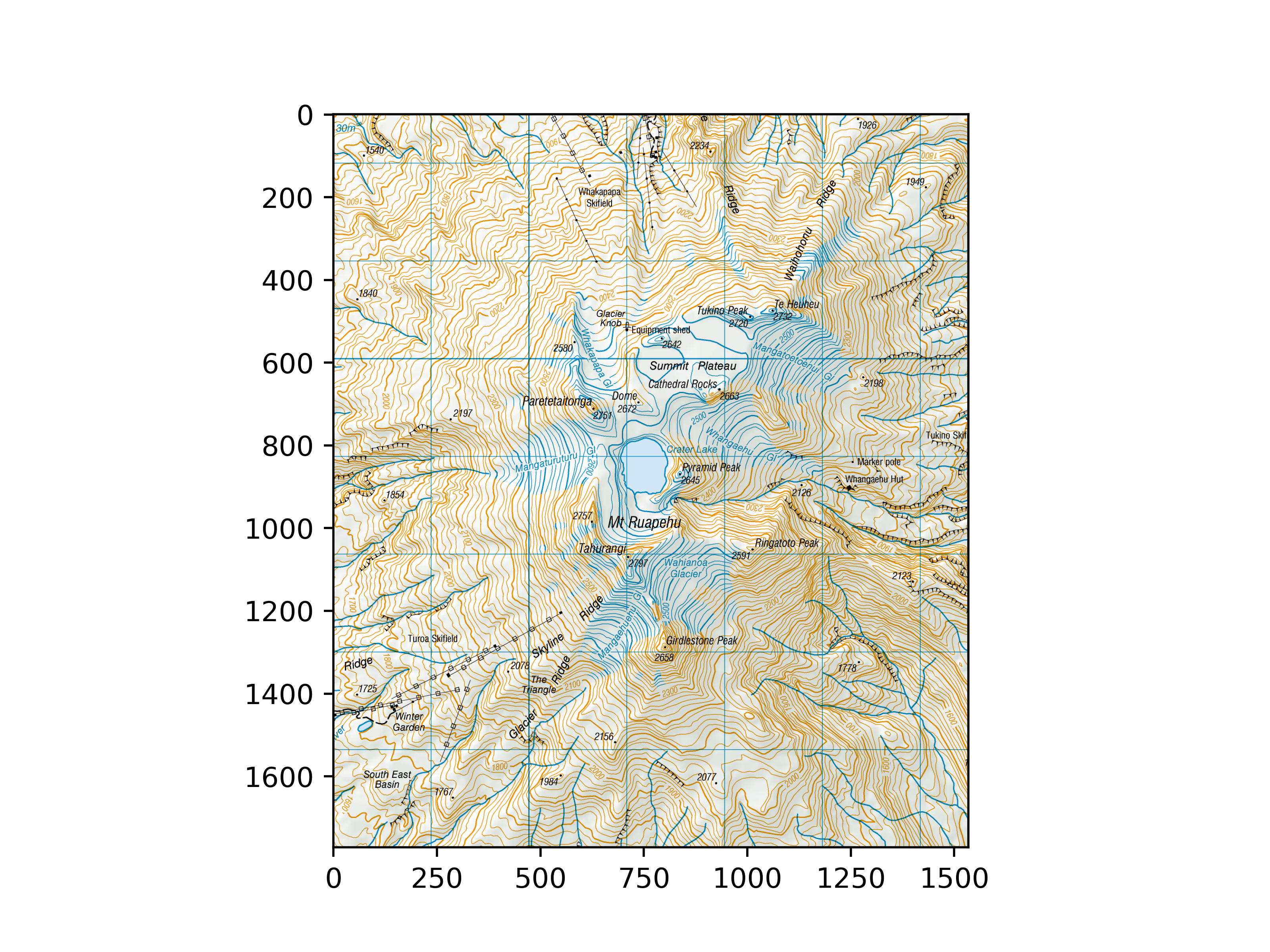
Let’s inspect the imagery that we just loaded.
mpl.rcParams['figure.dpi'] = 150
plt.imshow(topo_map.to_array())
<matplotlib.image.AxesImage object at 0x7fe218c97230>
Once you have a topography mesh loaded as a surface mesh
(we use a pyvista.StructuredGrid here) and an image loaded as a
pyvista.Texture using pyvista.read_texture(),
then you can map that imagery to the surface mesh as follows:
# Bounds of the aerial imagery - given to us
bounds = (1818000, 1824500, 5645000, 5652500, 0, 3000)
# Clip the elevation dataset to the map's extent
local = elevation.clip_box(bounds, invert=False)
# Apply texturing coordinates to associate the image to the surface
local.texture_map_to_plane(use_bounds=True, inplace=True)
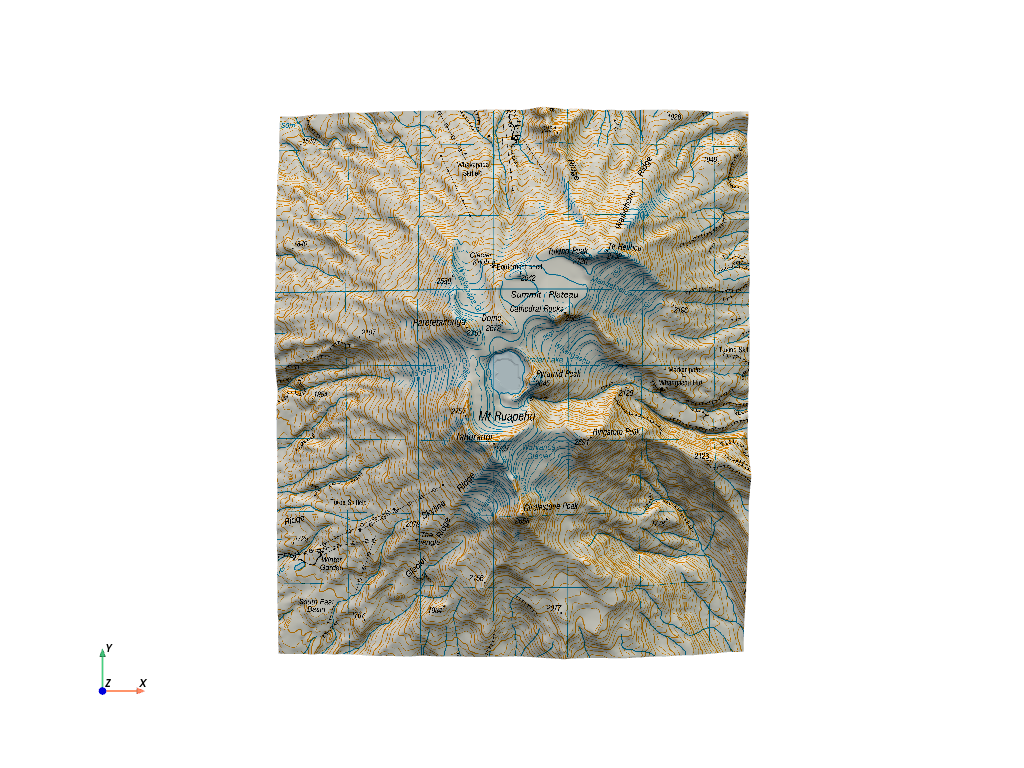
Now display it. Note that the imagery is aligned as we expect.
local.plot(texture=topo_map, cpos='xy')
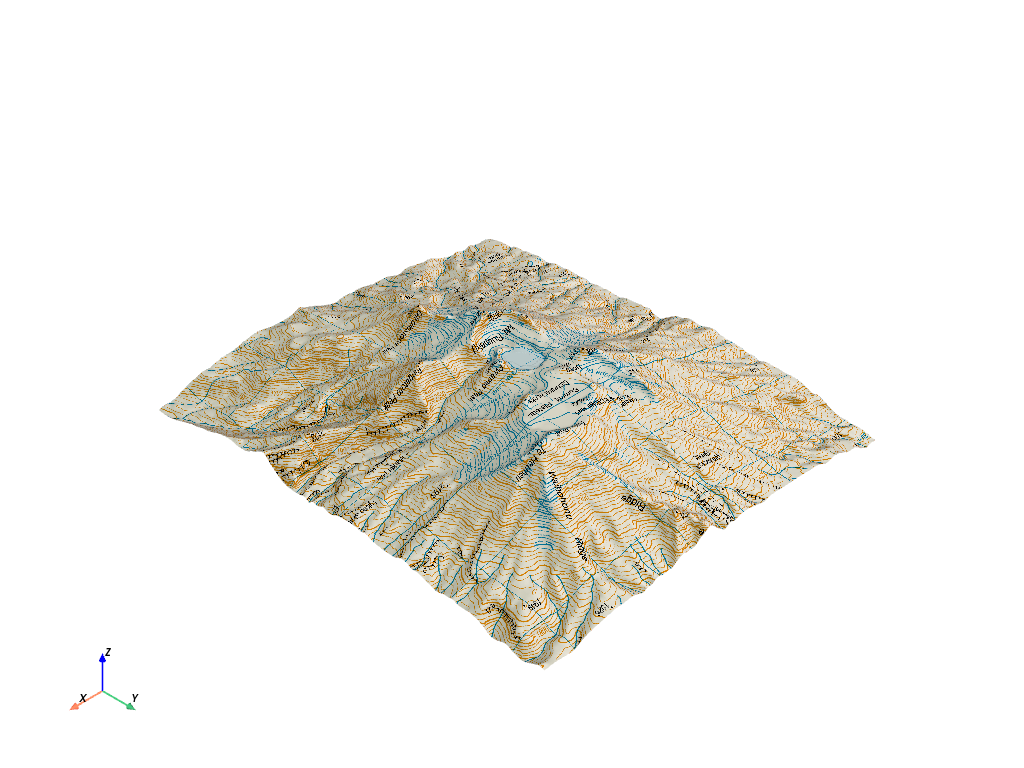
And here is a 3D perspective.
local.plot(texture=topo_map)
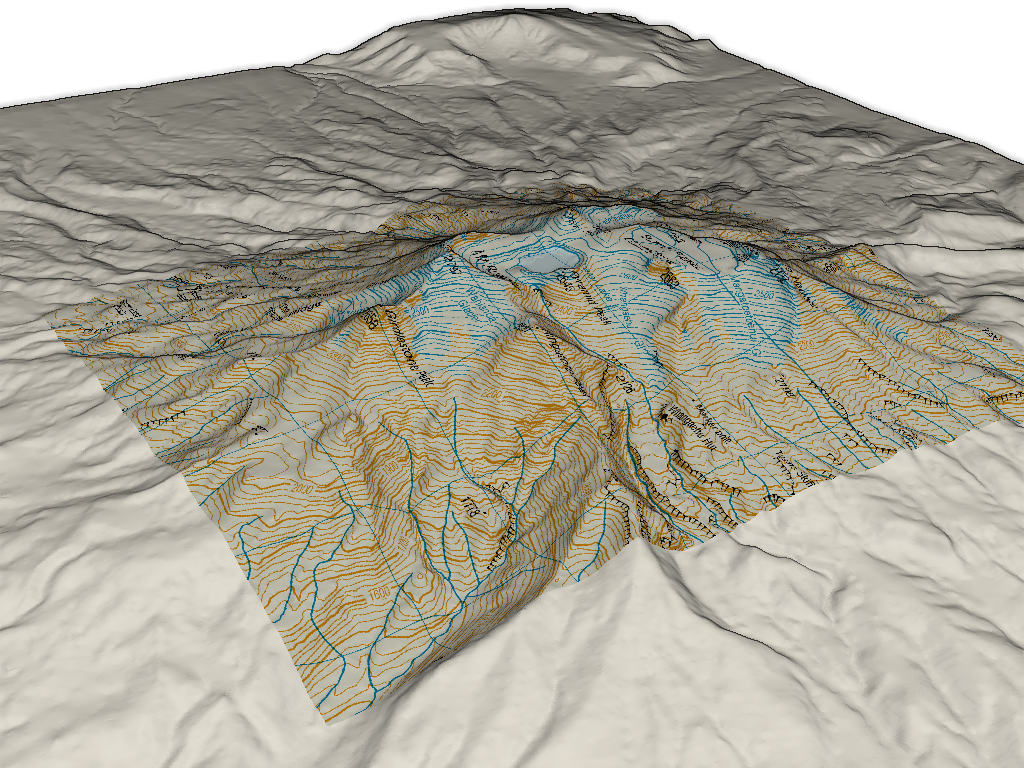
We could also display the entire region by extracting the surrounding region and plotting the texture mapped local topography and the outside area
# Extract surrounding region from elevation data
surrounding = elevation.clip_box(bounds, invert=True)

# Display with a shading technique
pl = pv.Plotter()
pl.add_mesh(local, texture=topo_map)
pl.add_mesh(surrounding, color='white')
pl.enable_eye_dome_lighting()
pl.camera_position = pv.CameraPosition(
    position=(1831100.0, 5642142.0, 8168.0),
    focal_point=(1820841.0, 5648745.0, 1104.0),
    viewup=(-0.435, 0.248, 0.865),
)
pl.show()
Total running time of the script: (0 minutes 2.517 seconds)
