Plotter.enable_depth_of_field#
- Plotter.enable_depth_of_field(*, automatic_focal_distance: bool = True) None[source]#
Enable depth of field plotting.
Examples#
Download Python source code | Download Jupyter notebook
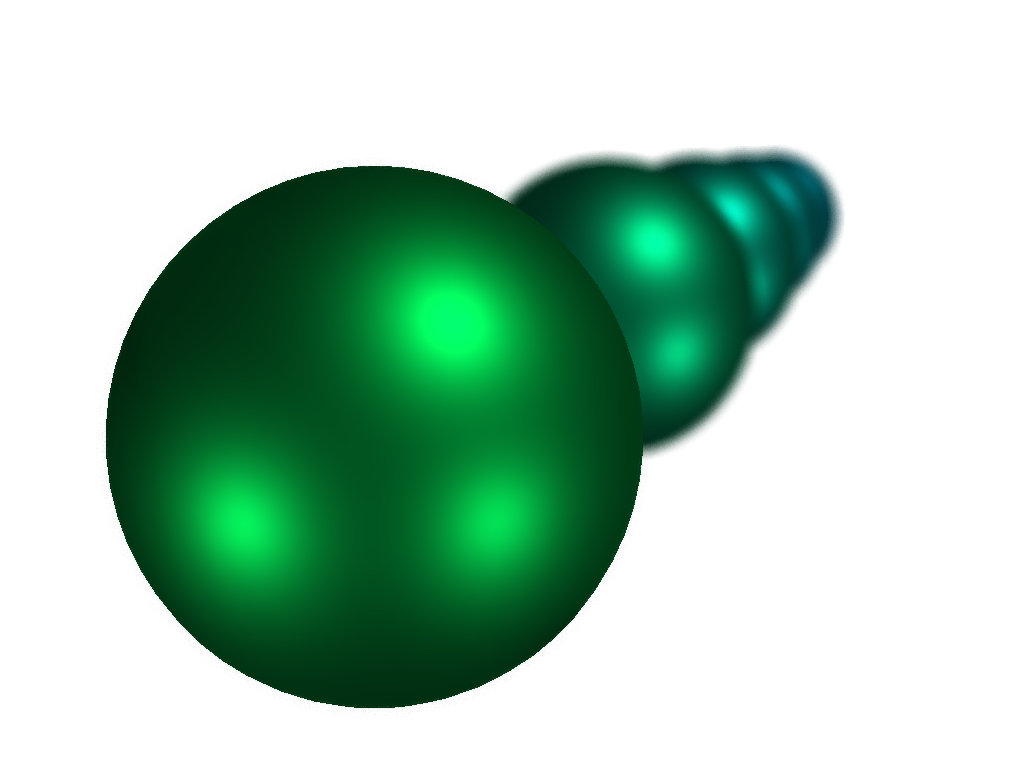
Create five spheres and demonstrate the effect of depth of field.
>>> import pyvista as pv
>>> from pyvista import examples
>>> pl = pv.Plotter(lighting='three lights')
>>> pl.background_color = 'w'
>>> for i in range(5):
...     mesh = pv.Sphere(center=(-i * 4, 0, 0))
...     color = [0, 255 - i * 20, 30 + i * 50]
...     _ = pl.add_mesh(
...         mesh,
...         show_edges=False,
...         pbr=True,
...         metallic=1.0,
...         color=color,
...     )
>>> pl.camera.zoom(1.8)
>>> pl.camera_position = pv.CameraPosition(
...     position=(4.74, 0.959, 0.525),
...     focal_point=(0.363, 0.3116, 0.132),
...     viewup=(-0.088, -0.0075, 0.996),
... )
>>> pl.enable_depth_of_field()
>>> pl.show()
Used In#
API Examples
Plotter.disable_depth_of_field(1 use)Renderer.disable_depth_of_field(1 use)Renderer.enable_depth_of_field(1 use)
Gallery Examples