
Property#
- class Property(*args, **kwargs)[source]#
Wrap vtkProperty and expose it pythonically.
This class is used to set the property of actors.
- Parameters:
- theme
pyvista.plotting.themes.Theme, optional Plot-specific theme.
- interpolation
str, default:pyvista.plotting.themes._LightingConfig.interpolation Set the method of shading. One of the following:
'Physically based rendering'- Physically based rendering.'pbr'- Alias for Physically based rendering.'Phong'- Phong shading.'Gouraud'- Gouraud shading.'Flat'- Flat Shading.
This parameter is case insensitive.
- color
ColorLike, default:pyvista.plotting.themes.Theme.color Used to make the entire mesh have a single solid color. Either a string, RGB list, or hex color string. For example:
color='white',color='w',color=[1.0, 1.0, 1.0], orcolor='#FFFFFF'. Color will be overridden if scalars are specified.- style
str, default: ‘surface’ Visualization style of the mesh. One of the following:
style='surface',style='wireframe',style='points'. Note that'wireframe'only shows a wireframe of the outer geometry.- metallic
float, default:pyvista.plotting.themes._LightingConfig.metallic This parameter is only used by PBR
interpolation. Must be in the range[0.0, 1.0]. A value of0.0is a non-metal such as plastic and1.0is a bare metal; values in between are valid but uncommon for a real material.- roughness
float, default:pyvista.plotting.themes._LightingConfig.roughness A glossy material has reflections and a high specular part. This parameter is only used by PBR
interpolation. Must be in the range[0.0, 1.0]. A value of0.0is glossy and1.0is rough.- point_size
float, default:pyvista.plotting.themes.Theme.point_size Size of the points represented by this property, expressed in screen units. Must be in the range
[0.0, inf).- opacity
float, default:pyvista.plotting.themes.Theme.opacity Opacity of the mesh. A single float value that will be applied globally opacity of the mesh and uniformly applied everywhere. Must be in the range
[0.0, 1.0]. A value of1.0is totally opaque and0.0is completely transparent.- ambient
float, default:pyvista.plotting.themes._LightingConfig.ambient When lighting is enabled, this is the amount of light that reaches the actor when not directed at the light source emitted from the viewer. Must be in the range
[0.0, 1.0]. A value of0.0adds no ambient light and1.0lights every surface fully, regardless of where the light is.- diffuse
float, default:pyvista.plotting.themes._LightingConfig.diffuse The diffuse lighting coefficient. Must be in the range
[0.0, 1.0]. A value of0.0reflects no light from the light source and1.0reflects the full amount.- specular
float, default:pyvista.plotting.themes._LightingConfig.specular The specular lighting coefficient. Must be in the range
[0.0, 1.0]. A value of0.0has no highlight and1.0has a full-intensity one.- specular_power
float, default:pyvista.plotting.themes._LightingConfig.specular_power The specular power. Must be in the range
[0.0, 128.0]. A value of0.0spreads the highlight over the whole surface and128.0concentrates it into a small, sharp spot.- show_edgesbool, default:
pyvista.plotting.themes.Theme.show_edges Shows the edges. Does not apply to a wireframe representation.
- edge_color
ColorLike, default:pyvista.plotting.themes.Theme.edge_color The solid color to give the edges when
show_edges=True. Either a string, RGB list, or hex color string.- render_points_as_spheresbool, default:
pyvista.plotting.themes.Theme.render_points_as_spheres Render points as spheres rather than dots.
- render_lines_as_tubesbool, default:
pyvista.plotting.themes.Theme.render_lines_as_tubes Show lines as thick tubes rather than flat lines. Control the width with
line_width.- lightingbool, default:
pyvista.plotting.themes.Theme.lighting Enable or disable view direction lighting.
- line_width
float, default:pyvista.plotting.themes.Theme.line_width Thickness of lines. Only valid for wireframe and surface representations, expressed in screen units. Must be in the range
[0.0, inf).- culling
str| bool, optional Does not render faces that are culled. This can be helpful for dense surface meshes, especially when edges are visible, but can cause flat meshes to be partially displayed. Defaults to
'none'. One of the following:True,'b','back','backface'- Enable backface culling'f','front','frontface'- Enable frontface cullingFalse,'none'- Disable both backface and frontface culling
- edge_opacity
float, default:pyvista.plotting.themes.Theme.edge_opacity Edge opacity of the mesh. A single float value that will be applied globally edge opacity of the mesh and uniformly applied everywhere. Must be in the range
[0.0, 1.0]. A value of1.0is totally opaque and0.0is completely transparent.Note
edge_opacityusesSetEdgeOpacityas the underlying method which requires VTK version 9.3 or higher. IfSetEdgeOpacityis not available,edge_opacityis set to 1.
- theme
Examples#
Download Python source code | Download Jupyter notebook
Create a pyvista.Actor and assign properties to it.
>>> import pyvista as pv
>>> actor = pv.Actor()
>>> actor.prop = pv.Property(
...     color='r',
...     show_edges=True,
...     interpolation='Physically based rendering',
...     metallic=0.5,
...     roughness=0.1,
... )
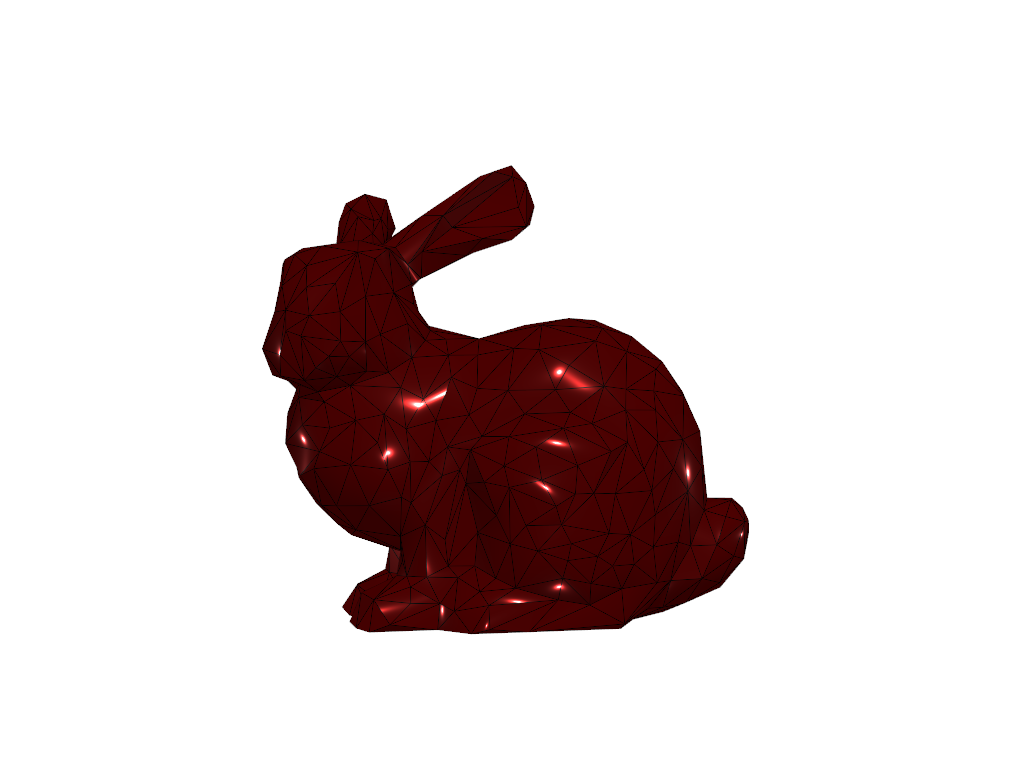
Visualize how the property would look when applied to a mesh.
>>> actor.prop.plot()
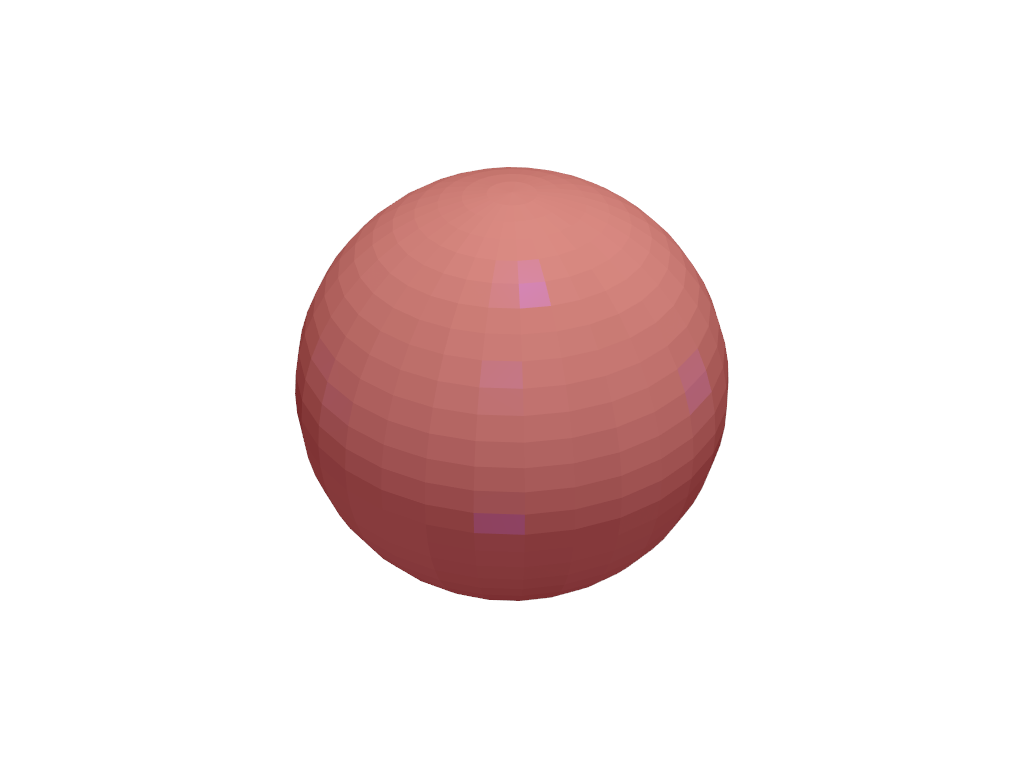
Set custom properties not directly available in
pyvista.Plotter.add_mesh(). Here, we set diffuse, ambient, and
specular power and colors.
>>> pl = pv.Plotter()
>>> actor = pl.add_mesh(pv.Sphere())
>>> prop = actor.prop
>>> prop.diffuse = 0.6
>>> prop.diffuse_color = 'w'
>>> prop.ambient = 0.3
>>> prop.ambient_color = 'r'
>>> prop.specular = 0.5
>>> prop.specular_color = 'b'
>>> pl.show()
Used In#
API Examples
Property.ambient(1 use)Property.ambient_color(1 use)Property.anisotropy(1 use)Property.anisotropy_rotation(1 use)Property.color(1 use)24 more
Property.copy(1 use)Property.culling(1 use)Property.diffuse(1 use)Property.diffuse_color(1 use)Property.edge_color(1 use)Property.edge_opacity(1 use)Property.index_of_refraction(1 use)Property.interpolation(1 use)Property.lighting(1 use)Property.line_width(1 use)Property.metallic(1 use)Property.opacity(1 use)Property.plot(1 use)Property.point_shape(1 use)Property.point_size(1 use)Property.render_lines_as_tubes(1 use)Property.render_points_as_spheres(1 use)Property.representation(1 use)Property.roughness(1 use)Property.show_edges(1 use)Property.specular(1 use)Property.specular_color(1 use)Property.specular_power(1 use)Property.style(1 use)
Inheritance#
Wraps vtkProperty.
Attributes#
Return or set ambient. |
|
Return or set the ambient color of this property. |
|
Return or set the anisotropy coefficient. |
|
Return or set the anisotropy rotation coefficient. |
|
Return or set the color of this property. |
|
Return or set face culling. |
|
Return or set the diffuse lighting coefficient. |
|
Return or set the diffuse color of this property. |
|
Return or set the edge color of this property. |
|
Return or set the edge opacity of this property. |
|
Return or set the index of refraction of the base layer. |
|
Return or set the method of shading. |
|
Return or set view direction lighting. |
|
Return or set the line width. |
|
Return or set metallic. |
|
Return or set the opacity of this property. |
|
Return or set the shape of flat point primitives. |
|
Return or set the point size. |
|
Return or set rendering lines as tubes. |
|
Return or set rendering points as spheres. |
|
Return or set the visualization representation of the mesh. |
|
Return or set roughness. |
|
Return or set the visibility of edges. |
|
Return or set specular. |
|
Return or set the specular color of this property. |
|
Return or set specular power. |
|
Return or set the visualization style of the mesh. |
Methods#
Create a deep copy of this property. |
|
|
Plot this property on the Stanford Bunny. |
