
Plotter.add_line_widget#
- Plotter.add_line_widget(
- callback: Callable[..., object] | None,
- *,
- bounds: VectorLikeFloat | None = None,
- factor: float = 1.25,
- resolution: int = 100,
- color: ColorLike | None = None,
- use_vertices: bool = False,
- pass_widget: bool = False,
- interaction_event: InteractionEventType = 'end',
Add a line widget to the scene.
This is useless without a callback function. You can pass a callable function that takes a single argument, the PolyData line output from this widget, and performs a task with that line.
- Parameters:
- callback
callable() The method called every time the line is updated. This has two options: Take a single argument, the
PolyDataline (default) or ifuse_vertices=True, then it can take two arguments of the coordinates of the line’s end points.- bounds
VectorLikeFloat, optional Length 6 tuple of the bounding box where the widget is placed.
- factor
float, optional An inflation factor to expand on the bounds when placing.
- resolution
int, optional The number of points in the line created.
- color
ColorLike, optional Either a string, rgb sequence, or hex color string.
- use_verticesbool, optional
Changes the arguments of the callback method to take the end points of the line instead of a PolyData object.
- pass_widgetbool, default:
False If
True, the widget will be passed as the last argument of the callback.- interaction_event
InteractionEventType, optional The VTK interaction event to use for triggering the callback. Accepts either the strings
'start','end','always'or a vtkCommand.EventIds.
- callback
- Returns:
- vtkLineWidget
Created line widget.
Examples#
Download Python source code | Download Jupyter notebook
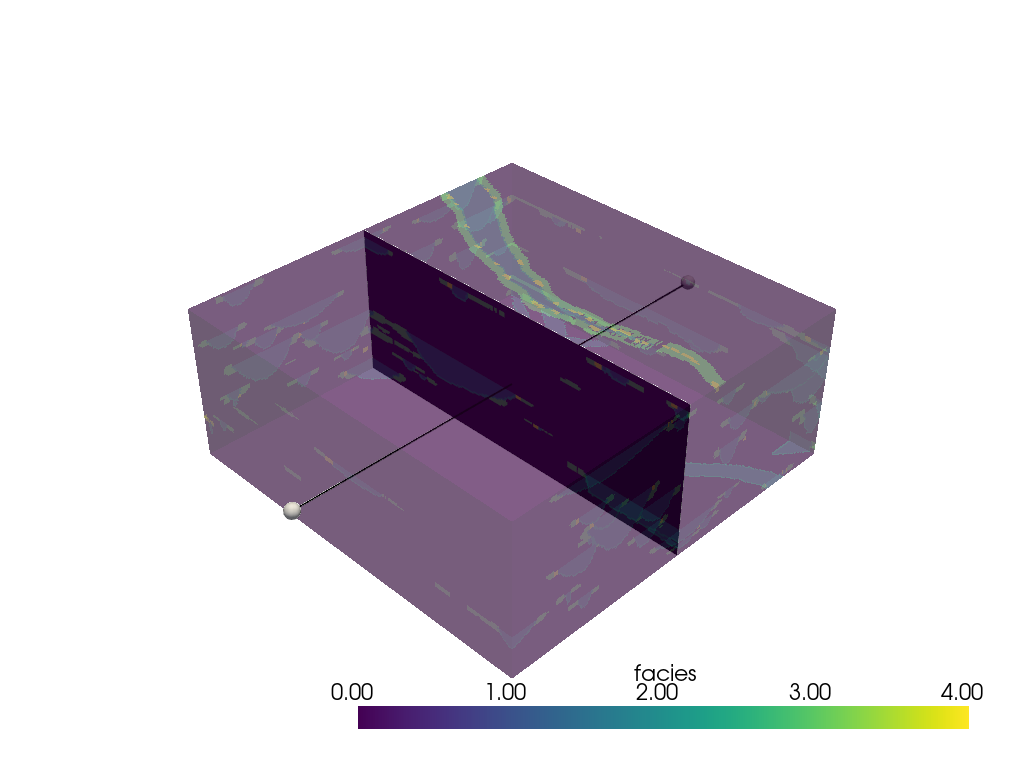
Shows an interactive line widget to move the sliced object
like in add_mesh_slice function.
>>> import pyvista as pv
>>> from pyvista import examples
>>> import numpy as np
>>> model = examples.load_channels()
>>> pl = pv.Plotter()
>>> _ = pl.add_mesh(model, opacity=0.4)
>>> def move_center(pointa, pointb):
...     center = (np.array(pointa) + np.array(pointb)) / 2
...     normal = np.array(pointa) - np.array(pointb)
...     single_slc = model.slice(normal=normal, origin=center)
...
...     _ = pl.add_mesh(single_slc, name='slc')
>>> _ = pl.add_line_widget(callback=move_center, use_vertices=True)
>>> pl.show()
Used In#
API Examples
WidgetComponent.add_line_widget(1 use)
Gallery Examples

