download_action_figure#
- download_action_figure( ) PolyData | str[source]#
Download scan of an action figure.
Originally obtained from Laser Design.
Changed in version 0.45: A decimated version of this dataset with 31 thousand cells is now returned. Previously, a high-resolution version with 630 thousand cells was returned. Use
high_resolution=Truefor the high-resolution version.- Parameters:
- loadbool, default:
True Load the dataset after downloading it when
True. Set this toFalseand only the filename will be returned.- high_resolutionbool, default:
False Set this to
Trueto return a high-resolution version of this dataset. By default, adecimatedversion is returned with 95% reduction.Added in version 0.45.
- loadbool, default:
- Returns:
- output
pyvista.PolyData|str DataSet or filename depending on
load.
- output
Examples#
Download Python source code | Download Jupyter notebook
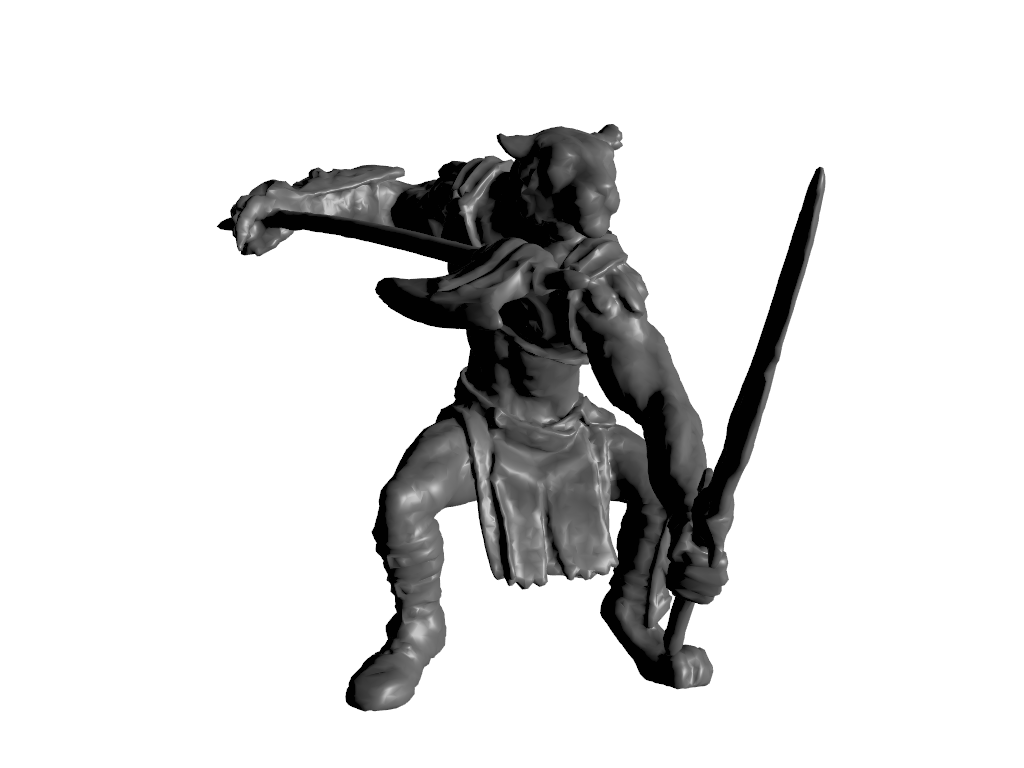
Show the action figure example. This also demonstrates how to use physically based rendering and lighting to make a good looking plot.
>>> import pyvista as pv
>>> from pyvista import examples
>>> dataset = examples.download_action_figure()
>>> _ = dataset.clean(inplace=True)
>>> pl = pv.Plotter(lighting=None)
>>> pl.add_light(pv.Light(position=(30, 10, 10)))
>>> _ = pl.add_mesh(
...     dataset,
...     color='w',
...     smooth_shading=True,
...     pbr=True,
...     metallic=0.3,
...     roughness=0.5,
... )
>>> pl.camera_position = pv.CameraPosition(
...     position=(32.3, 116.3, 220.6),
...     focal_point=(-0.05, 3.8, 33.8),
...     viewup=(-0.017, 0.86, -0.51),
... )
>>> pl.show()
See Also#
- Action Figure Dataset
See this dataset in the Dataset Gallery for more info.
Used In#
Gallery Examples