
Extrude Trim#
Download Python source code | Download Jupyter notebook
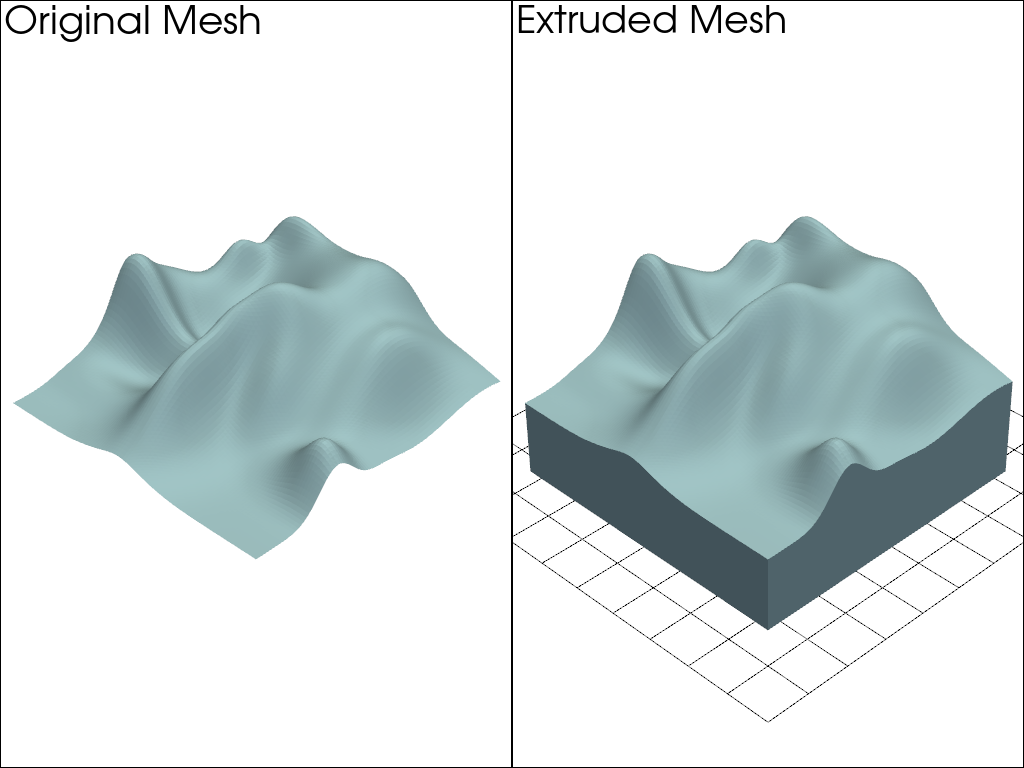
Extrude a PolyData with a pyvista.Plane().
Uses extrude_trim().
import pyvista as pv
Generate an Extruded Surface#
# Create surface and plane
mesh = pv.ParametricRandomHills(random_seed=2)
plane = pv.Plane(
    center=(mesh.center[0], mesh.center[1], -5),
    direction=(0, 0, -1),
    i_size=30,
    j_size=30,
)

# Perform the extrude trim
extruded_hills = mesh.extrude_trim((0, 0, -1.0), plane)
extruded_hills
Plot the Extruded Surface#
Plot the resulting pyvista.PolyData.
pl = pv.Plotter(shape=(1, 2))
pl.add_mesh(mesh)
pl.add_text('Original Mesh')

pl.subplot(0, 1)
pl.add_mesh(plane, style='wireframe', color='black')
pl.add_mesh(extruded_hills)
pl.add_text('Extruded Mesh')

pl.link_views()
pl.camera_position = 'iso'
pl.camera.zoom(1.5)
pl.show()
Extruding All Edges#
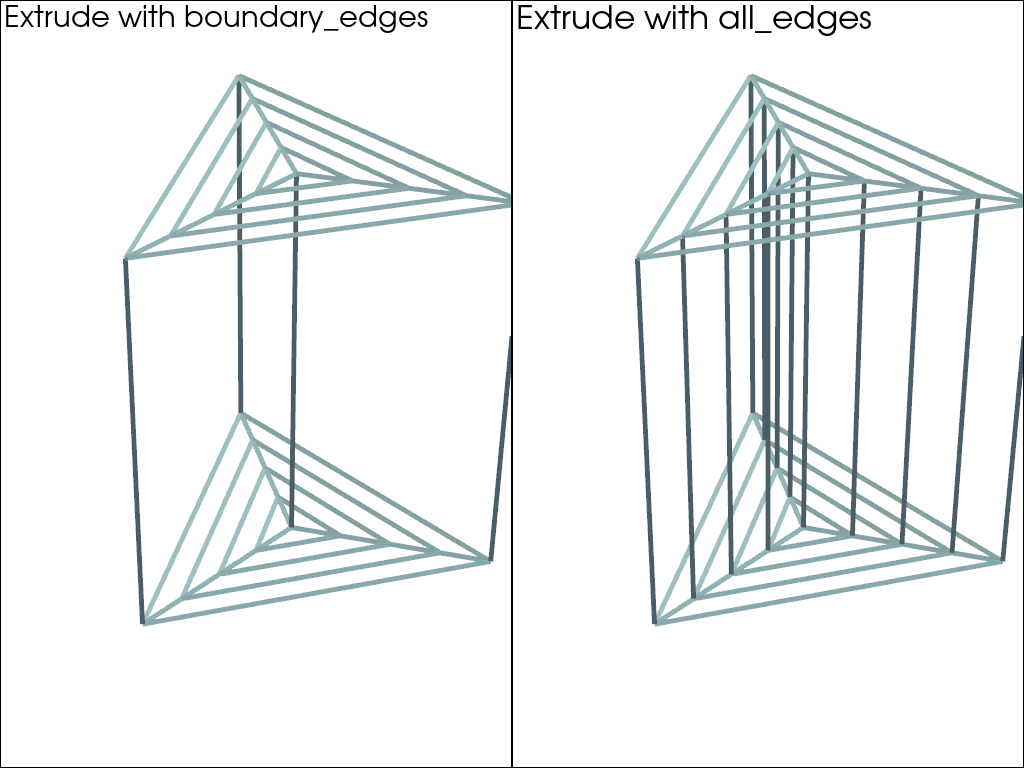
The previous example used the default extrusion='boundary_edges', which
only generates faces on the boundary. When using extrusion='all_edges',
interior edges are also created.
# Create a triangle.
disc = pv.Disc(c_res=3, r_res=4, inner=0)
plane = pv.Plane(
    center=(disc.center[0], disc.center[1], -1),
    direction=(0, 0, -1),
    i_size=1,
    j_size=1,
)

# extrude with and without the all_edges option
extruded_disc = disc.extrude_trim((0, 0, -1.0), plane)
extruded_disc_all = disc.extrude_trim((0, 0, -1.0), plane, extrusion='all_edges')
print(f'Extrusion has {extruded_disc.n_faces} faces with default boundary_edges')
print(f'Extrusion has {extruded_disc_all.n_faces} faces with all_edges')
Extrusion has 30 faces with default boundary_edges
Extrusion has 72 faces with all_edges
Plot#
Show the additional interior faces by plotting with style='wireframe'.
pl = pv.Plotter(shape=(1, 2))
pl.add_mesh(extruded_disc, style='wireframe', line_width=5)
pl.add_text('Extrude with boundary_edges')

pl.subplot(0, 1)
pl.add_mesh(extruded_disc_all, style='wireframe', line_width=5)
pl.add_text('Extrude with all_edges')

pl.link_views()
pl.camera_position = 'iso'
pl.camera.zoom(1.3)
pl.show()
Extrude a Line#
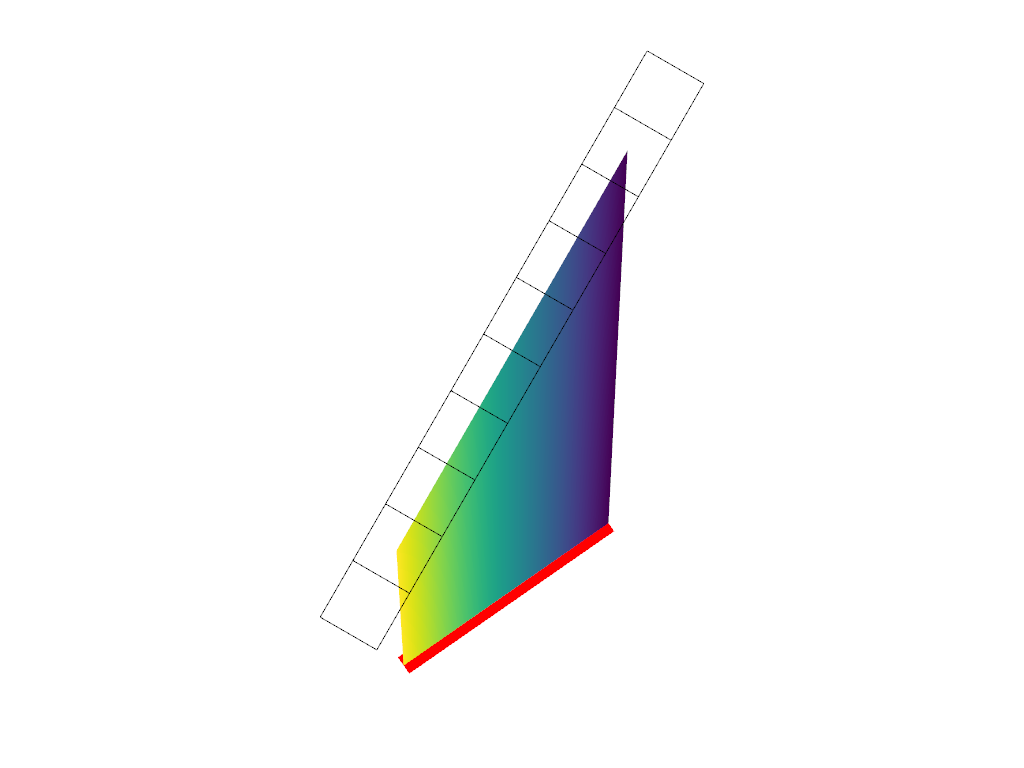
You can also extrude lines. Observe that the output from extruded lines is
still a pyvista.PolyData.
plane = pv.Plane(
    center=(0, 0, 1), i_size=2, j_size=0.2, direction=[1, 1, 1], j_resolution=1
)
line = pv.Line()
extruded_line = line.extrude_trim((0, 0, 1), plane)
extruded_line
Plot the Extruded Line#
Note how the scalars are copied to the extruded line.
pl = pv.Plotter()
pl.add_mesh(line, style='wireframe', line_width=20, show_scalar_bar=False, color='r')
pl.add_mesh(plane, style='wireframe', color='black', show_scalar_bar=False)
pl.add_mesh(extruded_line, show_scalar_bar=False, lighting=False)
pl.show()
Total running time of the script: (0 minutes 0.452 seconds)
