
Wrap a Point Cloud in a Convex Hull#
Download Python source code | Download Jupyter notebook
Create a convex_hull() from a point cloud.
import numpy as np
import pyvista as pv
from pyvista import examples
Load a Point Cloud#
The download_horse_points() dataset is a
dense scan of a horse statue. Subsample it to keep the hull geometry light.
full_cloud = examples.download_horse_points()
rng = np.random.default_rng(seed=2)
sample_ids = rng.choice(full_cloud.n_points, size=4000, replace=False)
cloud = pv.PolyData(full_cloud.points[sample_ids])
cloud
Extract the Outer Hull#
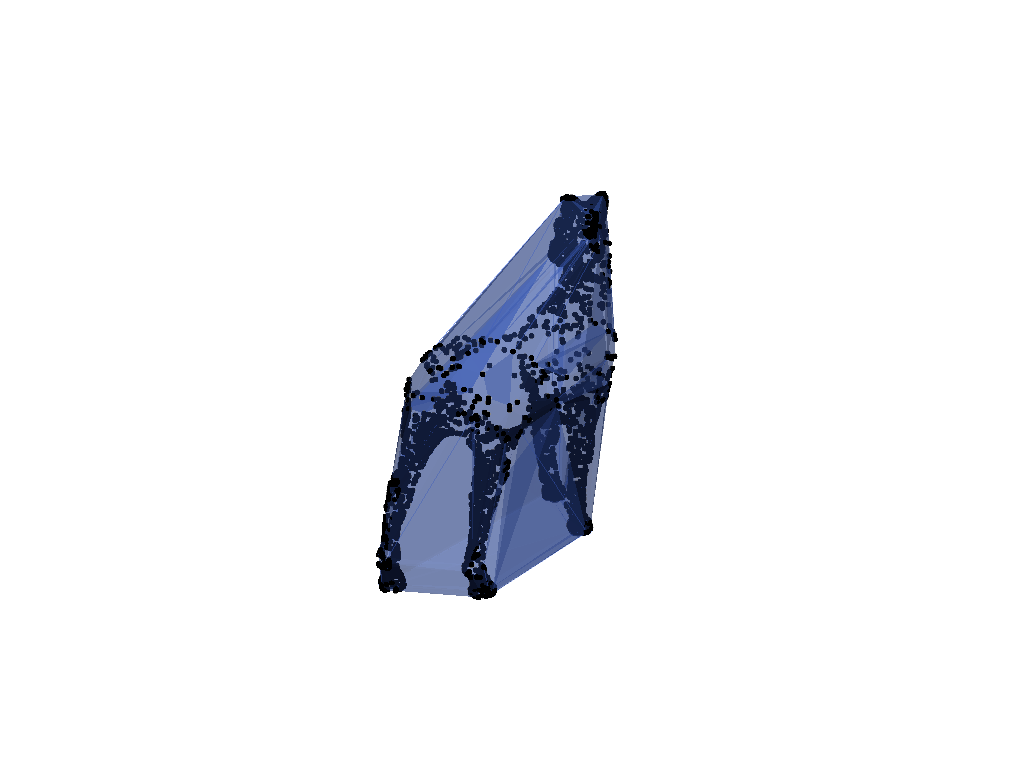
Use the convex_hull filter on the points.
hull = cloud.convex_hull()

pl = pv.Plotter()
pl.add_points(
    cloud,
    color='black',
    point_size=6,
    render_points_as_spheres=True,
)
pl.add_mesh(hull, color='royalblue', opacity=0.4, show_edges=True)
pl.camera_position = pv.CameraPosition(
    position=(-0.32, 0.0032, -0.024),
    focal_point=cloud.center,
    viewup=(0, 0, 1),
)
pl.show()
Inspect the Wrapped Surface#
The result is a closed surface enclosing every input point.
Total running time of the script: (0 minutes 0.215 seconds)
