
generate_cell_blocks#
- generate_cell_blocks(
- cell_types: int | Sequence[int],
- generator: _GeneratorOptions = 'examples',
- *,
- block_dimensions: VectorLikeInt | None = None,
- shrink_factor: float | None = None,
- fill_mode: _FillModeOptions = 'exact',
- unsupported_action: _UnsupportedActionOptions = 'error',
Generate a
MultiBlockmesh comprised of one or more cell types.A separate
UnstructuredGridblock is generated for each input cell type. Cell types may be repeated or mixed in any order. By default, all blocks are stacked sequentially along the x-axis, thoughblock_dimensionsmay be specified to control this.Added in version 0.48.
- Parameters:
- cell_types
int| sequence[int] Cell types to generate. By default, only
CellTypevalues are supported. Invalid cell type values may also be specified; these can be ignored by using theunsupported_actionkeyword.- generator‘examples’ | ‘source’ | ‘parametric’, default: ‘examples’
Method for generating cell type blocks.
'examples': generate blocks using examples frompyvista.examples.cells. This is a mixed collected of manually defined linear cells, quadratic and cubic cells generated with'paramatric', and higher order cells generated with'source'.'parametric': generate blocks using vtkCell.GetParametricCoords.'source': generate blocks using vtkCellTypeSource.
Note
'examples'supports all concretecell types, but the other generators only support a subset.Both
'examples'and'parametric'only generate a single cell per block, whereas'source'may generate multiple cells of the same type in order to fill a unit block (for example, two triangles to fill a square, two wedges to fill a cube).
- block_dimensions
VectorLikeInt, optional Output dimensions of blocks to generate. By default, all blocks are stacked sequentially along the x-axis. The dimensions should be compatible with the number of input cell types. Use
fill_modeto handle cases where the dimensions are not compatible.- shrink_factor
float, optional Shrink each block by applying a scaling factor. By default, no shrink factor is applied, and each generated cell type is scaled to fit inside a unit cube.
- fill_mode‘exact’ | ‘cycle’ | ‘stop’, default: ‘exact’
Select how to handle mismatched dimensions.
'exact': the number of cell types must match the specified block dimensions exactly.'cycle': cycle through and duplicate cell types as required to ensure the specified block dimensions are completely filled.'stop': stop iterating when all specified cell types have been generated.
- unsupported_action‘skip’ | ‘squeeze’ | ‘warn’ | ‘error’, default: ‘error’
Select how to handle unsupported cell types.
'skip': Skip generating a block for unsupported cell types. ANoneblock is included instead. This will create a gap in the output.'squeeze': Similar to'skip', but noNoneblock is appended. Since no block is included, there are no gaps and the output appears to be “squeezed” together.'warn': Similar toskip, but a warning is emitted when an unsupported type is encountered.'error': Raise a ValueError when an unsupported cell type is encountered.
- cell_types
Examples#
Download Python source code | Download Jupyter notebook
Generate a single TRIANGLE cell.
>>> import pyvista as pv
>>> from pyvista.examples import cells, generate_cell_blocks, plot_cell
>>> triangle = generate_cell_blocks(pv.CellType.TRIANGLE)
>>> plot_cell(triangle, cpos='xy')
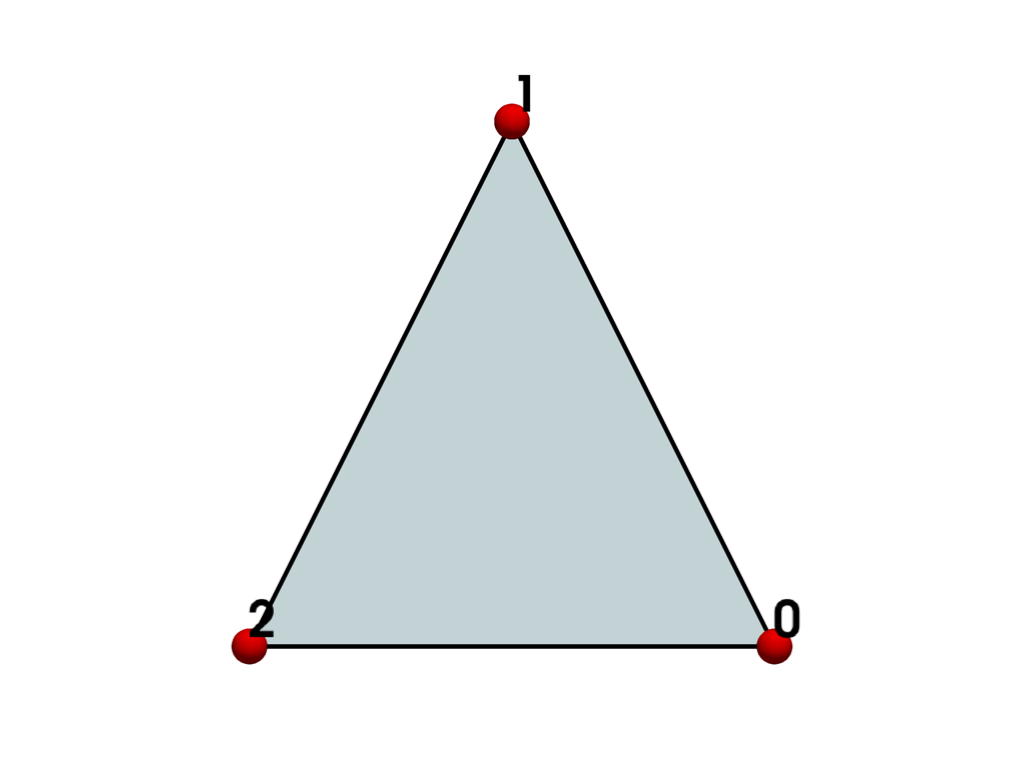
This is similar to the Triangle() grid, except it’s a
MultiBlock and its bounds are normalized to fit inside a 1x1x1 grid.
>>> triangle
MultiBlock[UnstructuredGrid] (...)
  N Blocks:   1
  X Bounds:   0.000e+00, 1.000e+00
  Y Bounds:   -5.551e-17, 1.000e+00
  Z Bounds:   0.000e+00, 0.000e+00
Compare to the un-normalized bounds.
>>> cells.Triangle()
UnstructuredGrid (...)
  N Cells:    1
  N Points:   3
  X Bounds:   -5.000e-01, 5.000e-01
  Y Bounds:   -2.887e-01, 5.774e-01
  Z Bounds:   0.000e+00, 0.000e+00
  N Arrays:   0
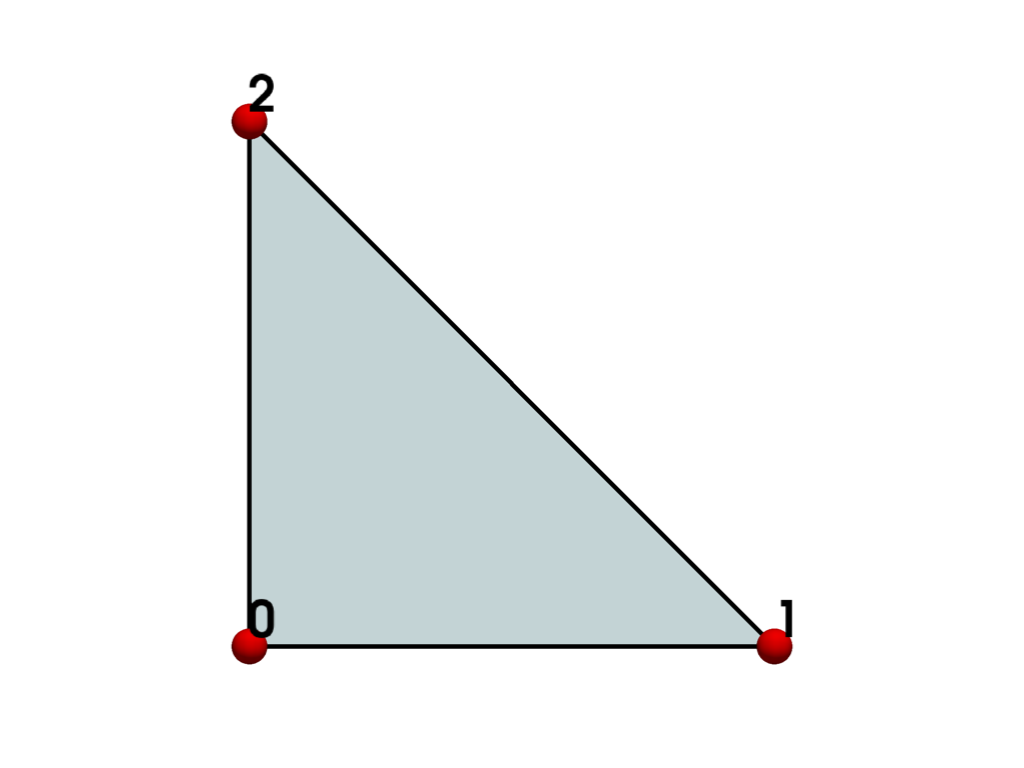
Use the 'parametric' generator instead.
>>> triangle = generate_cell_blocks(pv.CellType.TRIANGLE, 'parametric')
>>> plot_cell(triangle, cpos='xy')
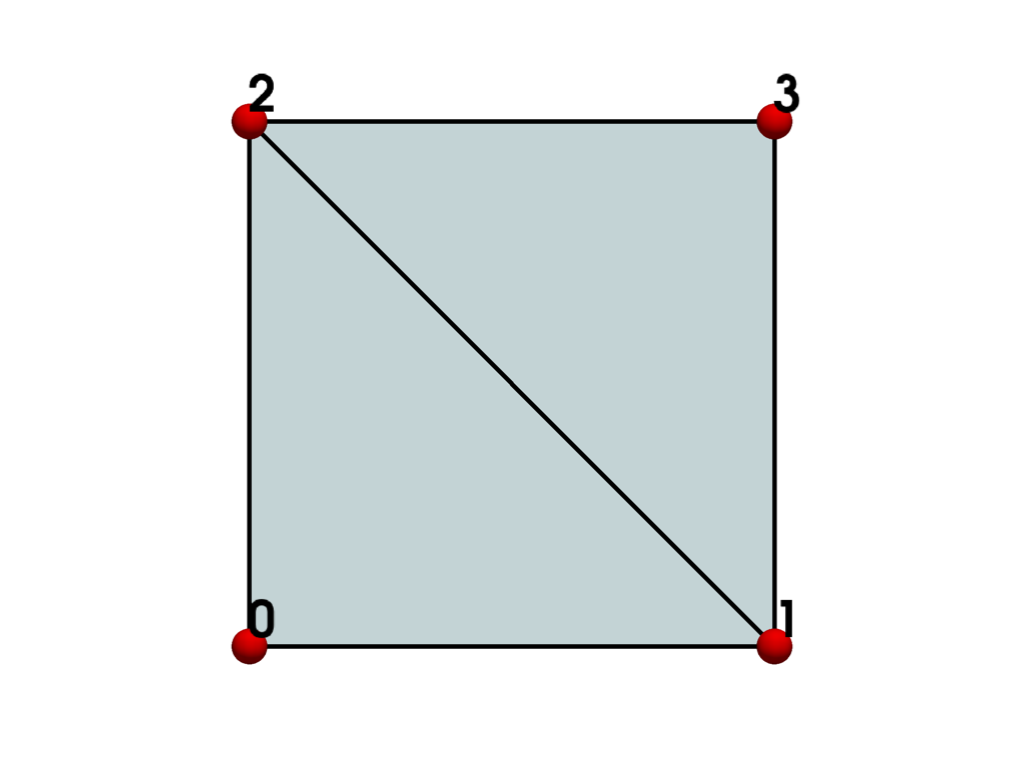
Use the 'source' generator instead.
>>> triangle = generate_cell_blocks(pv.CellType.TRIANGLE, 'source')
>>> plot_cell(triangle, cpos='xy')
Generate multiple cell types. Here we generate all concrete linear 2D cells.
>>> cell_types = [
...     ctype
...     for ctype in pv.CellType
...     if ctype.dimension == 2 and ctype.is_linear
... ]
>>> cell_types
[<CellType.TRIANGLE: 5>,
 <CellType.TRIANGLE_STRIP: 6>,
 <CellType.POLYGON: 7>,
 <CellType.PIXEL: 8>,
 <CellType.QUAD: 9>]
>>> cell_blocks = generate_cell_blocks(cell_types, shrink_factor=0.8)
>>> plot_cell(cell_blocks, cpos='xy')
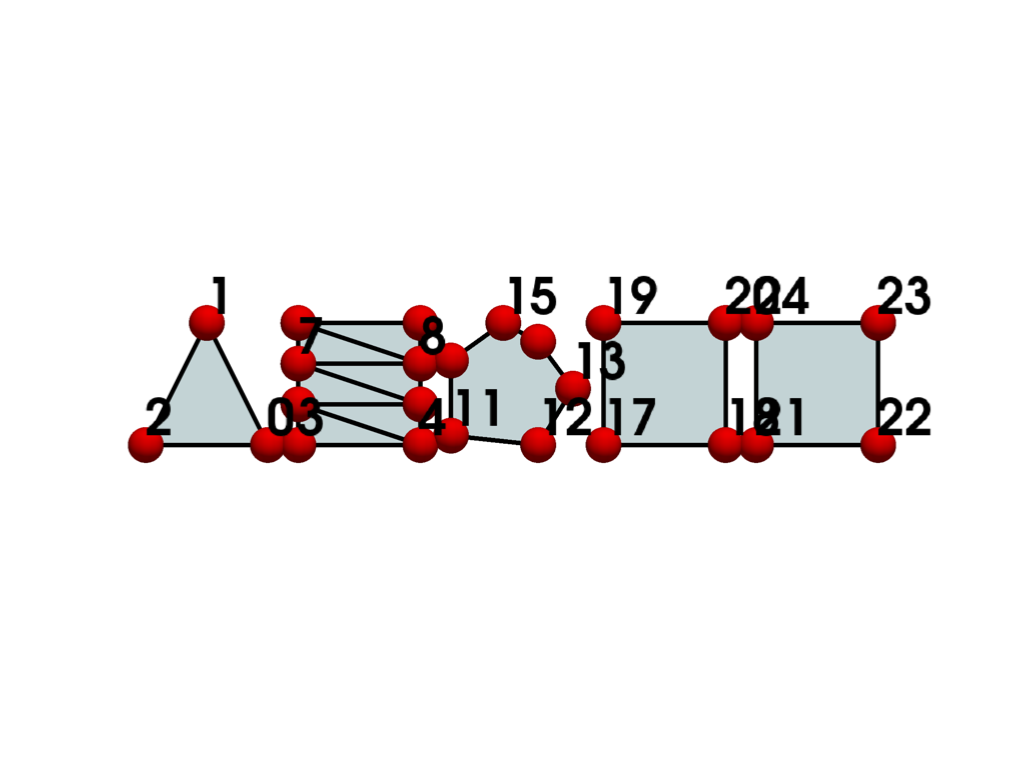
Each block’s name matches the name of the cell type.
>>> cell_blocks.keys()
['TRIANGLE', 'TRIANGLE_STRIP', 'POLYGON', 'PIXEL', 'QUAD']
Generate the same cell types using the parametric generator. This generator does not support triangle strip or polygon cells, so we skip these.
>>> cell_blocks = generate_cell_blocks(
...     cell_types, 'parametric', shrink_factor=0.8, unsupported_action='skip'
... )
>>> plot_cell(cell_blocks, cpos='xy')
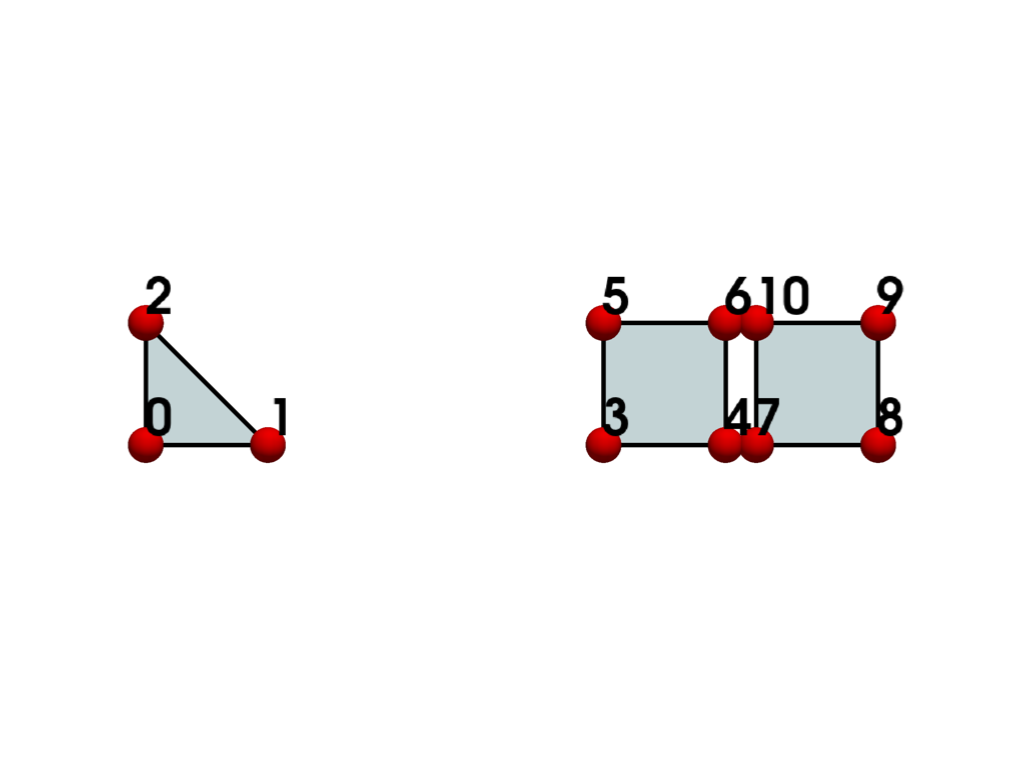
Use the source generator. It also does not support triangle strip, but it does support polygon. This time, we squeeze the blocks together instead of skipping them, and do not shrink them. This combination generates a continuous grid with no gaps.
>>> cell_blocks = generate_cell_blocks(
...     cell_types, 'source', unsupported_action='squeeze'
... )
>>> plot_cell(cell_blocks, cpos='xy')
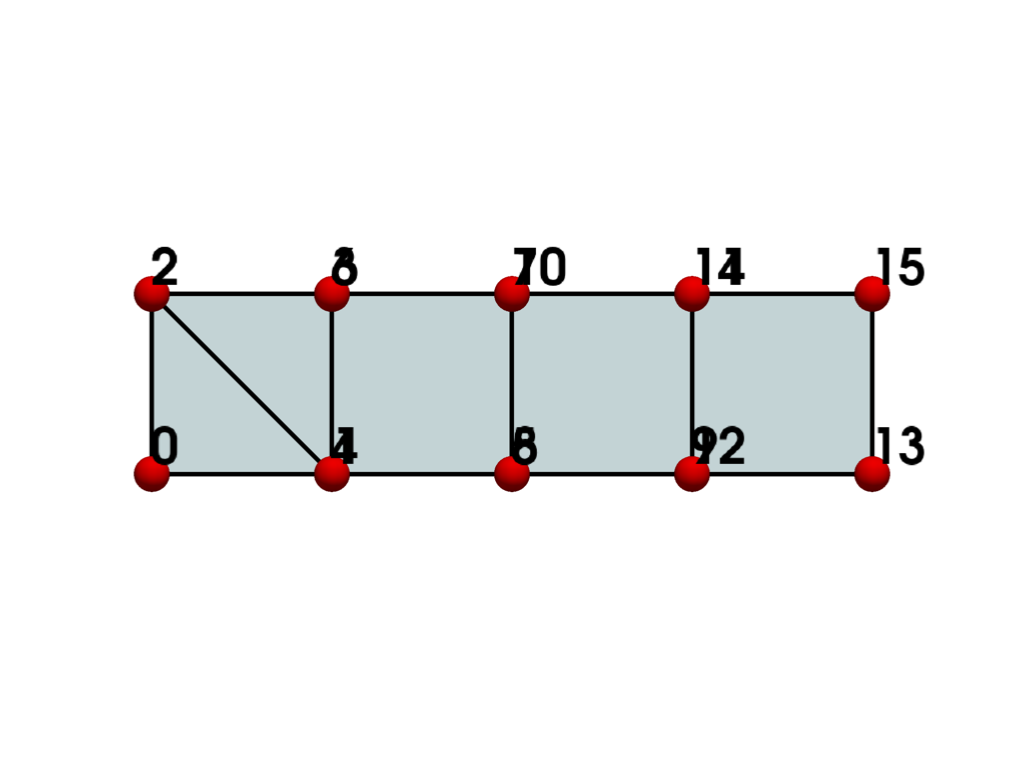
Generate cell types on a dimensioned grid.
>>> lines = [pv.CellType.LINE] * 3
>>> polygons = [pv.CellType.POLYGON] * 3
>>> wedges = [pv.CellType.WEDGE] * 3
>>> pyramids = [pv.CellType.PYRAMID] * 3
>>> cell_types = [*lines, *polygons, *wedges, *pyramids]
Plot them with 3 cells in the x-direction, and 4 cells in the y-direction.
>>> cell_blocks = generate_cell_blocks(cell_types, block_dimensions=(3, 4, 1))
>>> size_kwargs = dict(point_size=40, font_size=20)
>>> plot_cell(cell_blocks, cpos='xy', **size_kwargs)
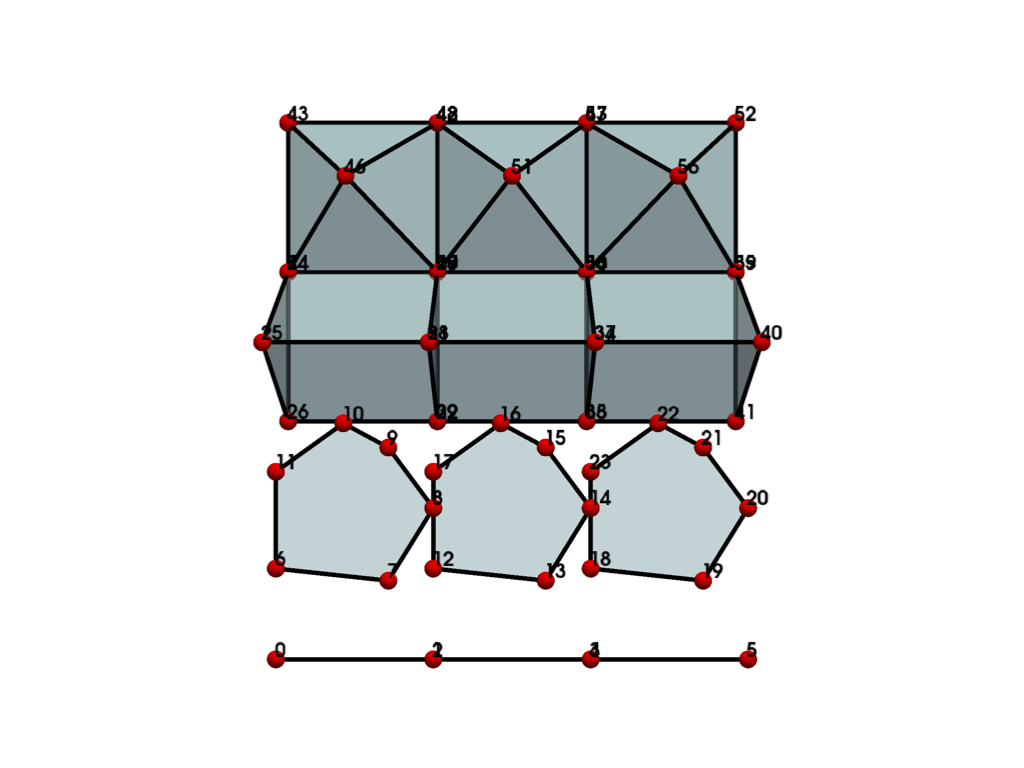
Reverse the x and y dimension.
>>> cell_blocks = generate_cell_blocks(cell_types, block_dimensions=(4, 3, 1))
>>> plot_cell(cell_blocks, cpos='xy', **size_kwargs)
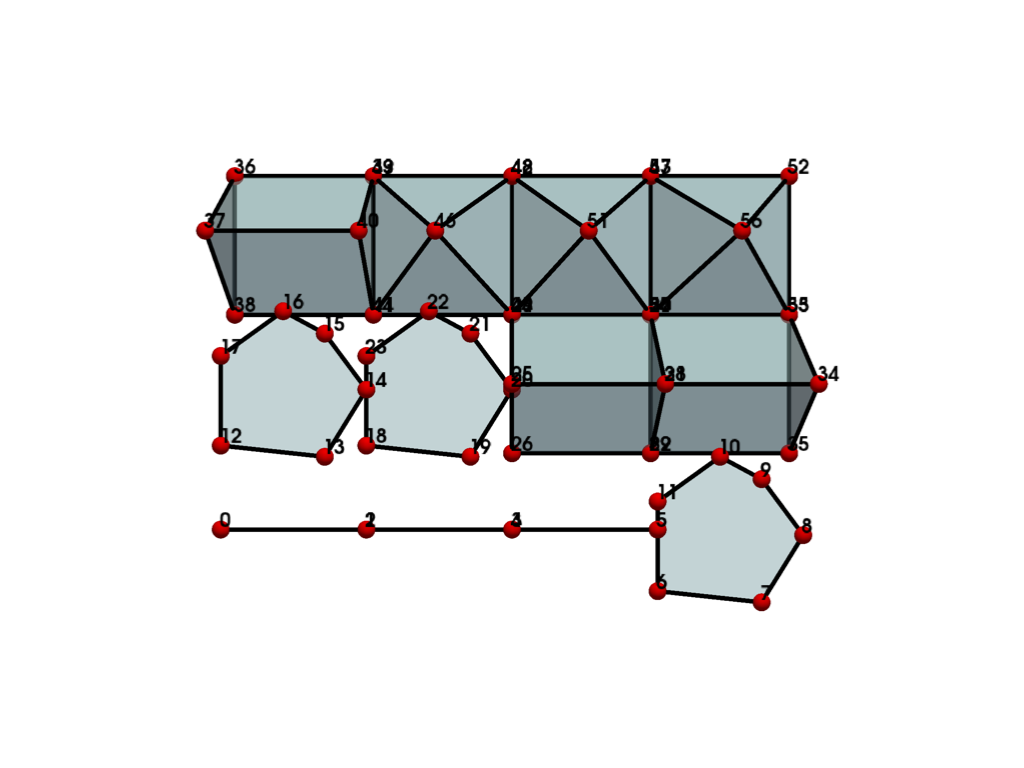
Use the 'stop' fill mode if there is a mismatch between the number of cell types and block
dimensions. Here, the last two pyramid cell types are omitted.
>>> cell_blocks = generate_cell_blocks(
...     cell_types[:-2], block_dimensions=(3, 4, 1), fill_mode='stop'
... )
>>> plot_cell(cell_blocks, cpos='xy', **size_kwargs)
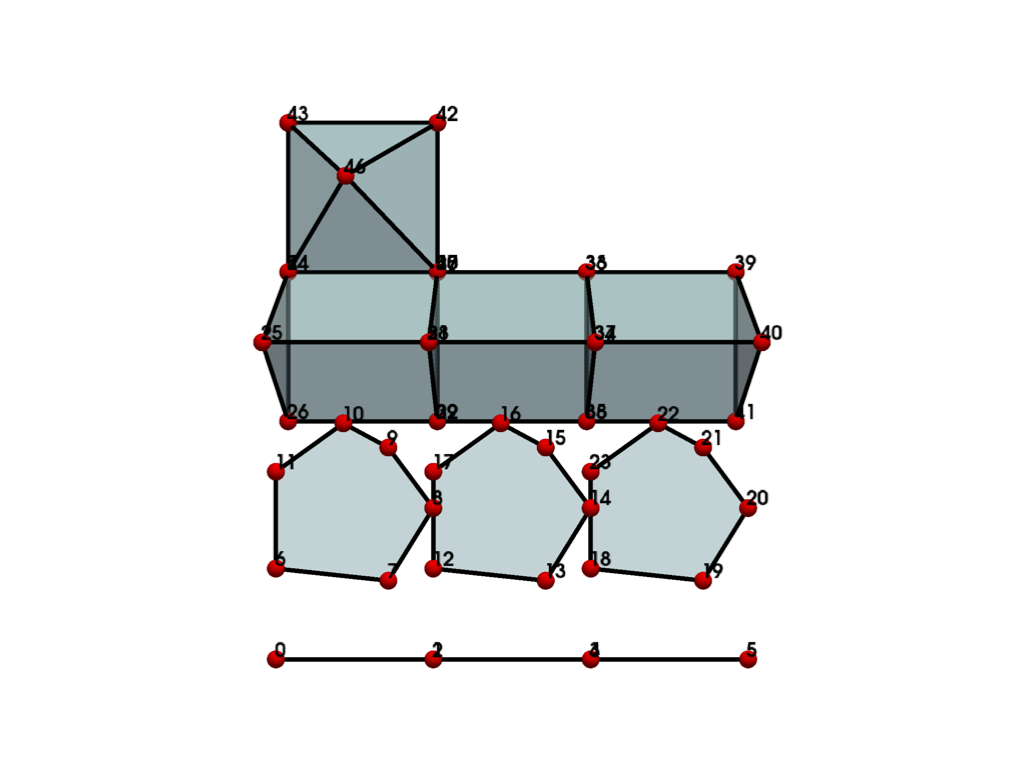
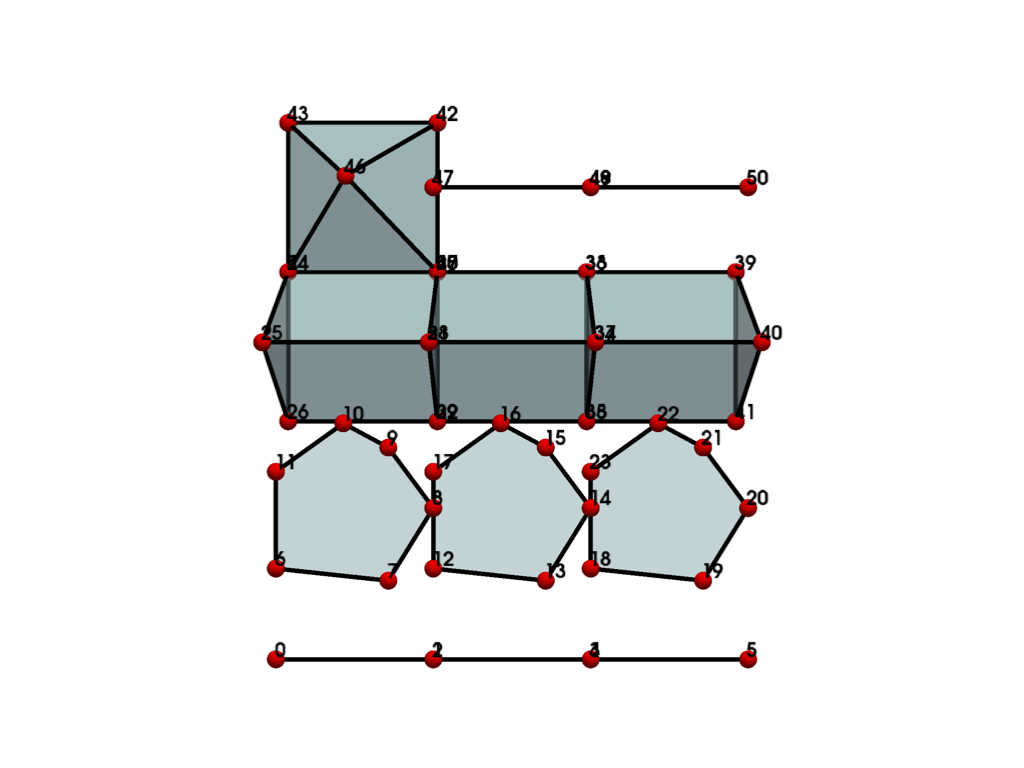
Alternatively, cycle through the cell types again to completely fill the dimensions. In this case, the line type is reused to fill the gap.
>>> cell_blocks = generate_cell_blocks(
...     cell_types[:-2], block_dimensions=(3, 4, 1), fill_mode='cycle'
... )
>>> plot_cell(cell_blocks, cpos='xy', **size_kwargs)
Generate a 5x5x5 grid comprised of all 3D concrete cell types with no gaps.
>>> cell_types = [
...     ctype
...     for ctype in pv.CellType
...     if ctype.dimension == 3 and ctype.vtk_class is not None
... ]
>>> cell_blocks = generate_cell_blocks(
...     cell_types,
...     'source',
...     block_dimensions=(5, 5, 5),
...     unsupported_action='squeeze',
...     fill_mode='cycle',
... )
>>> cell_blocks.plot(show_edges=True, opacity=0.5, line_width=3)
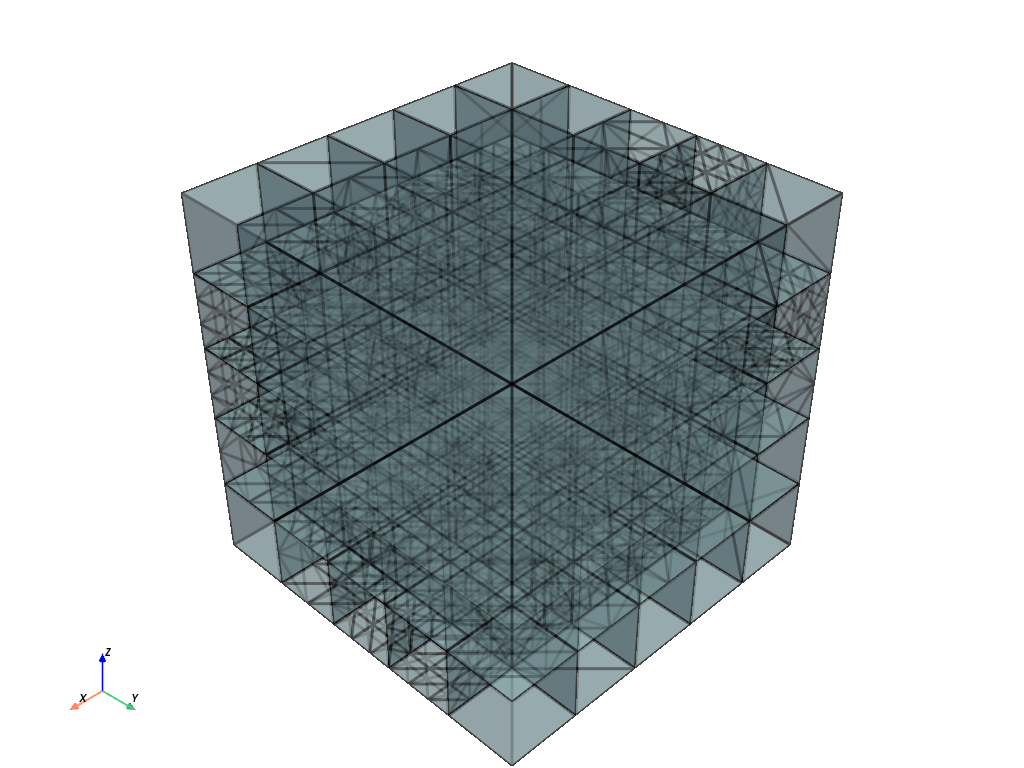
Combine into a single grid and show distinct_cell_types.
>>> cell_blocks.combine().distinct_cell_types
{<CellType.TETRA: 10>, <CellType.VOXEL: 11>, <CellType.HEXAHEDRON: 12>, <CellType.WEDGE: 13>,
 <CellType.PYRAMID: 14>, <CellType.PENTAGONAL_PRISM: 15>, <CellType.HEXAGONAL_PRISM: 16>,
 <CellType.QUADRATIC_TETRA: 24>, <CellType.QUADRATIC_HEXAHEDRON: 25>,
 <CellType.QUADRATIC_WEDGE: 26>, <CellType.QUADRATIC_PYRAMID: 27>,
 <CellType.TRIQUADRATIC_HEXAHEDRON: 29>, <CellType.TRIQUADRATIC_PYRAMID: 37>,
 <CellType.POLYHEDRON: 42>, <CellType.LAGRANGE_TETRAHEDRON: 71>,
 <CellType.LAGRANGE_HEXAHEDRON: 72>, <CellType.LAGRANGE_WEDGE: 73>,
 <CellType.BEZIER_TETRAHEDRON: 78>, <CellType.BEZIER_HEXAHEDRON: 79>,
 <CellType.BEZIER_WEDGE: 80>}
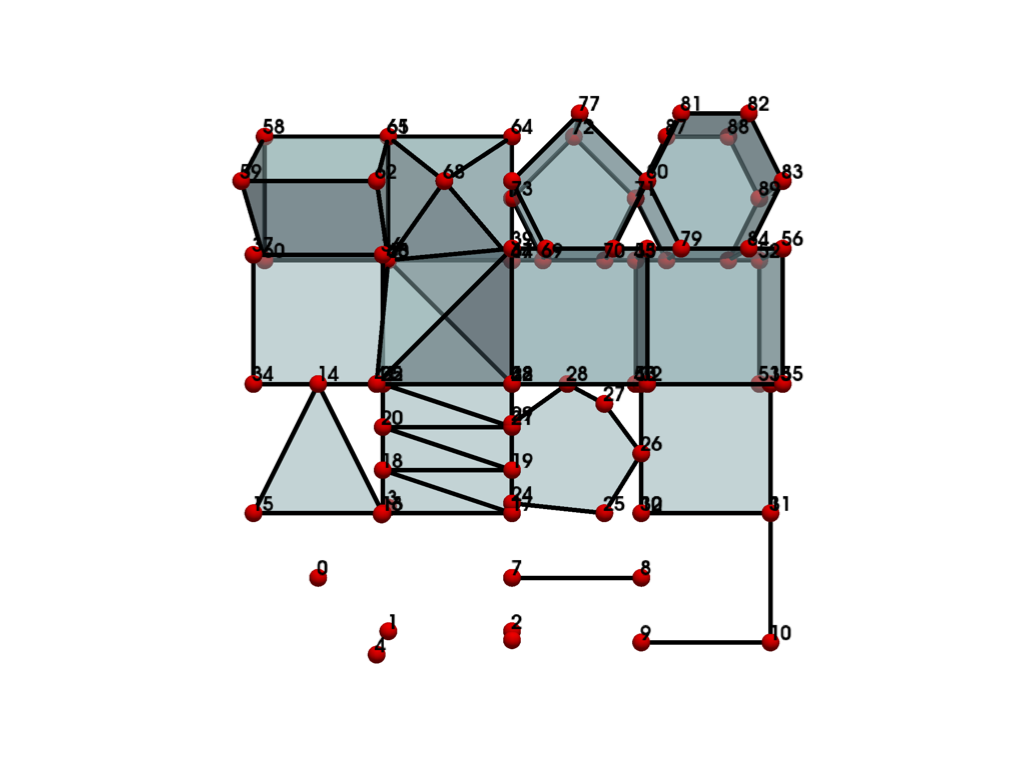
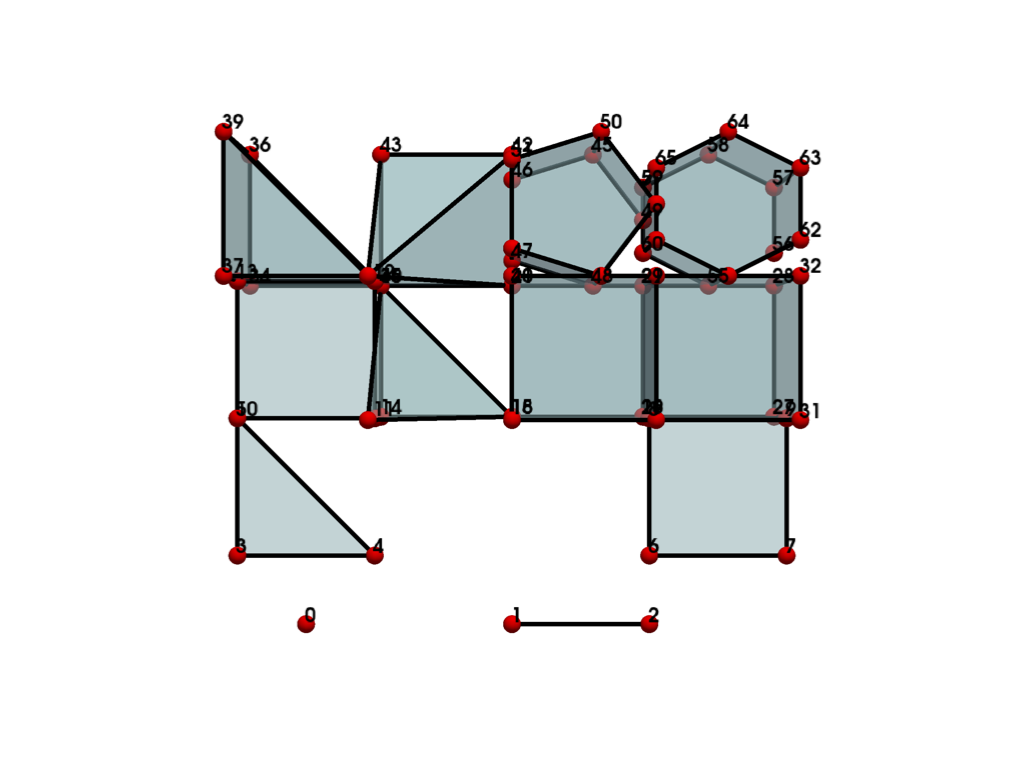
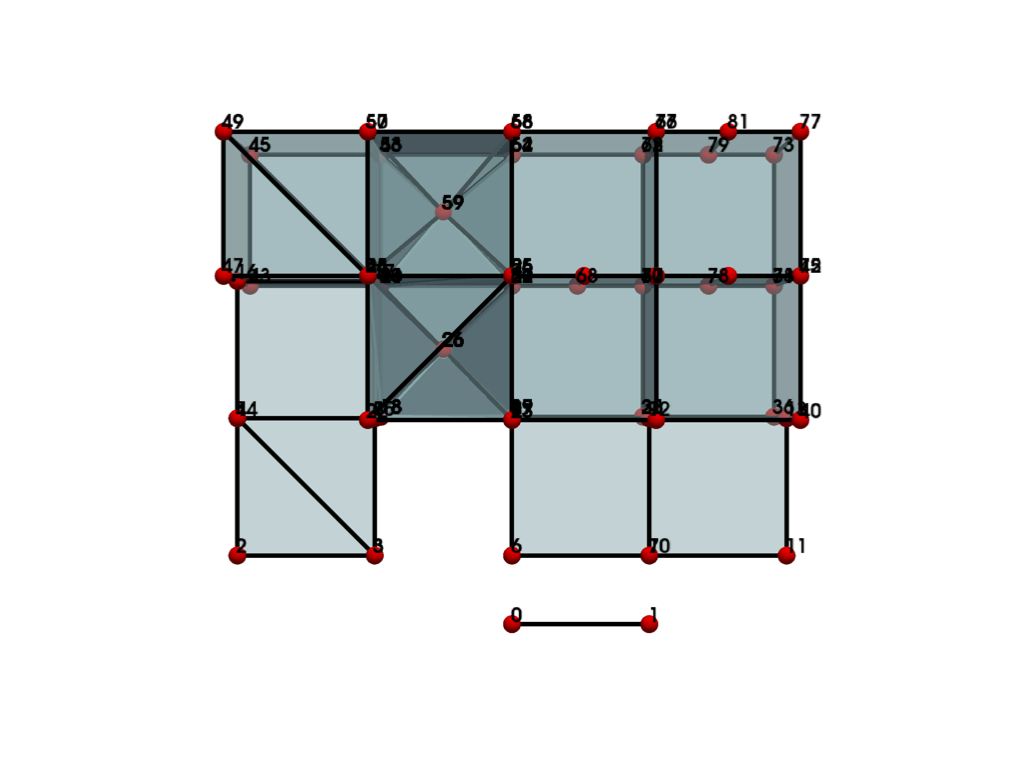
Compare the first 16 cell types from the different generators. Gaps are expected in the output wherever a generator does not support a cell type.
>>> kwargs = dict(
...     cell_types=range(1, 17),
...     block_dimensions=(4, 4, 1),
...     unsupported_action='skip',
... )
>>> cell_blocks = generate_cell_blocks(generator='examples', **kwargs)
>>> plot_cell(cell_blocks, cpos='xy', **size_kwargs)
>>> cell_blocks = generate_cell_blocks(generator='parametric', **kwargs)
>>> plot_cell(cell_blocks, cpos='xy', **size_kwargs)
>>> cell_blocks = generate_cell_blocks(generator='source', **kwargs)
>>> plot_cell(cell_blocks, cpos='xy', **size_kwargs)
Used In#
Gallery Examples

