
Create 3D Text#
Download Python source code | Download Jupyter notebook
Generate extruded text geometry with pyvista.Text3D().
import pyvista as pv
Create an Extruded Text Mesh#
The text is standard PolyData and can be transformed and plotted like any other surface.
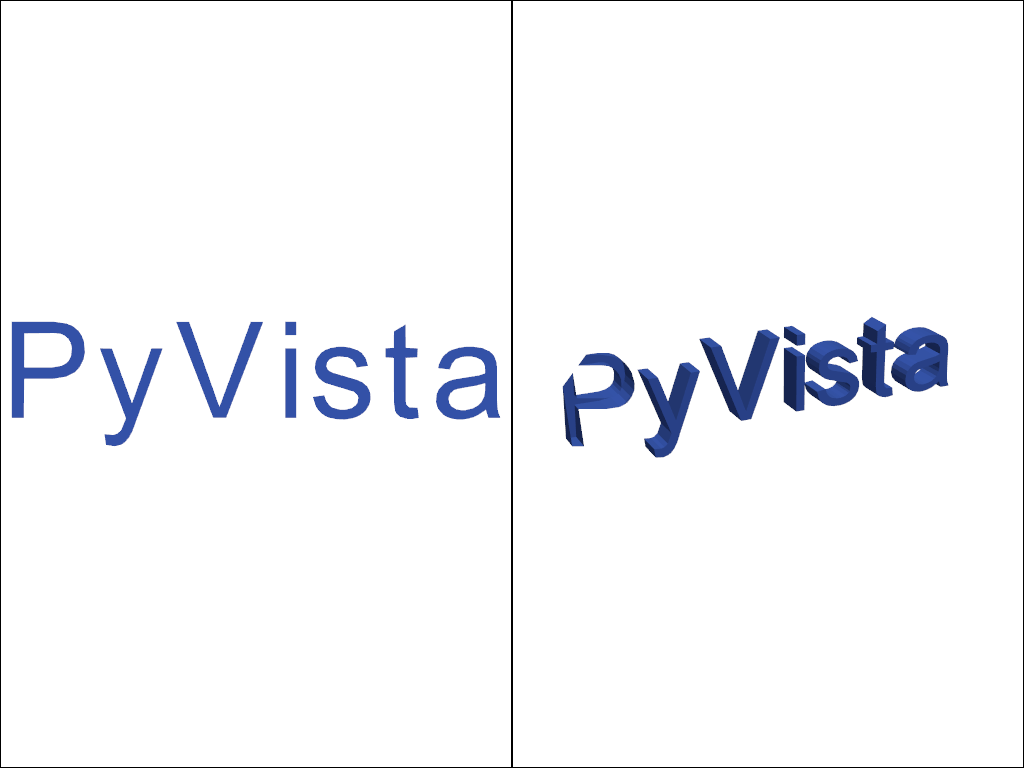
Compare Flat and Extruded Text#
depth=0 produces flat glyphs; a positive depth extrudes them into 3D.
flat = pv.Text3D('PyVista', depth=0)
extruded = pv.Text3D('PyVista', depth=0.4)

pl = pv.Plotter(shape=(1, 2))
pl.subplot(0, 0)
pl.add_mesh(flat, color='royalblue')
pl.view_xy()
pl.subplot(0, 1)
pl.add_mesh(extruded, color='royalblue')
pl.view_xy()
pl.camera.azimuth = -25
pl.camera.elevation = 20
pl.camera.zoom(0.85)
pl.show()
Total running time of the script: (0 minutes 0.145 seconds)
