
Plotter.add_radio_button_widget#
- Plotter.add_radio_button_widget(
- callback: Callable[[], object] | None,
- radio_button_group: str,
- *,
- value: bool = False,
- title: str | None = None,
- position: VectorLikeFloat = (10.0, 10.0),
- size: int = 50,
- border_size: int = 8,
- color_on: ColorLike = 'blue',
- color_off: ColorLike = 'grey',
- background_color: ColorLike | None = None,
Add a radio button widget to the scene.
Radio buttons work in groups. Only one button in a group can be on at the same time. Typically you should add two or more buttons belonging to a same radio button group. Each button should be passed a callback function. This function will be called when a radio button in a group is switched on, assuming it was not already on.
- Parameters:
- callback
callable() The method called when a radio button’s state changes from off to on.
- radio_button_group
str Name of the group for the radio button.
- valuebool, default:
False The default state of the button. If multiple buttons in the same group are initialized with to True state, only the last initialized button will remain on.
- title
str, optional String title to be displayed next to the radio button.
- position
VectorLikeFloat, default: (10.0, 10.0) The absolute coordinates of the bottom left point of the button.
- size
int, default: 50 The diameter of the button in number of pixels.
- border_size
int, default: 8 The size of the borders of the button in pixels.
- color_on
ColorLike, default:'blue' The color used when the button is checked.
- color_off
ColorLike, default:'grey' The color used when the button is not checked.
- background_color
ColorLike, optional The background color of the button. If not set, default will be set as
self._plotter.background_color.
- callback
- Returns:
- vtkButtonWidget
The VTK button widget configured as a radio button.
Examples#
Download Python source code | Download Jupyter notebook
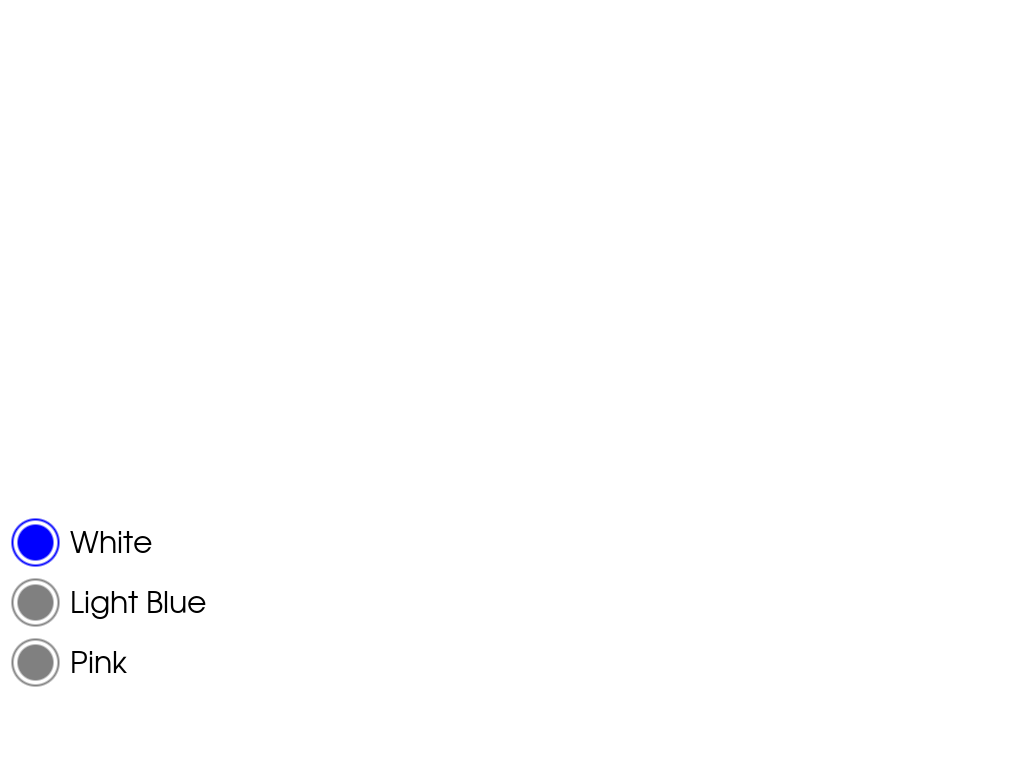
The following example creates a background color switcher.
>>> import pyvista as pv
>>> pl = pv.Plotter()
>>> def set_bg(color):
...     def wrapped_callback():
...         pl.background_color = color
...
...     return wrapped_callback
>>> _ = pl.add_radio_button_widget(
...     set_bg('white'),
...     'bgcolor',
...     position=(10.0, 200.0),
...     title='White',
...     value=True,
... )
>>> _ = pl.add_radio_button_widget(
...     set_bg('lightblue'),
...     'bgcolor',
...     position=(10.0, 140.0),
...     title='Light Blue',
... )
>>> _ = pl.add_radio_button_widget(
...     set_bg('pink'),
...     'bgcolor',
...     position=(10.0, 80.0),
...     title='Pink',
... )
>>> pl.show()
Used In#
API Examples
