
Actor#
- class Actor(*args, **kwargs)[source]#
Wrap vtkActor.
This class represents the geometry & properties in a rendered scene. Normally, a
pyvista.Actoris constructed frompyvista.Plotter.add_mesh(), but there may be times when it is more convenient to construct an actor directly from apyvista.DataSetMapper.- Parameters:
- mapper
pyvista.DataSetMapper, optional DataSetMapper.
- prop
pyvista.Property, optional Property of the actor.
- name
str, optional The name of this actor used when tracking on a plotter.
- mapper
Examples#
Download Python source code | Download Jupyter notebook
Create an actor without using pyvista.Plotter.
>>> import pyvista as pv
>>> mesh = pv.Sphere()
>>> mapper = pv.DataSetMapper(mesh)
>>> actor = pv.Actor(mapper=mapper)
>>> actor
Actor (...)
  Center:                     (0.0, 0.0, 0.0)
  Pickable:                   True
  Position:                   (0.0, 0.0, 0.0)
  Scale:                      (1.0, 1.0, 1.0)
  Visible:                    True
  X Bounds                    -4.993E-01, 4.993E-01
  Y Bounds                    -4.965E-01, 4.965E-01
  Z Bounds                    -5.000E-01, 5.000E-01
  User matrix:                Identity
  Has mapper:                 True
...
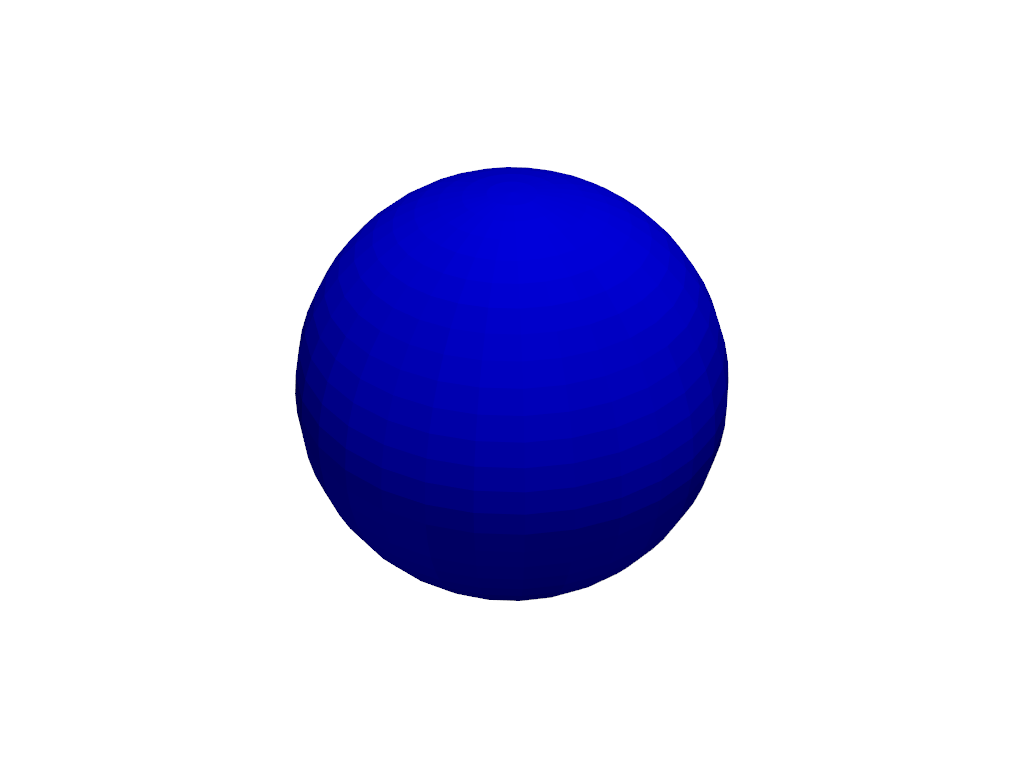
Change the actor properties and plot the actor.
>>> import pyvista as pv
>>> mesh = pv.Sphere()
>>> mapper = pv.DataSetMapper(mesh)
>>> actor = pv.Actor(mapper=mapper)
>>> actor.prop.color = 'blue'
>>> actor.plot()
Create an actor using the pyvista.Plotter and then change the
visibility of the actor.
>>> import pyvista as pv
>>> pl = pv.Plotter()
>>> mesh = pv.Sphere()
>>> actor = pl.add_mesh(mesh)
>>> actor.visibility = False
>>> actor.visibility
False
Used In#
API Examples
Actor.mapper(1 use)Actor.plot(1 use)Actor.point_sprite_shape(1 use)DataSetMapper(1 use)Property(1 use)Transform.apply(1 use)
Gallery Examples

Inheritance#
Inherited members are documented on Prop3D, _NameMixin, _BoundsSizeMixin.
See them all under Inherited Attributes and Inherited Methods.
Wraps vtkActor.
Attributes#
Return or set the backface property. |
|
Return or set the on-screen length of one dash pattern interval. |
|
Return or set actor opacity behavior. |
|
Return or set the dash style drawn along this actor's lines. |
|
Return or set the mapper of the actor. |
|
Return the memory address of this actor. |
|
Return or set actor pickability. |
|
Return the requested point shape, including |
|
Return or set the property of this actor. |
|
Return or set the actor texture. |
|
Return or set the use of actor's bounds. |
|
Return or set actor visibility. |
Inherited Attributes#
Return the bounds of the entity. |
|
Return the size of each axis of the object’s bounding box. |
|
Return the center of the entity. |
|
Return the length of the entity. |
|
Get or set the unique name identifier used by PyVista. |
|
Return or set the entity orientation angles. |
|
Return or set the entity origin. |
|
Return or set the entity position. |
|
Return or set entity scale. |
|
Return or set the user matrix. |
Methods#
|
Add a GLSL shader replacement to this actor. |
Clear the custom point sprite shape. |
|
|
Clear shader replacements from this actor. |
|
Create a copy of this actor. |
Disable maximum intensity projection. |
|
Enable maximum intensity projection. |
|
|
Plot just the actor. |
|
Set a custom point sprite shape via fragment shader. |
Inherited Methods#
Rotate the entity about the x-axis. |
|
Rotate the entity about the y-axis. |
|
Rotate the entity about the z-axis. |
|
Set the entity’s orientation from a rotation. |
|
Apply a transformation to this object’s |
