Spline#
- Spline(
- points: VectorLikeFloat | MatrixLikeFloat,
- n_points: int | None = None,
- *,
- closed: bool = False,
- parametrize_by: _ParametrizeByOptions = 'length',
- boundary_constraints: _BoundaryConstraintOptions | tuple[_BoundaryConstraintOptions, _BoundaryConstraintOptions] = 'clamped',
- boundary_values: float | tuple[float | None, float | None] | None = None,
- **kwargs,
Create a spline from points.
- Parameters:
- points
VectorLikeFloat|MatrixLikeFloat Array of points to build a spline out of. Array must be 3D and directionally ordered.
- n_points
int, optional Number of points to interpolate along the points array. Defaults to
points.shape[0].- closedbool, default:
False Close the spline if
True(both ends are joined). Not closed by default.- parametrize_by
str, default: ‘length’ Parametrize spline by
'length'or by point'index'.- boundary_constraints
str|Sequence[str], default: ‘clamped’ Derivative constraint type at both boundaries of the spline. Can be set by a single string or a sequence of length 2 (one for each left/right end). Each value must be one of:
'finite_difference': The first derivative at the left(right) most point is determined from the line defined from the first(last) two points.'clamped': Default: the first derivative at the left(right) most point is set to Left(Right)boundary_values. (Default)'second': The second derivative at the left(right) most point is set to Left(Right)boundary_values.'scaled_second': The second derivative at left(right) most points is Left(Right)boundary_valuestimes second derivative at first interior point.
- boundary_values
float|Sequence[float|None], optional Values of derivative at both ends of the spline used by the
boundary_constraintstype. Can be set a single float, or a sequence of floats or None (one value for each left/right end). If a single value is provided, the same value is used for both ends. Value must be None for each end with boundary constraint type'finite_difference'.- **kwargs
dict, optional See
surface_from_para()for additional keyword arguments.
- points
- Returns:
pyvista.PolyDataLine mesh of spline.
Examples#
Download Python source code | Download Jupyter notebook
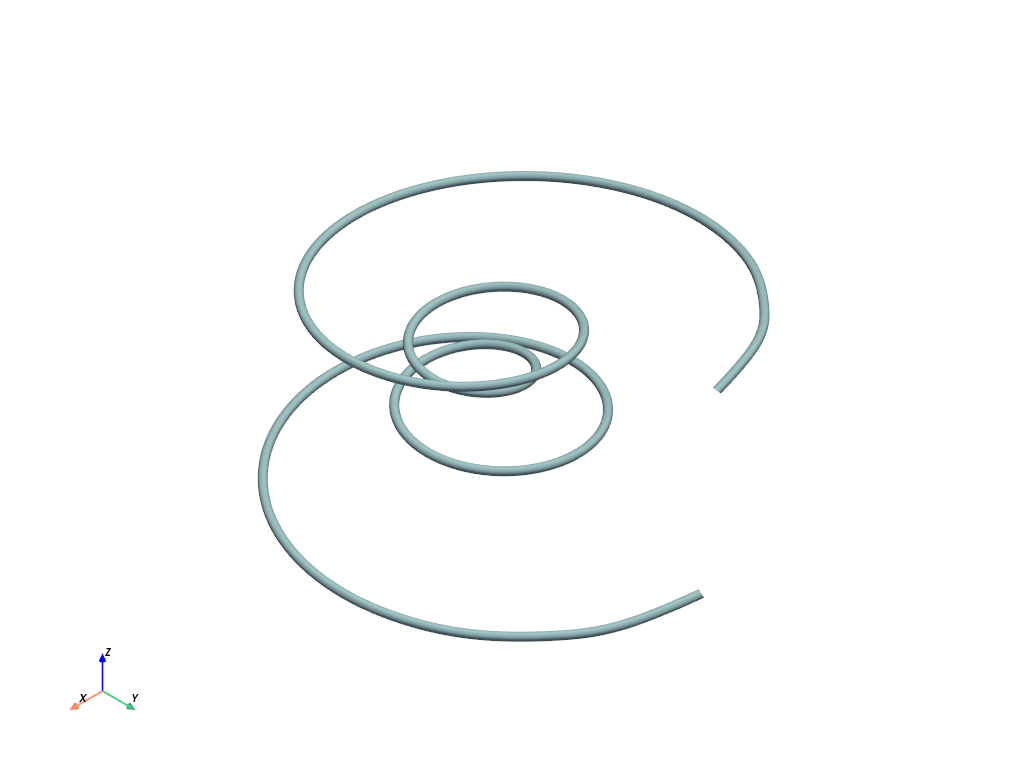
Construct a spline.
>>> import numpy as np
>>> import pyvista as pv
>>> theta = np.linspace(-4 * np.pi, 4 * np.pi, 100)
>>> z = np.linspace(-2, 2, 100)
>>> r = z**2 + 1
>>> x = r * np.sin(theta)
>>> y = r * np.cos(theta)
>>> points = np.column_stack((x, y, z))
>>> spline = pv.Spline(points, 1000)
>>> spline.plot(
...     render_lines_as_tubes=True,
...     line_width=10,
...     show_scalar_bar=False,
... )
See Also#
pyvista.PolyDataFilters.dash_linesSplit the line cells into dashes.
pyvista.PolyDataFilters.tubeGenerate a tube around each line.
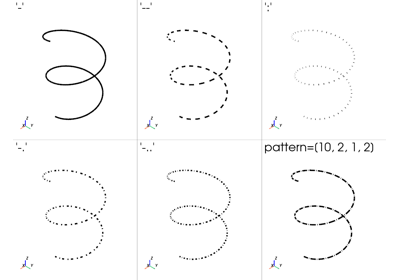
pyvista.Actor.line_styleDash the lines while rendering them.
Used In#
Guides
- Overview (1 use)
API Examples
PolyData.line_offsets(1 use)PolyData.lines(1 use)PolyDataFilters.extrude_rotate(1 use)load_spline(1 use)
Gallery Examples