Plotter.set_color_cycler#
- Plotter.set_color_cycler(
- color_cycler: str | cycler.Cycler[str, Any] | Sequence[ColorLike] | None,
- *,
- all_renderers: bool = True,
Set or reset the color cycler.
This color cycler is iterated over by each sequential
add_meshcall to set the default color of the dataset being plotted.When setting, the value must be either a list of color-like objects, or a cycler of color-like objects. If the value passed is a single string, it must be one of:
'default'- Use the default color cycler (matches matplotlib’s default)'matplotlib- Dynamically get matplotlib’s current theme’s color cycler.'all'- Cycle through all available colors inpyvista.plotting.colors.hexcolors
Setting to
Nonewill disable the use of the color cycler on this renderer.Note
If a mesh has scalar data, set
color=Truein the call toadd_mesh()to color the mesh with the next color in the cycler. Otherwise the mesh’s scalars are used to color the mesh by default.
Examples#
Download Python source code | Download Jupyter notebook
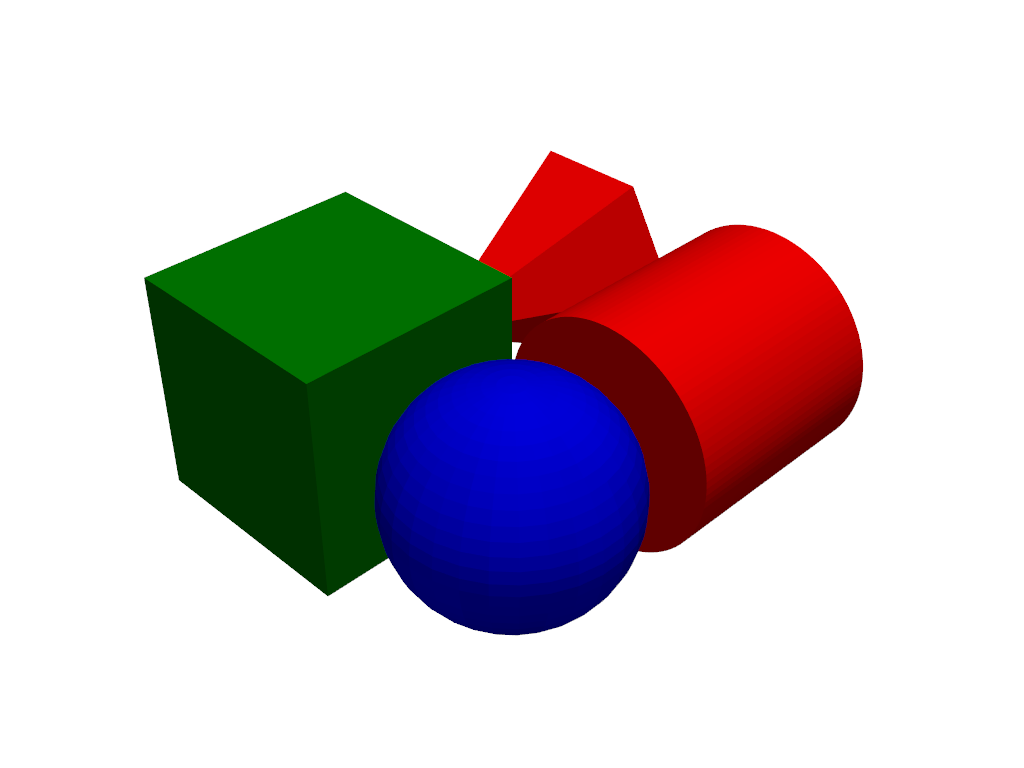
Set the default color cycler to iterate through red, green, and blue.
>>> import pyvista as pv
>>> pl = pv.Plotter()
>>> pl.set_color_cycler(['red', 'green', 'blue'])
>>> _ = pl.add_mesh(pv.Cone(center=(0, 0, 0)))  # red
>>> _ = pl.add_mesh(pv.Cube(center=(1, 0, 0)))  # green
>>> _ = pl.add_mesh(pv.Sphere(center=(1, 1, 0)))  # blue
>>> _ = pl.add_mesh(pv.Cylinder(center=(0, 1, 0)))  # red again
>>> pl.show()
Used In#
API Examples
DataSetFilters.split_values(1 use)
Gallery Examples