
Plotter.add_scalar_bar#
- Plotter.add_scalar_bar(
- title: str = '',
- *,
- mapper: _BaseMapper | None = None,
- lookup_table: LookupTable | None = None,
- cmap: ColormapOptions | list[str] | None = None,
- clim: Sequence[float] | None = None,
- n_labels: int = 5,
- tick_locations: Sequence[float] | None = None,
- italic: bool = False,
- bold: bool = False,
- title_font_size: float | None = None,
- title_pad: float | None = None,
- label_font_size: float | None = None,
- color: ColorLike | None = None,
- font_family: str | None = None,
- shadow: bool = False,
- width: float | None = None,
- height: float | None = None,
- position_x: float | None = None,
- position_y: float | None = None,
- vertical: bool | None = None,
- stacking_gap: float | None = None,
- rotate_title: bool | None = None,
- interactive: bool | None = None,
- fmt: str | None = None,
- use_opacity: bool = True,
- outline: bool = False,
- nan_annotation: bool = False,
- below_label: str | None = None,
- above_label: str | None = None,
- background_color: ColorLike | None = None,
- n_colors: int | None = None,
- fill: bool = False,
- render: bool = False,
- theme: Theme | None = None,
- unconstrained_font_size: bool = False,
- unique_bar: bool = False,
Create a scalar bar.
Uses the ranges as set by the last input mesh or, alternatively, the ones set by
clim,mapper, orlookup_table.- Parameters:
- title
str, default: “” Title of the scalar bar. Default is rendered as an empty title.
- mapper
pyvista.DataSetMapper, optional Mapper used for the scalar bar. Defaults to the last mapper created by the plotter if neither
mapper,lookup_table, orcmapis provided. Raises ValueError if more than one ofmapper,lookup_table, orcmapis provided.- lookup_table
pyvista.LookupTable, optional Lookup table used for the scalar bar. Raises ValueError if more than one of
mapper,lookup_table, orcmapis provided.Added in version 0.49.
- cmap
str|list, optional Colormap used for the scalar bar. Raises ValueError if more than one of
mapper,lookup_table, orcmapis provided.Added in version 0.49.
- climsequence[
float], optional Two item range for the scalar bar. Only used if
cmapis specified.Added in version 0.49.
- n_labels
int, default: 5 Number of labels to use for the scalar bar.
- tick_locationssequence[
float], optional Scalar values to label, instead of
n_labelsevenly spaced values. The label text comes fromfmt. Values outside the scalar range are not drawn.Added in version 0.50.
- italicbool, default:
False Italicises title and bar labels.
- boldbool, default:
False Bolds title and bar labels.
- title_font_size
float, optional Sets the size of the title font. A box drawn around a horizontal bar that is too narrow or too short for the title shrinks it to fit. Defaults to
Noneand is sized according topyvista.plotting.themes.Theme.font.- title_pad
float, optional Space between the title and the tick labels, as a multiple of the size the labels are drawn at, or of the size they ask for on a box that sizes the text itself. A title turned alongside the bar is padded off the bar by a multiple of its own size. Defaults to
Noneand is sized according topyvista.plotting.themes.Theme.colorbar_horizontalorpyvista.plotting.themes.Theme.colorbar_vertical. Has no effect when the font size is constrained, or on a box given a size of its own.Added in version 0.50.
- label_font_size
float, optional The largest size the labels are drawn at. They are drawn smaller where the bar leaves them too little room to stay clear of each other. A box drawn around a horizontal bar sizes its text as the Notes describe. Defaults to
Noneand is sized according topyvista.plotting.themes.Theme.font.- color
ColorLike, optional Either a string, rgb list, or hex color string. Default set by
pyvista.plotting.themes.Theme.font. Can be in one of the following formats:color='white'color='w'color=[1.0, 1.0, 1.0]color='#FFFFFF'
- font_family{‘courier’, ‘times’, ‘arial’}
Font family. Default is set by
pyvista.plotting.themes.Theme.font.- shadowbool, default:
False Adds a black shadow to the text.
- width
float, optional The percentage (0 to 1) width of the viewport for the colorbar. Giving a width, or a height, keeps a box drawn by
filloroutlineexactly that size rather than growing it around the text, though only a height holds a horizontal box whose text is notunconstrained_font_size. Default set bypyvista.plotting.themes.Theme.colorbar_verticalorpyvista.plotting.themes.Theme.colorbar_horizontaldepending on the value ofvertical.- height
float, optional The percentage (0 to 1) height of the viewport for the colorbar. Default set by
pyvista.plotting.themes.Theme.colorbar_verticalorpyvista.plotting.themes.Theme.colorbar_horizontaldepending on the value ofvertical.- position_x
float, optional The percentage (0 to 1) along the viewport’s horizontal direction to place the bottom left corner of the colorbar. Default set by
pyvista.plotting.themes.Theme.colorbar_verticalorpyvista.plotting.themes.Theme.colorbar_horizontaldepending on the value ofvertical.- position_y
float, optional The percentage (0 to 1) along the viewport’s vertical direction to place the bottom left corner of the colorbar. Default set by
pyvista.plotting.themes.Theme.colorbar_verticalorpyvista.plotting.themes.Theme.colorbar_horizontaldepending on the value ofvertical.- verticalbool, optional
Use vertical or horizontal scalar bar. Default set by
pyvista.plotting.themes.Theme.colorbar_orientation.- stacking_gap
float, optional Distance between stacked scalar bars, as a fraction of the viewport. Defaults to
None, which spaces them as tightly as their titles and tick labels allow, and is taken frompyvista.plotting.themes.Theme.colorbar_horizontalorpyvista.plotting.themes.Theme.colorbar_vertical. A value small enough to overlap is used as given. Has no effect when the font size is constrained.Added in version 0.50.
- rotate_titlebool, optional
Turn the title alongside the bar instead of drawing it across the end, so that stacked bars sit closer together. Defaults to
Noneand is taken frompyvista.plotting.themes._VerticalColorbarConfig.rotate_title. Applies to vertical bars only. Requires VTK 9.4.0 or newer, and has no effect when the font size is constrained.Added in version 0.50.
- interactivebool, optional
Use a widget to control the size and location of the scalar bar. Default set by
pyvista.plotting.themes.Theme.interactive.- fmt
str, optional printfformat for labels. Default set bypyvista.plotting.themes.Theme.font.- use_opacitybool, default:
True Optionally display the opacity mapping on the scalar bar.
- outlinebool, default:
False Optionally outline the scalar bar to make opacity mappings more obvious.
- nan_annotationbool, default:
False Annotate the NaN color.
- below_label
str, optional String annotation for values below the scalars range.
- above_label
str, optional String annotation for values above the scalars range.
- background_color
ColorLike, optional The color used for the background in RGB format. Only drawn when
fillisTrue.- n_colors
int, optional The maximum number of color displayed in the scalar bar.
- fillbool, default:
False Draw a filled box behind the scalar bar with the
background_color.- renderbool, default:
False Force a render when True.
- theme
pyvista.plotting.themes.Theme, optional Plot-specific theme. By default, calling from the
Plotter, will use the plotter theme. Setting toNonewill use the global theme.- unconstrained_font_sizebool, default:
False Whether the font size of title and labels is unconstrained. When it is constrained, the size of the scalar bar will constrain the font size. When it is not, the size of the font will always be respected. Using custom labels will force this to be
True. A box drawn around a horizontal bar sizes the text itself unless this isTrue.Added in version 0.44.0.
- unique_barbool, default:
False Whether to create a scalar bar which is unique to the subplot. If
True, the scalar bar will be created with a unique key which is not shared with other subplots, even if the input title is the same.Note
Scalar bars are managed by a dictionary with the title as the key. By default, if a scalar bar with the same title already exists, the scalar bar will be shared. If
unique_barisTrue, the scalar bar will be created with a unique key which is the title suffixed with_UNIQUE_ID_{active_renderer_index}, whereactive_renderer_indexis the index of the active renderer in the plotter. This allows for multiple scalar bars with the same title to be created across different subplots.Added in version 0.48.0.
- title
- Returns:
- vtkScalarBarActor
Scalar bar actor.
Notes#
Setting title_font_size or label_font_size sets the size the
text asks for rather than leaving it to the bar. The title is drawn at
its size. The label size is the largest the labels are drawn at: they
are drawn smaller where the bar leaves them too little room to stay
clear of each other, and a label is free to run past the edge of the
viewport. A box drawn around a horizontal bar
sizes the text itself, so the box is laid out to keep the text at the
size asked for, or one size larger where two sizes measure the same
height; a box given too small a height, or too narrow for its text,
shrinks the text to fit.
The mapper, lookup_table, and cmap parameters can be used
to set a custom color map for the scalar bar; otherwise, the bar will
default to the last mapper created by the plotter - for example, when
a mesh with scalars is added by pyvista.Plotter.add_mesh(). See
examples. Only one parameter can be used to set the color mapping, so
ValueError will be raised if more than one of mapper,
lookup_table, or cmap is provided.
Examples#
Download Python source code | Download Jupyter notebook
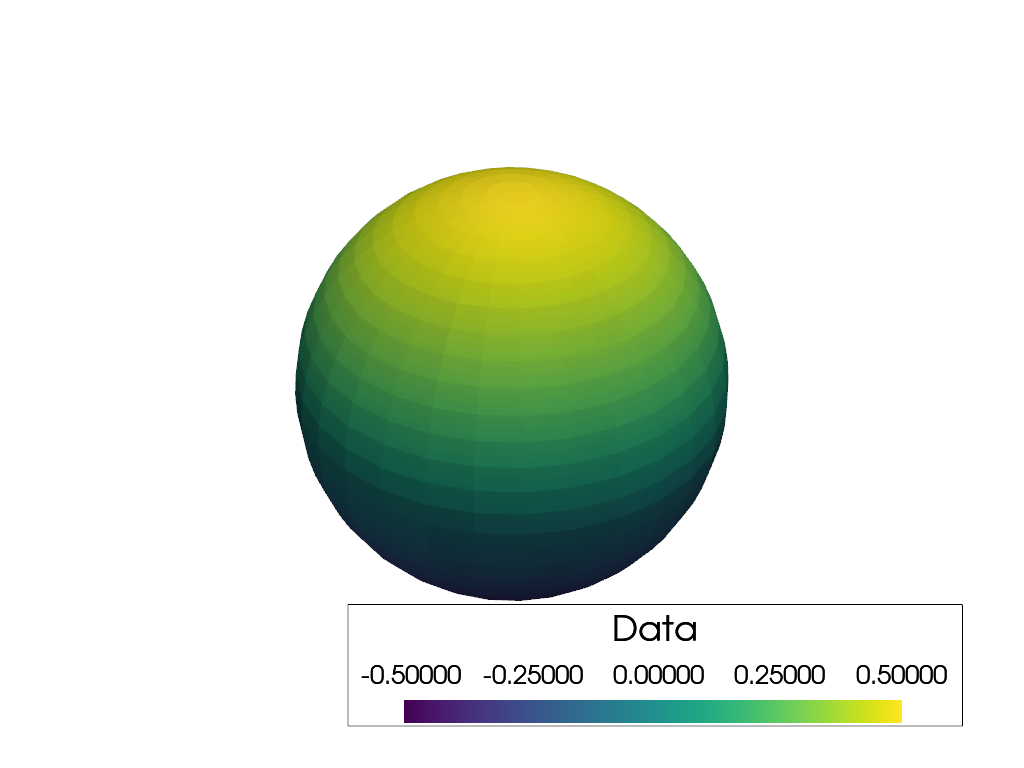
Add a custom interactive scalar bar that is horizontal, has an outline, and has a custom formatting.
>>> import pyvista as pv
>>> sphere = pv.Sphere()
>>> sphere['Data'] = sphere.points[:, 2]
>>> pl = pv.Plotter()
>>> _ = pl.add_mesh(sphere, show_scalar_bar=False)
>>> _ = pl.add_scalar_bar(
...     'Data',
...     interactive=True,
...     vertical=False,
...     title_font_size=35,
...     label_font_size=30,
...     outline=True,
...     fmt='%10.5f',
... )
>>> pl.show()
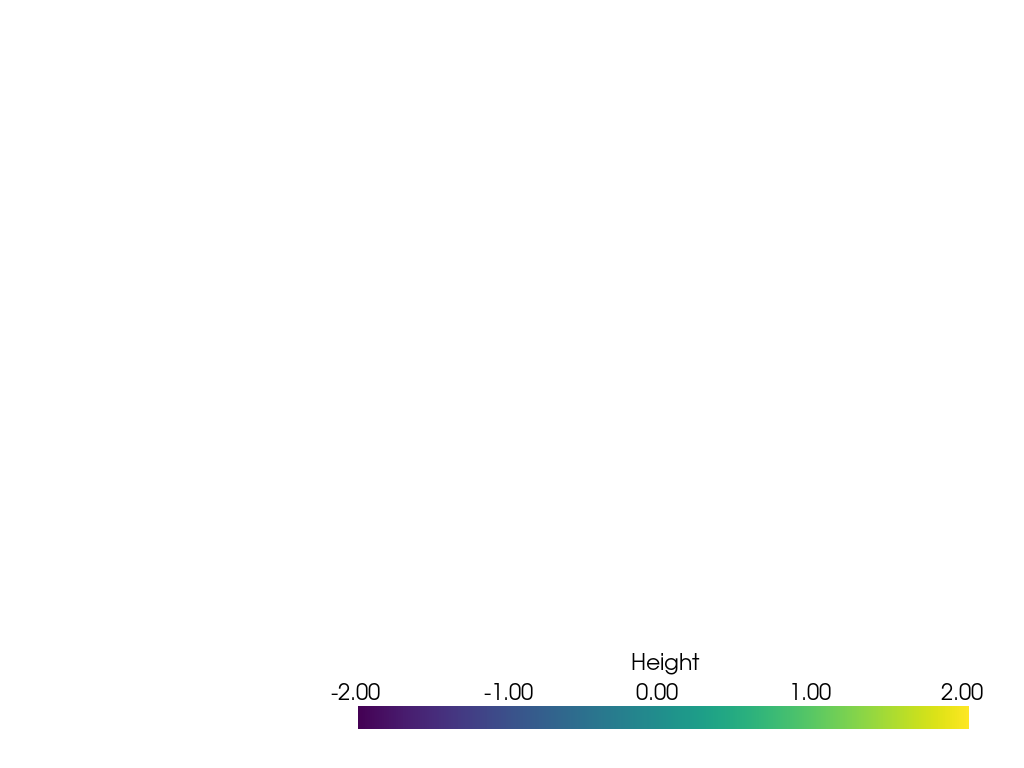
Add a custom scalar bar without (or before) plotting data using the
cmap and clim parameters:
>>> import pyvista as pv
>>> pl = pv.Plotter()
>>> _ = pl.add_scalar_bar('Height', cmap='viridis', clim=(-2, 2))
>>> pl.show()
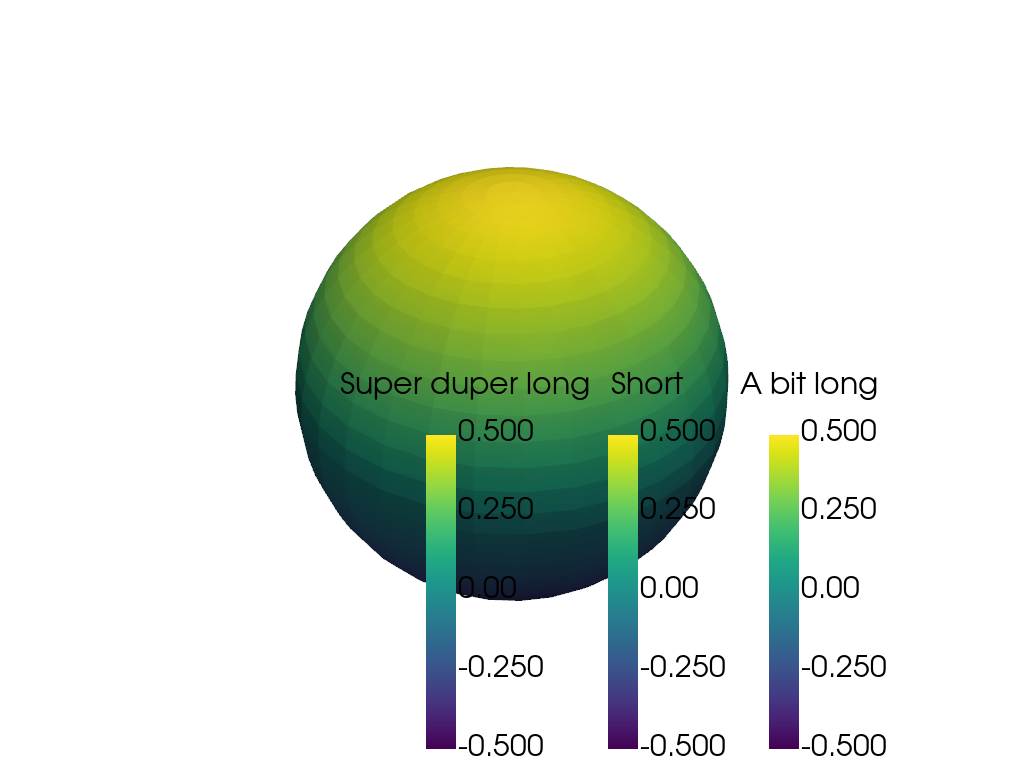
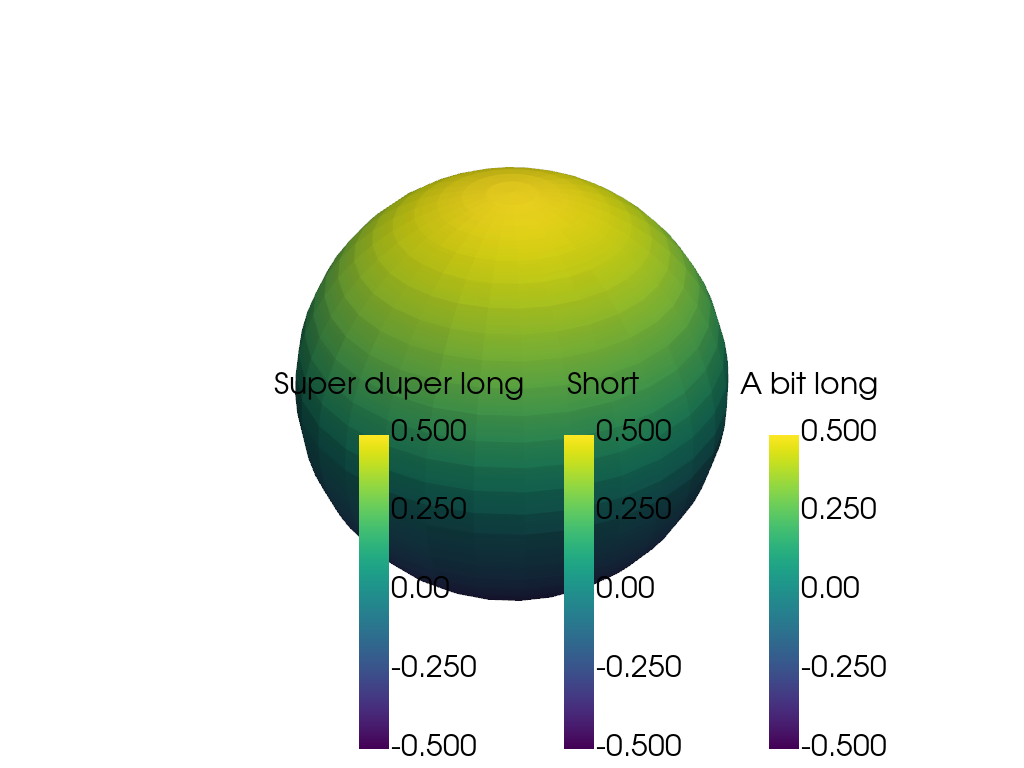
Stack three scalar bars with titles of different lengths. They are spaced so that nothing overlaps.
>>> import pyvista as pv
>>> sphere = pv.Sphere()
>>> sphere['Data'] = sphere.points[:, 2]
>>> titles = ['A bit long', 'Short', 'Super duper long']
>>> pl = pv.Plotter()
>>> pl.theme.colorbar_vertical.position_x = 0.75
>>> _ = pl.add_mesh(sphere, show_scalar_bar=False)
>>> for title in titles:
...     _ = pl.add_scalar_bar(
...         title,
...         vertical=True,
...         title_font_size=30,
...         label_font_size=30,
...         mapper=pl.mapper,
...     )
>>> pl.show()
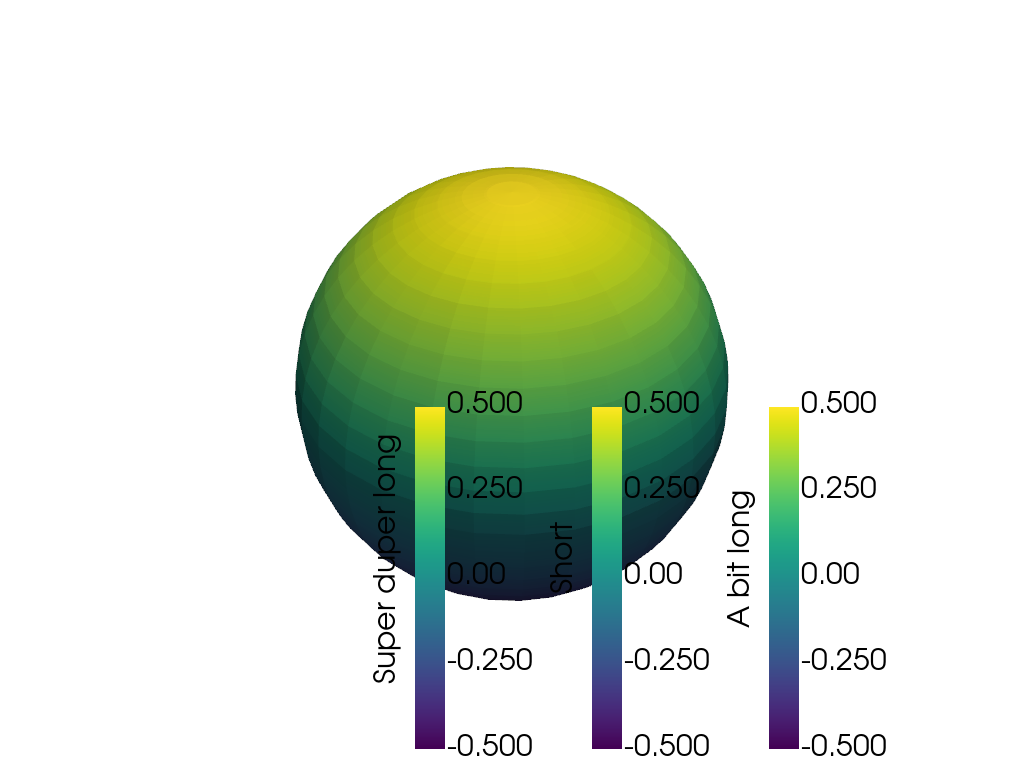
Turn the titles alongside the bars to stack them closer together.
>>> pl = pv.Plotter()
>>> pl.theme.colorbar_vertical.position_x = 0.75
>>> _ = pl.add_mesh(sphere, show_scalar_bar=False)
>>> for title in titles:
...     _ = pl.add_scalar_bar(
...         title,
...         vertical=True,
...         rotate_title=True,
...         title_font_size=30,
...         label_font_size=30,
...         mapper=pl.mapper,
...     )
>>> pl.show()
Space the bars evenly instead, whatever their titles measure.
>>> pl = pv.Plotter()
>>> pl.theme.colorbar_vertical.position_x = 0.75
>>> _ = pl.add_mesh(sphere, show_scalar_bar=False)
>>> for title in titles:
...     _ = pl.add_scalar_bar(
...         title,
...         vertical=True,
...         stacking_gap=0.2,
...         title_font_size=30,
...         label_font_size=30,
...         mapper=pl.mapper,
...     )
>>> pl.show()
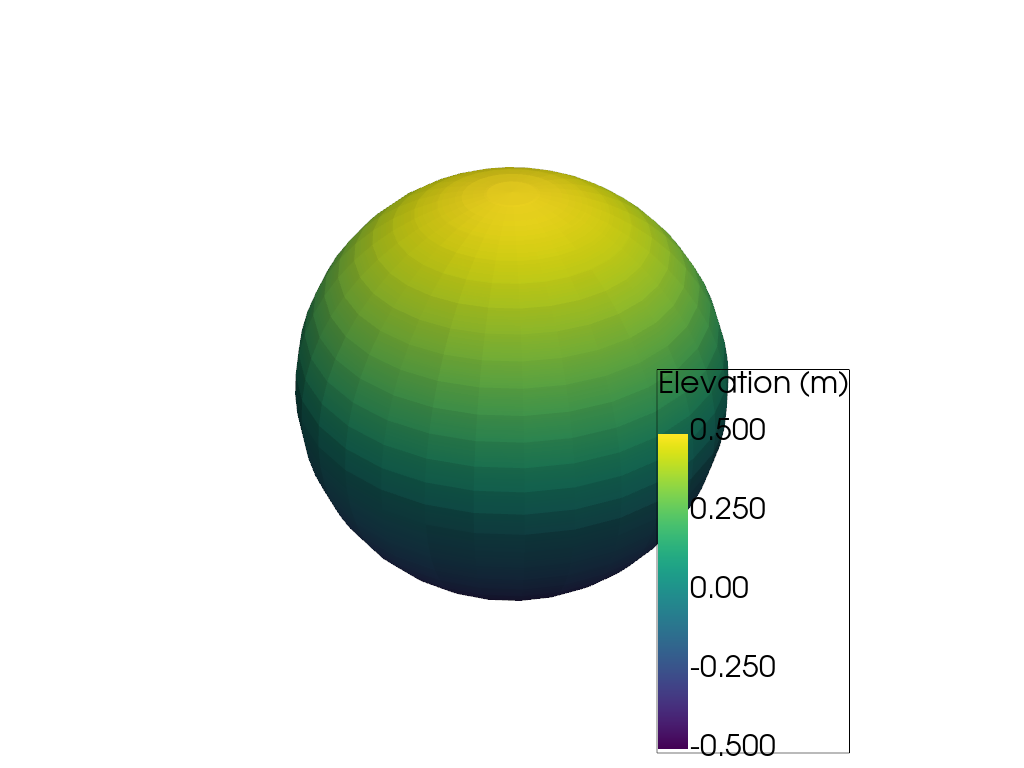
A box drawn around a bar grows to hold the title and the tick labels, as long as the bar was not given a size of its own.
>>> pl = pv.Plotter()
>>> _ = pl.add_mesh(sphere, show_scalar_bar=False)
>>> _ = pl.add_scalar_bar(
...     'Elevation (m)',
...     vertical=True,
...     outline=True,
...     title_font_size=30,
...     label_font_size=30,
...     mapper=pl.mapper,
... )
>>> pl.show()
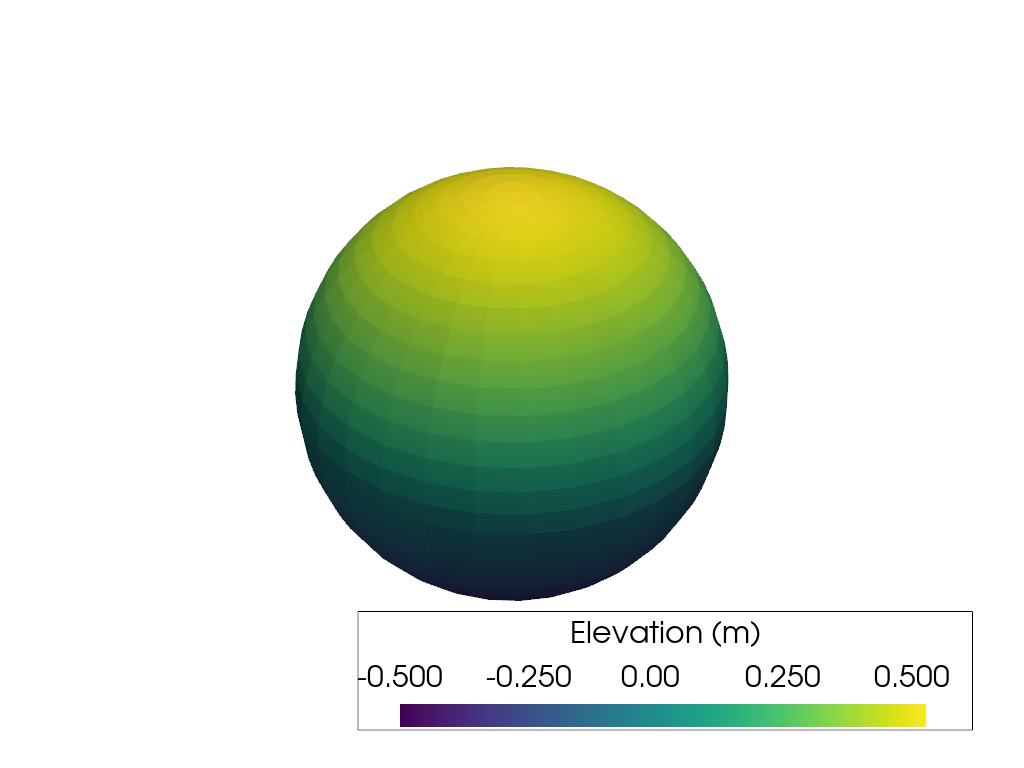
A horizontal bar’s ramp and tick labels are laid out inside its box, and the box grows to hold the padding the title is given.
>>> pl = pv.Plotter()
>>> _ = pl.add_mesh(sphere, show_scalar_bar=False)
>>> _ = pl.add_scalar_bar(
...     'Elevation (m)',
...     vertical=False,
...     outline=True,
...     title_font_size=30,
...     label_font_size=30,
...     mapper=pl.mapper,
... )
>>> pl.show()
See Also#
Used In#
Gallery Examples

