Light.show_actor#
- Light.show_actor()[source]#
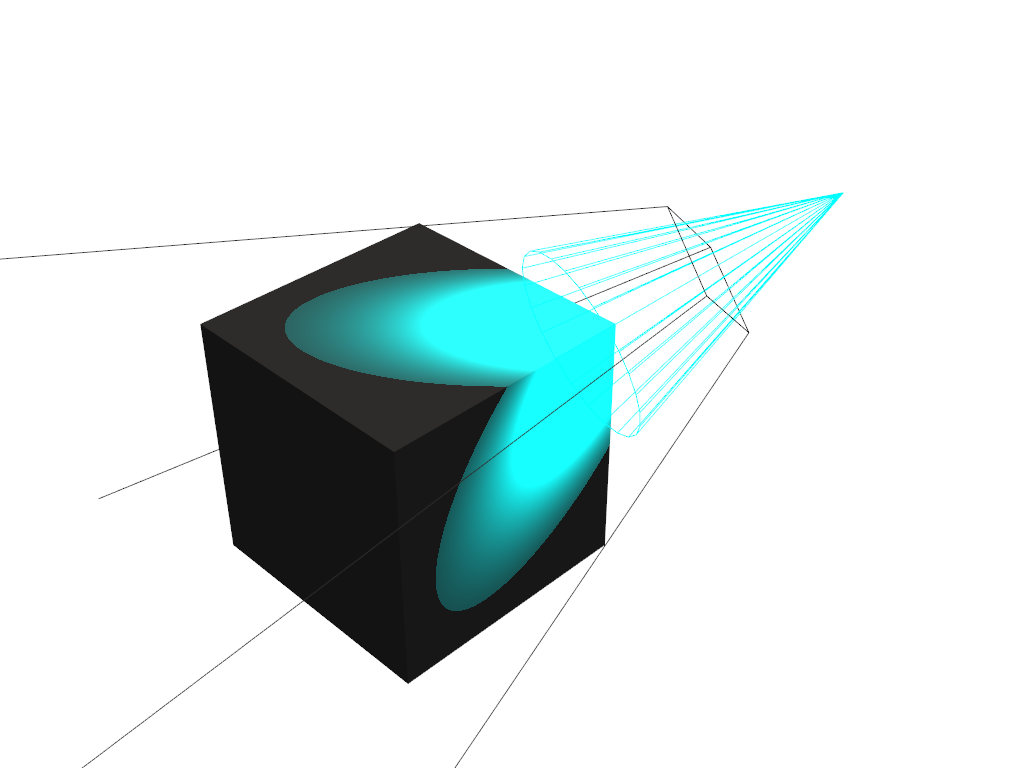
Show an actor for a spotlight that depicts the geometry of the beam.
For a directional light or a positional light with
cone_angleof at least 90 degrees the method doesn’t do anything. If the light is changed so that it becomes a spotlight, this method has to be called again for the actor to show. To hide the actor seehide_actor().
Examples#
Download Python source code | Download Jupyter notebook
Create a scene containing a cube lit with a cyan spotlight and visualize the light using an actor.
>>> import pyvista as pv
>>> pl = pv.Plotter()
>>> _ = pl.add_mesh(pv.Cube(), color='white')
>>> for light in pl.renderer.lights:
...     light.intensity /= 5
>>> spotlight = pv.Light(position=(-1, 1, 1), color='cyan')
>>> spotlight.positional = True
>>> spotlight.cone_angle = 20
>>> spotlight.intensity = 10
>>> spotlight.exponent = 40
>>> spotlight.show_actor()
>>> pl.add_light(spotlight)
>>> pl.show()