Plotter.add_box_axes#
- Plotter.add_box_axes(
- *,
- interactive: bool | None = None,
- line_width: float = 2,
- text_scale: float = 0.366667,
- edge_color: ColorLike = 'black',
- x_color: ColorLike | None = None,
- y_color: ColorLike | None = None,
- z_color: ColorLike | None = None,
- xlabel: str = 'X',
- ylabel: str = 'Y',
- zlabel: str = 'Z',
- x_face_color: ColorLike = 'white',
- y_face_color: ColorLike = 'white',
- z_face_color: ColorLike = 'white',
- label_color: ColorLike | None = None,
- labels_off: bool = False,
- opacity: float = 0.5,
- show_text_edges: bool = False,
- viewport: Sequence[float] = (0, 0, 0.2, 0.2),
Add an interactive color box axes widget in the bottom left corner.
- Parameters:
- interactivebool, optional
Enable this orientation widget to be moved by the user.
- line_width
float, optional The width of the marker lines.
- text_scale
float, optional Size of the text relative to the faces.
- edge_color
ColorLike, optional Color of the edges.
- x_color
ColorLike, optional Color of the x-axis text.
- y_color
ColorLike, optional Color of the y-axis text.
- z_color
ColorLike, optional Color of the z-axis text.
- xlabel
str, optional Text used for the x-axis.
- ylabel
str, optional Text used for the y-axis.
- zlabel
str, optional Text used for the z-axis.
- x_face_color
ColorLike, optional Color used for the x-axis arrow. Defaults to theme axes parameters.
- y_face_color
ColorLike, optional Color used for the y-axis arrow. Defaults to theme axes parameters.
- z_face_color
ColorLike, optional Color used for the z-axis arrow. Defaults to theme axes parameters.
- label_color
ColorLike, optional Color of the labels.
- labels_offbool, optional
Enable or disable the text labels for the axes.
- opacity
float, optional Opacity in the range of
[0, 1]of the orientation box.- show_text_edgesbool, optional
Enable or disable drawing the vector text edges.
- viewportsequence[
float], default: (0, 0, 0.2, 0.2) Viewport
(xstart, ystart, xend, yend)of the widget.
- Returns:
- vtkPropAssembly
Axes actor.
Examples#
Download Python source code | Download Jupyter notebook
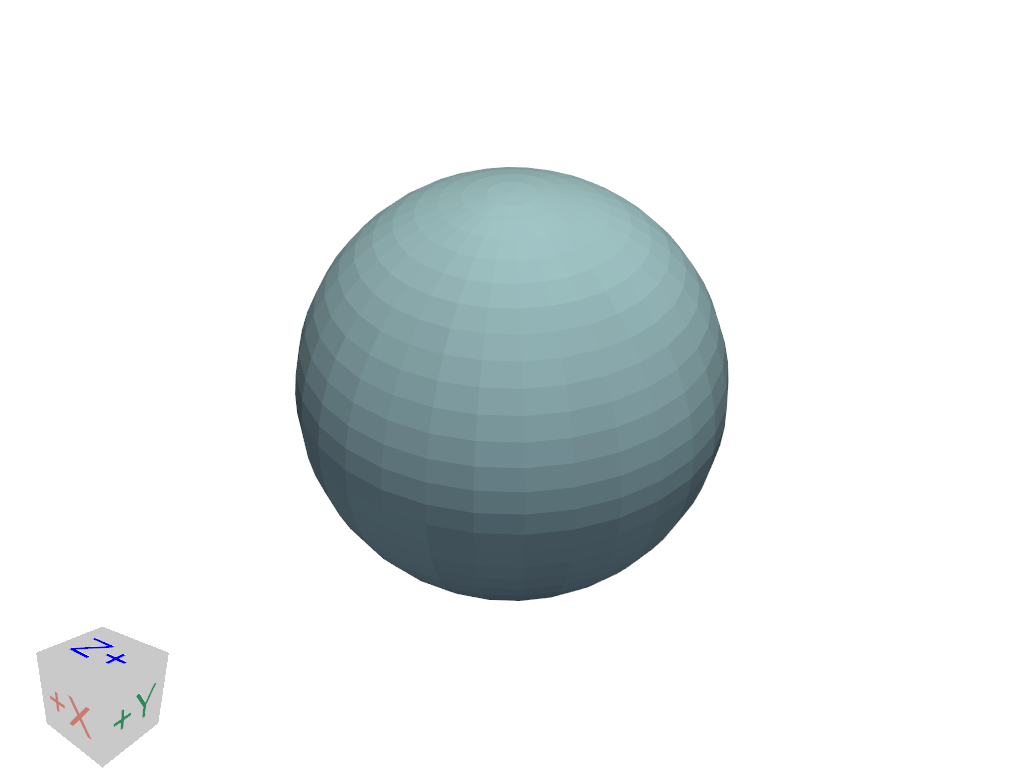
Use the axes orientation widget instead of the default arrows.
>>> import pyvista as pv
>>> pl = pv.Plotter()
>>> _ = pl.add_mesh(pv.Sphere())
>>> _ = pl.add_box_axes()
>>> pl.show()
See Also#
add_axesAdd arrow-style axes as an orientation widget.
add_north_arrow_widgetAdd north arrow as an orientation widget.
add_orientation_widgetAdd any actor as an orientation widget.
Used In#
API Examples
Renderer.add_box_axes(1 use)
Gallery Examples