
Surface Smoothing#
Download Python source code | Download Jupyter notebook
Smoothing rough edges of a surface mesh.
import numpy as np
import pyvista as pv
from pyvista import examples
Suppose you extract a volumetric subset of a dataset that has roughly defined
edges. Perhaps you’d like a smooth representation of that model region. This
can be achieved by extracting the bounding surface of the volume and applying
a pyvista.PolyDataFilters.smooth() filter.
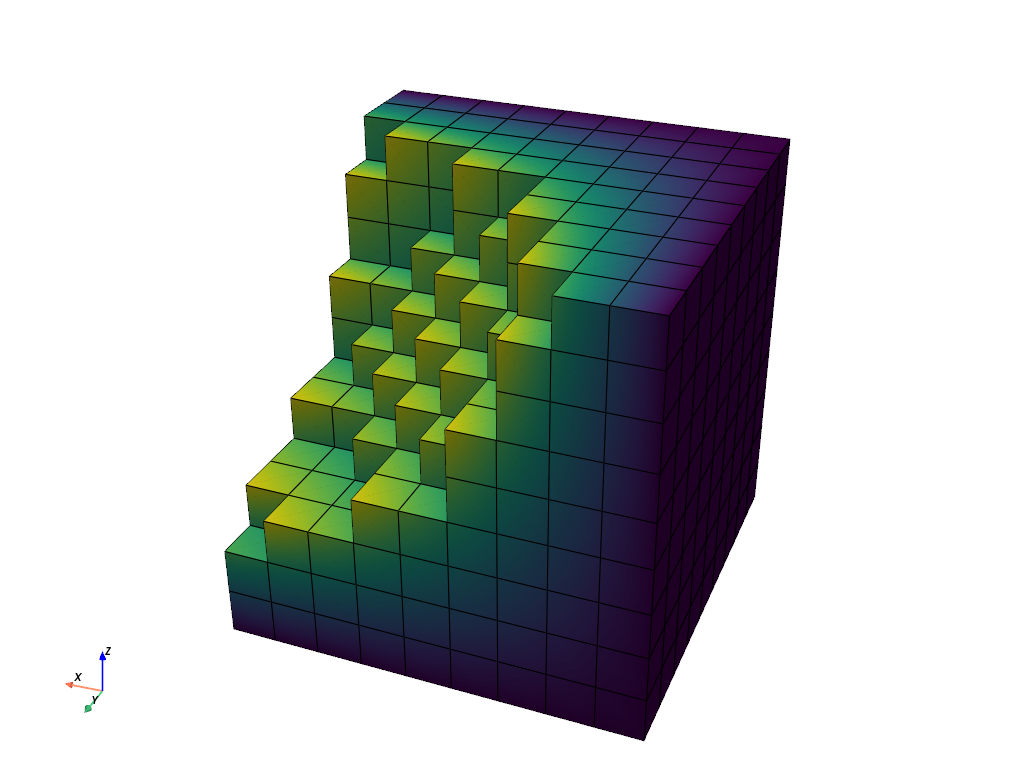
The below code snippet loads a sample roughly edged volumetric dataset:
# Vector to view rough edges
cpos = [-2, 5, 3]

# Load dataset
data = examples.load_uniform()
# Extract a rugged volume
vol = data.threshold_percent(30, invert=1)
vol.plot(show_edges=True, cpos=cpos, show_scalar_bar=False)
Extract the outer surface of the volume using the
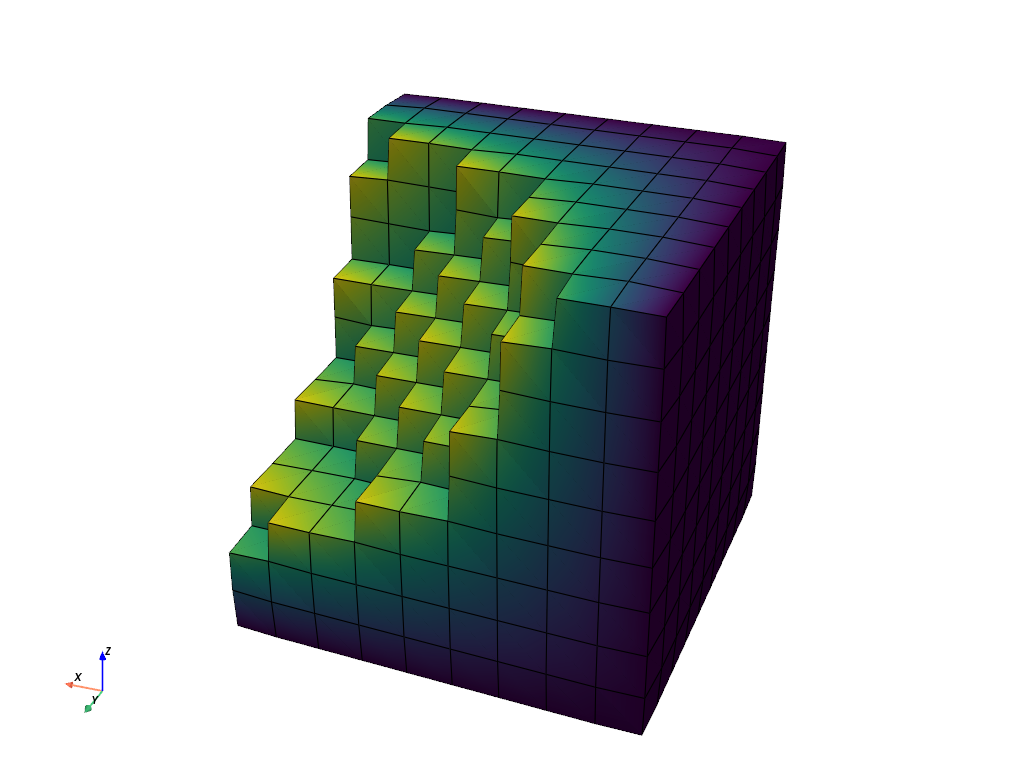
extract_surface() filter and then apply the
smoothing filter:
# Get the out surface as PolyData
surf = vol.extract_surface(algorithm=None)
# Smooth the surface
smooth = surf.smooth()
smooth.plot(show_edges=True, cpos=cpos, show_scalar_bar=False)
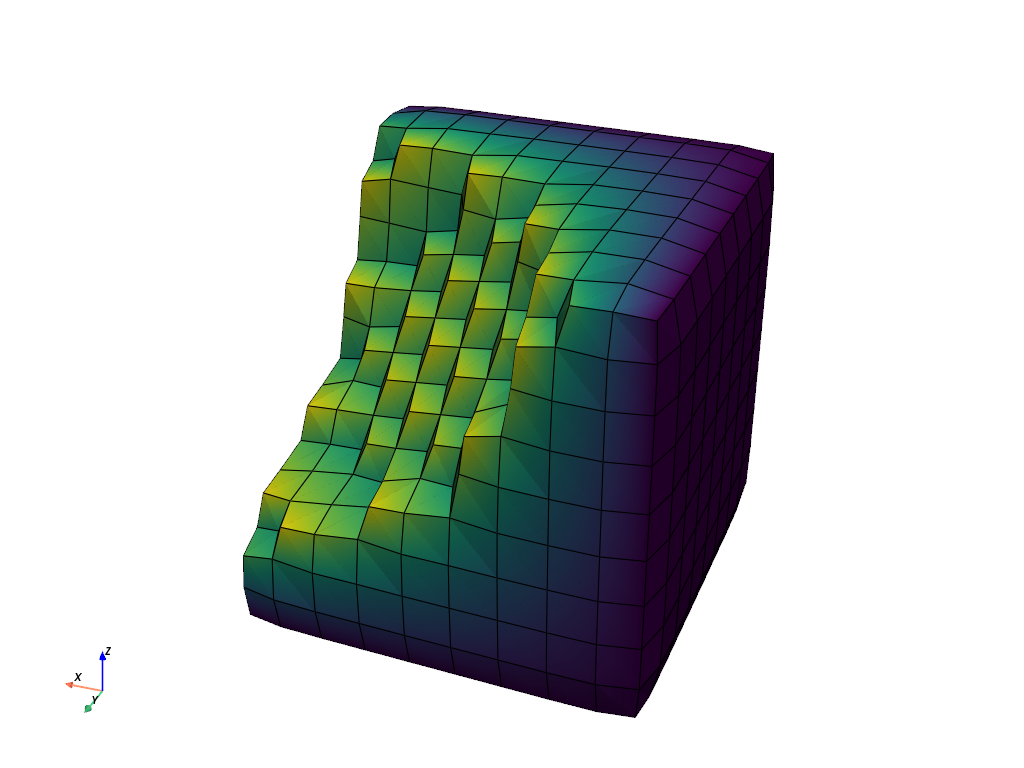
Not smooth enough? Try increasing the number of iterations for the Laplacian smoothing algorithm:
# Smooth the surface even more
smooth = surf.smooth(n_iter=100)
smooth.plot(show_edges=True, cpos=cpos, show_scalar_bar=False)
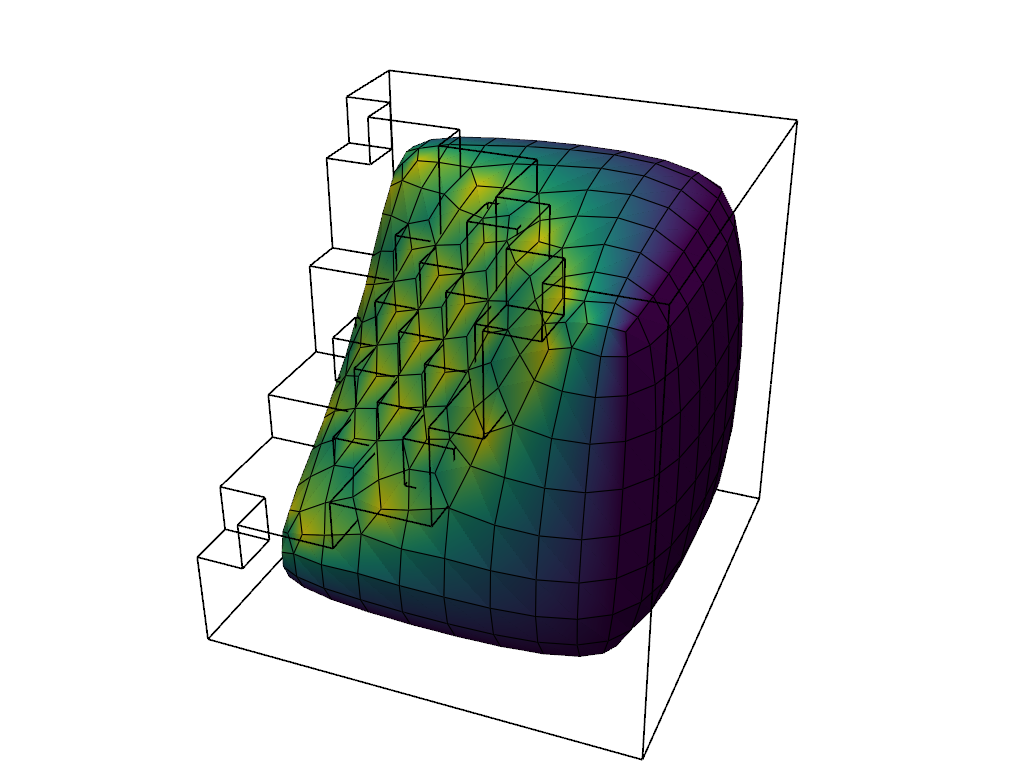
Still not smooth enough? Increase the number of iterations for the Laplacian smoothing algorithm to a crazy high value. Note how this causes the mesh to “shrink”:
# Smooth the surface EVEN MORE
smooth = surf.smooth(n_iter=1000)

# extract the edges of the original unsmoothed mesh
orig_edges = surf.extract_feature_edges()

pl = pv.Plotter()
pl.add_mesh(smooth, show_edges=True, show_scalar_bar=False)
pl.camera_position = cpos
pl.add_mesh(orig_edges, show_scalar_bar=False, color='k', line_width=2)
pl.show()
Taubin Smoothing#
You can reduce the amount of surface shrinkage by using Taubin smoothing
rather than the default Laplacian smoothing implemented in smooth(). In this example, you can see how Taubin
smoothing maintains the volume relative to the original mesh.
Also, note that the number of iterations can be reduced to get the same approximate amount of smoothing. This is because Taubin smoothing is more efficient.
smooth_w_taubin = surf.smooth_taubin(n_iter=50, pass_band=0.05)

pl = pv.Plotter()
pl.add_mesh(smooth_w_taubin, show_edges=True, show_scalar_bar=False)
pl.camera_position = cpos
pl.add_mesh(orig_edges, show_scalar_bar=False, color='k', line_width=2)
pl.show()

# output the volumes of the original and smoothed meshes
print(f'Original surface volume:   {surf.volume:.1f}')
print(f'Laplacian smoothed volume: {smooth.volume:.1f}')
print(f'Taubin smoothed volume:    {smooth_w_taubin.volume:.1f}')
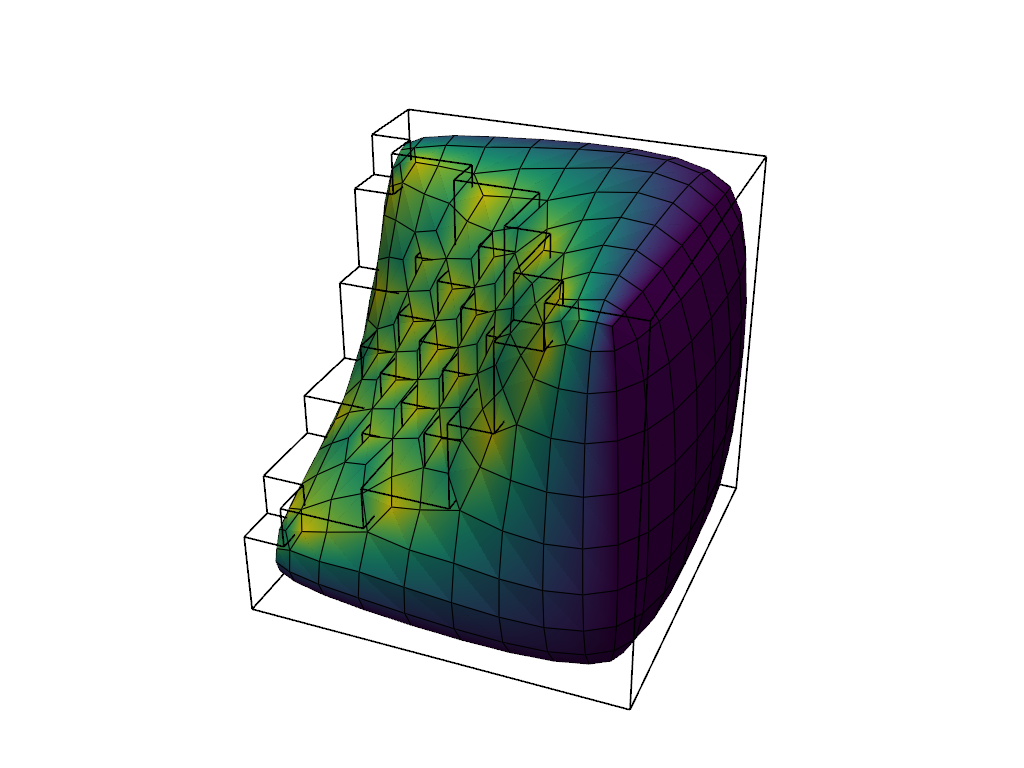
Original surface volume:   597.0
Laplacian smoothed volume: 402.3
Taubin smoothed volume:    590.9
Feature Smoothing#
By default, smooth() moves every
vertex freely, which rounds off any sharp edges the mesh has. Enable
feature_smoothing to identify sharp interior edges with feature_angle
and keep them sharp while the rest of the mesh is smoothed.
Smooth a cube heavily with the feature smoothing turned off and on, and show the results side-by-side. The keys of the dict are used as labels.
smooth_kwargs = dict(n_iter=500, relaxation_factor=0.05)

cube = pv.Cube().triangulate().subdivide(4)
cube_smoothed = {
    f'feature_smoothing={value}': cube.smooth(**smooth_kwargs, feature_smoothing=value)
    for value in [False, True]
}

datasets = {'original': cube, **cube_smoothed}

pv.plot_compare(datasets, show_edges=True)
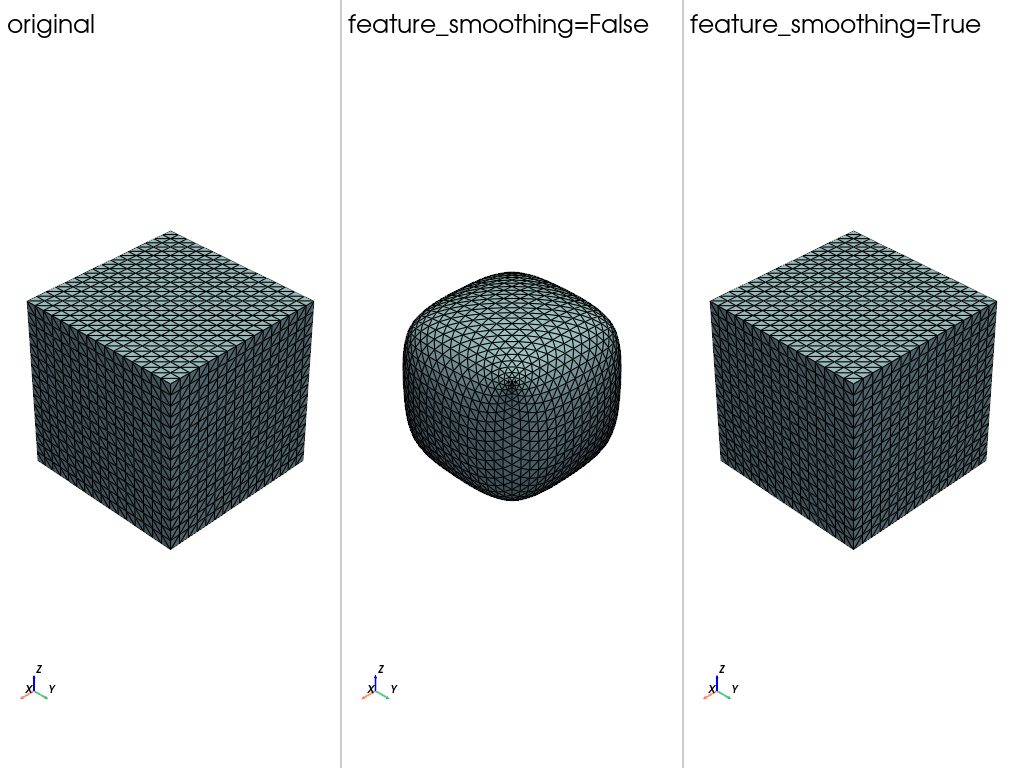
Print the number of sharp edges of each mesh
original: 192 sharp edges
feature_smoothing=False: 12 sharp edges
feature_smoothing=True: 192 sharp edges
The cube keeps its edges and corners with feature_smoothing=True, whereas
it is rounded into a ball without it.
Boundary Smoothing#
boundary_smoothing controls the vertices along an open boundary of the
mesh. It is enabled by default, so those vertices are smoothed along with the
rest of the mesh. Disable it to pin the boundary in place.
Create a plane and displace the points along two of its edges to give it a rippled boundary.
plane = pv.Plane(i_resolution=40, j_resolution=40).triangulate()
boundary = np.isclose(np.abs(plane.points[:, 0]), 0.5)
plane.points[boundary, 2] = 0.05 * np.sin(12 * plane.points[boundary, 1])
Smooth the plane with the boundary smoothing turned off and on. The interior of the plane is already flat, so only the ripple shows a difference.
plane_smoothed = {
    f'boundary_smoothing={value}': plane.smooth(**smooth_kwargs, boundary_smoothing=value)
    for value in [False, True]
}

datasets = {'original': plane, **plane_smoothed}

pv.plot_compare(datasets, show_edges=True)
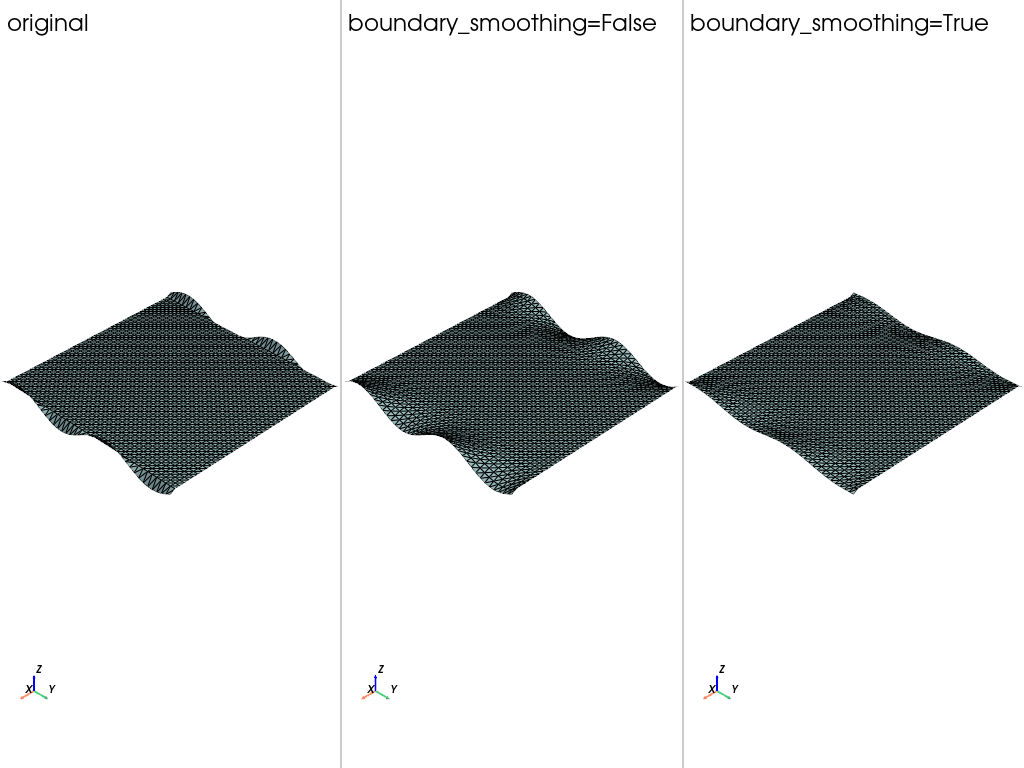
Print the height of the rippled boundary of each mesh
for name, mesh in datasets.items():
    print(f'{name}: boundary z min={mesh.bounds.z_min:.4f}, max={mesh.bounds.z_max:.4f}')
original: boundary z min=-0.0499, max=0.0499
boundary_smoothing=False: boundary z min=-0.0499, max=0.0499
boundary_smoothing=True: boundary z min=-0.0186, max=0.0186
The ripple is untouched with boundary_smoothing=False and is flattened
with boundary_smoothing=True.
Total running time of the script: (0 minutes 1.493 seconds)
