
Point Sprite Shapes#
Download Python source code | Download Jupyter notebook
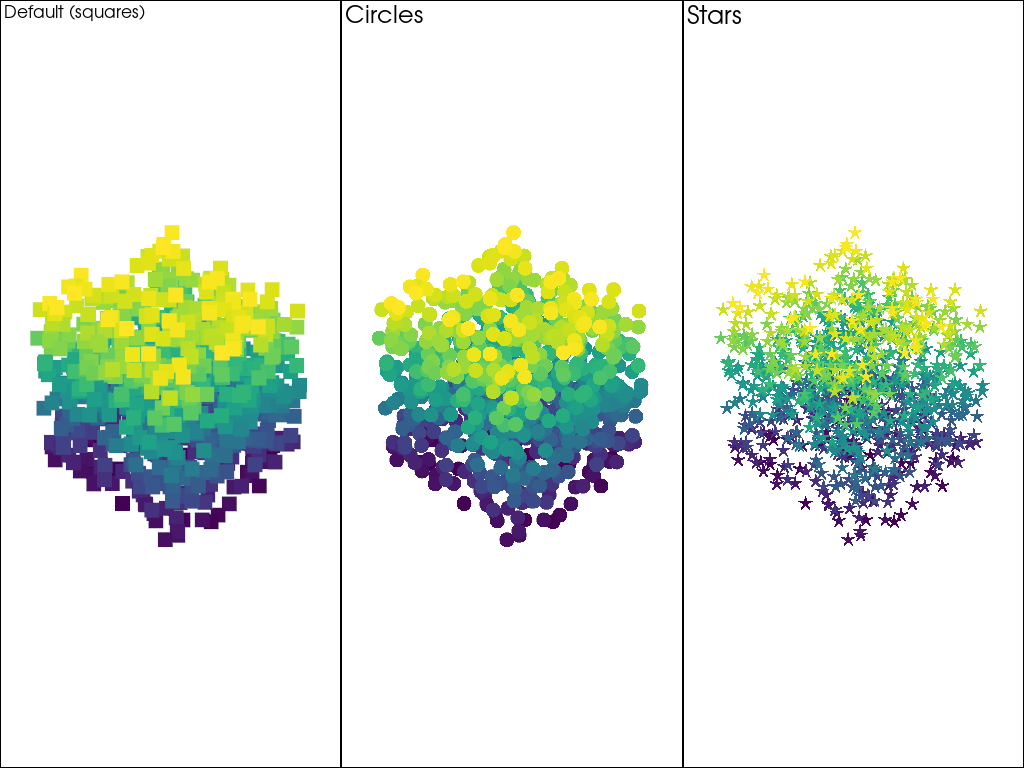
By default, VTK renders points as squares.
PyVista provides several built-in point sprite shapes that replace the default square with a custom shape via a GLSL fragment shader.
The point_shape parameter can be passed directly to
pyvista.Plotter.add_mesh() or set globally via
pyvista.global_theme.point_shape.
import numpy as np
import pyvista as pv
Available Shapes#
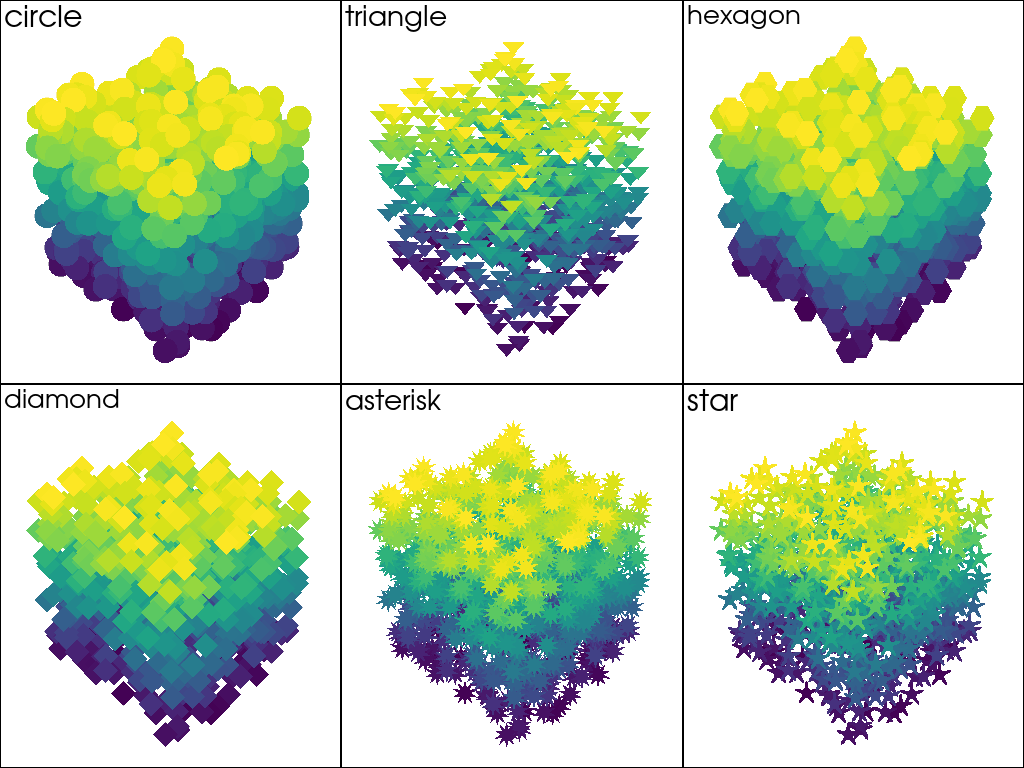
Six built-in shapes are available: 'circle', 'triangle',
'hexagon', 'diamond', 'asterisk', and 'star'.
rng = np.random.default_rng(42)
points = rng.random((1000, 3))
cloud = pv.PolyData(points)
cloud['elevation'] = cloud.points[:, 2]

shapes = ['circle', 'triangle', 'hexagon', 'diamond', 'asterisk', 'star']
pl = pv.Plotter(shape=(2, 3))

for i, shape in enumerate(shapes):
    pl.subplot(i // 3, i % 3)
    pl.add_mesh(
        cloud,
        scalars='elevation',
        style='points',
        point_shape=shape,
        point_size=25,
        show_scalar_bar=False,
    )
    pl.add_text(shape, font_size=12)

pl.link_views()
pl.show()
Using point_shape With add_mesh#
The point_shape parameter works alongside point_size and
style='points'. If render_points_as_spheres is True
(either explicitly or via the global theme), it is automatically
disabled when a point_shape is set.
pl = pv.Plotter(shape=(1, 3))

pl.subplot(0, 0)
pl.add_mesh(
    cloud, scalars='elevation', style='points', point_size=15, show_scalar_bar=False
)
pl.add_text('Default (squares)', font_size=10)

pl.subplot(0, 1)
pl.add_mesh(
    cloud,
    scalars='elevation',
    style='points',
    point_shape='circle',
    point_size=15,
    show_scalar_bar=False,
)
pl.add_text('Circles', font_size=10)

pl.subplot(0, 2)
pl.add_mesh(
    cloud,
    scalars='elevation',
    style='points',
    point_shape='star',
    point_size=15,
    show_scalar_bar=False,
)
pl.add_text('Stars', font_size=10)

pl.link_views()
pl.show()
Total running time of the script: (0 minutes 0.946 seconds)
