
Camera Distortion#
Download Python source code | Download Jupyter notebook
Render a scene through a lens that does not project straight lines to straight lines.
Uses enable_camera_distortion().
A real camera is not a pinhole. Its lens bends rays away from the ideal
projection, and photogrammetry, calibration, and augmented-reality work all
describe that departure with the Brown-Conrady model: two radial coefficients
k1 and k2, and two tangential ones p1 and p2. Those are the
same four numbers cv2.calibrateCamera returns, so a rendered view can be
made to match the camera a photograph came from.
import numpy as np
import pyvista as pv
A Grid to Read the Distortion Off#
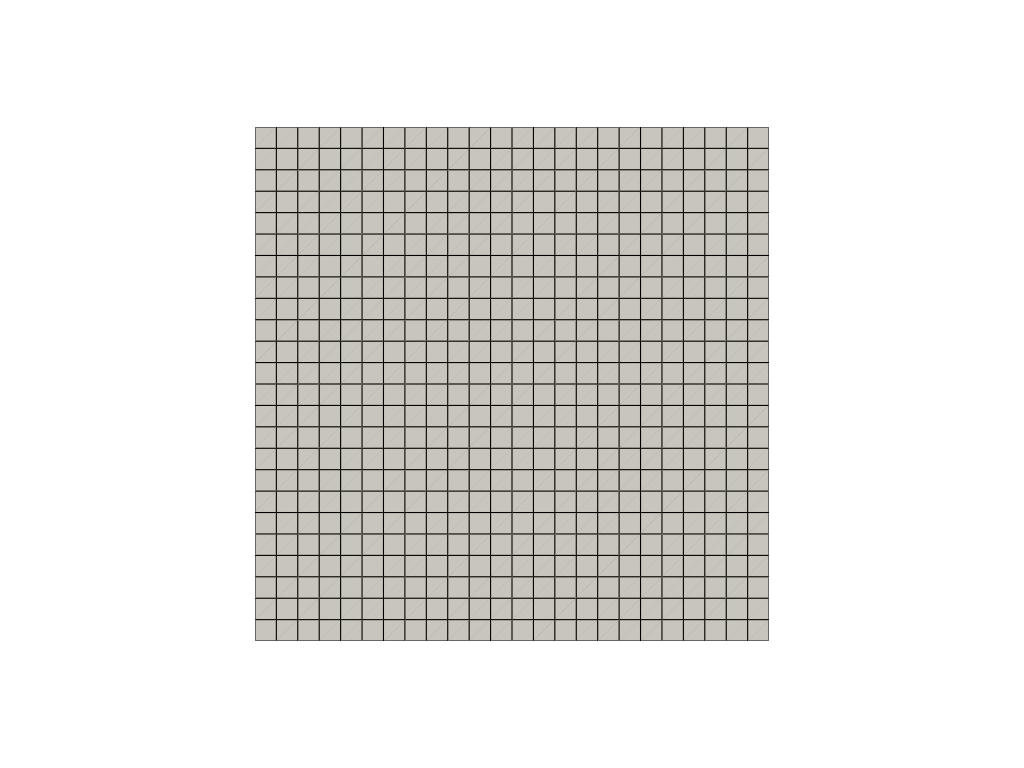
Distortion is easiest to see on straight lines, so start with a plane viewed face on. The edges of the cells are straight and evenly spaced.
The coefficients act on the distance from the optical axis, so the effect is small at the centre of the frame and grows towards its corners. That makes a wide-angle camera the honest place to look at it, and it is the kind of lens that distorts most in the first place. Every plot below sets the same one.
grid = pv.Plane(i_size=3.0, j_size=3.0, i_resolution=24, j_resolution=24)
wide_angle = [(0.0, 0.0, 3.2), (0.0, 0.0, 0.0), (0.0, 1.0, 0.0)]

pl = pv.Plotter()
pl.add_mesh(grid, color='white', show_edges=True)
pl.camera_position = wide_angle
pl.camera.view_angle = 70.0
pl.show()
Barrel and Pincushion#
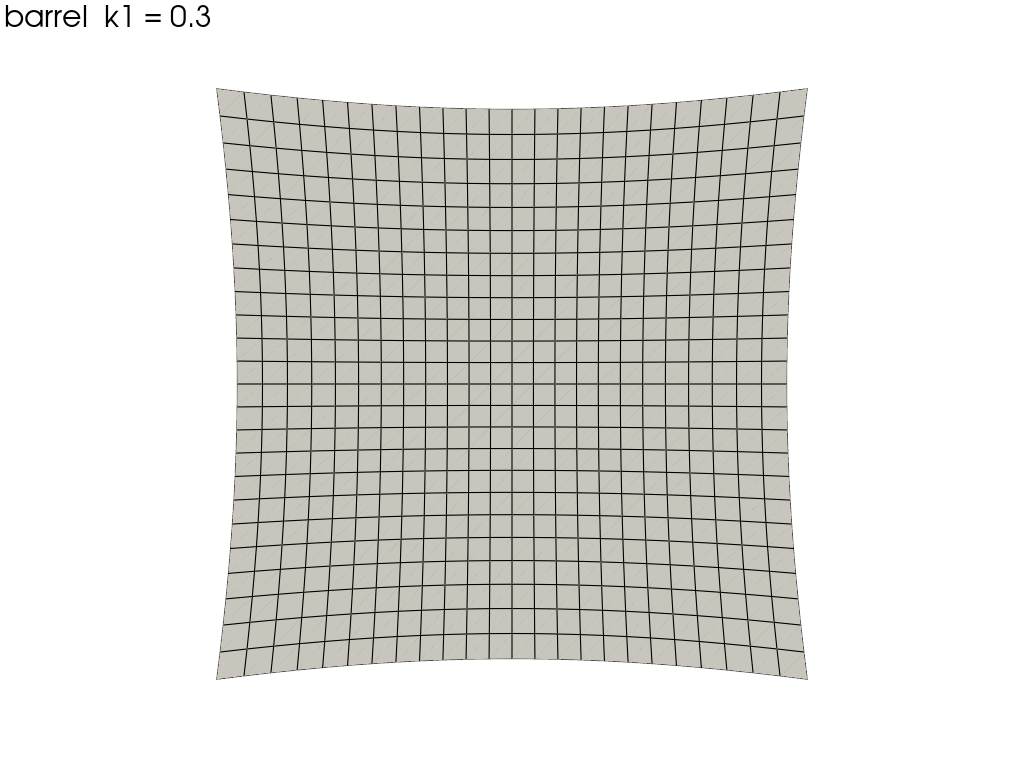
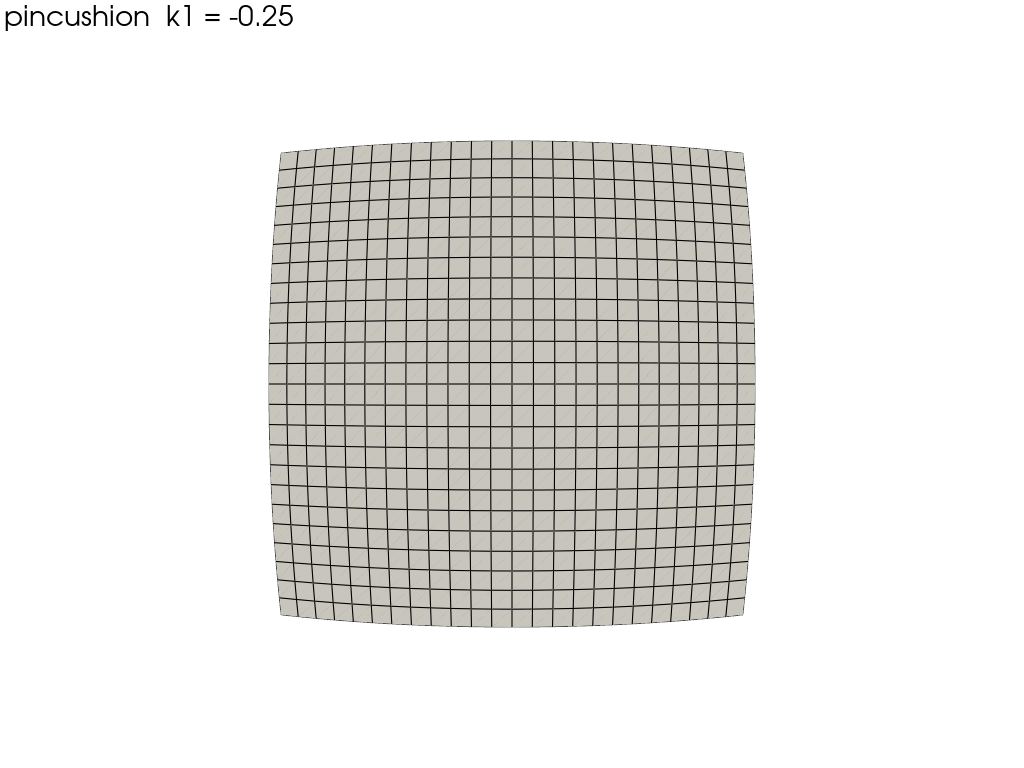
A positive k1 pushes points away from the optical axis in proportion to
the square of their distance from it, bowing the edges outward: barrel
distortion, the familiar look of a wide-angle lens. A negative k1 pulls
them in instead, giving pincushion.
The distortion belongs to the plotter rather than to a renderer or an actor, so comparing two lenses means two plots.
for coefficients, title in [
    ((0.3, 0.1, 0.0, 0.0), 'barrel  k1 = 0.3'),
    ((-0.25, 0.05, 0.0, 0.0), 'pincushion  k1 = -0.25'),
]:
    pl = pv.Plotter()
    pl.add_text(title, font_size=12)
    pl.add_mesh(grid, color='white', show_edges=True)
    pl.camera_position = wide_angle
    pl.camera.view_angle = 70.0
    pl.enable_camera_distortion(coefficients)
    pl.show()
The Tangential Terms#
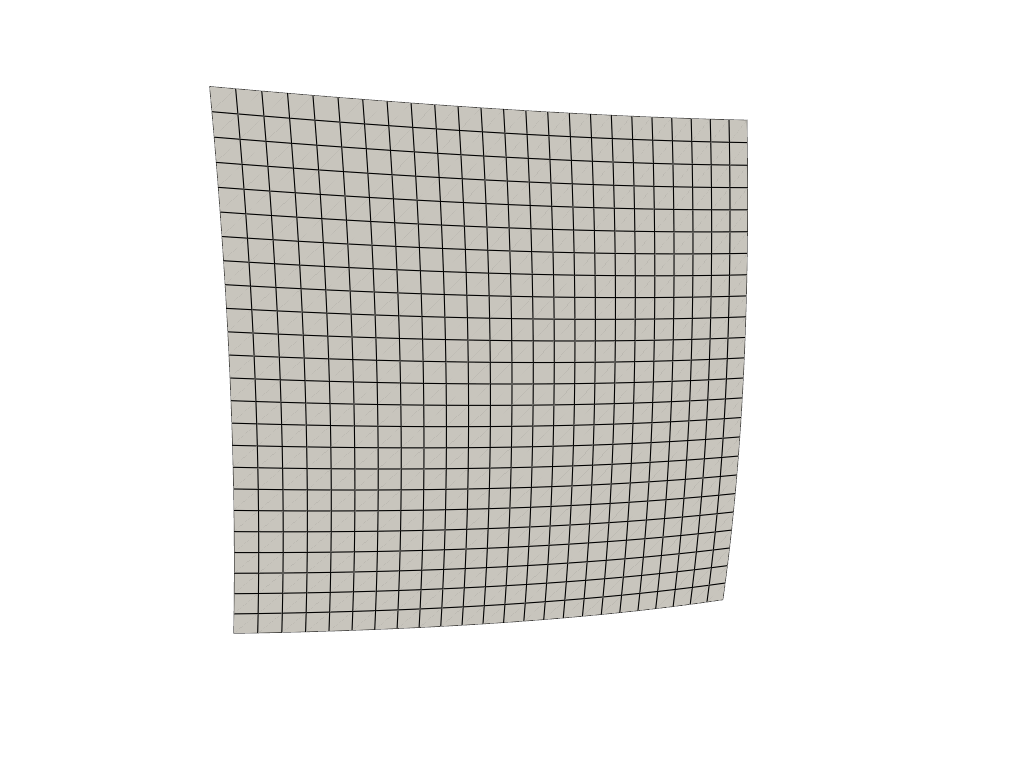
p1 and p2 describe a lens that is not quite parallel to the sensor,
so the distortion is no longer symmetric about the centre of the frame. A
calibration usually reports them an order of magnitude smaller than the
radial terms; they are exaggerated here to make them visible.
pl = pv.Plotter()
pl.add_mesh(grid, color='white', show_edges=True)
pl.camera_position = wide_angle
pl.camera.view_angle = 70.0
pl.enable_camera_distortion((0.0, 0.0, 0.05, -0.07))
pl.show()
It Belongs to the Camera, Not to an Actor#
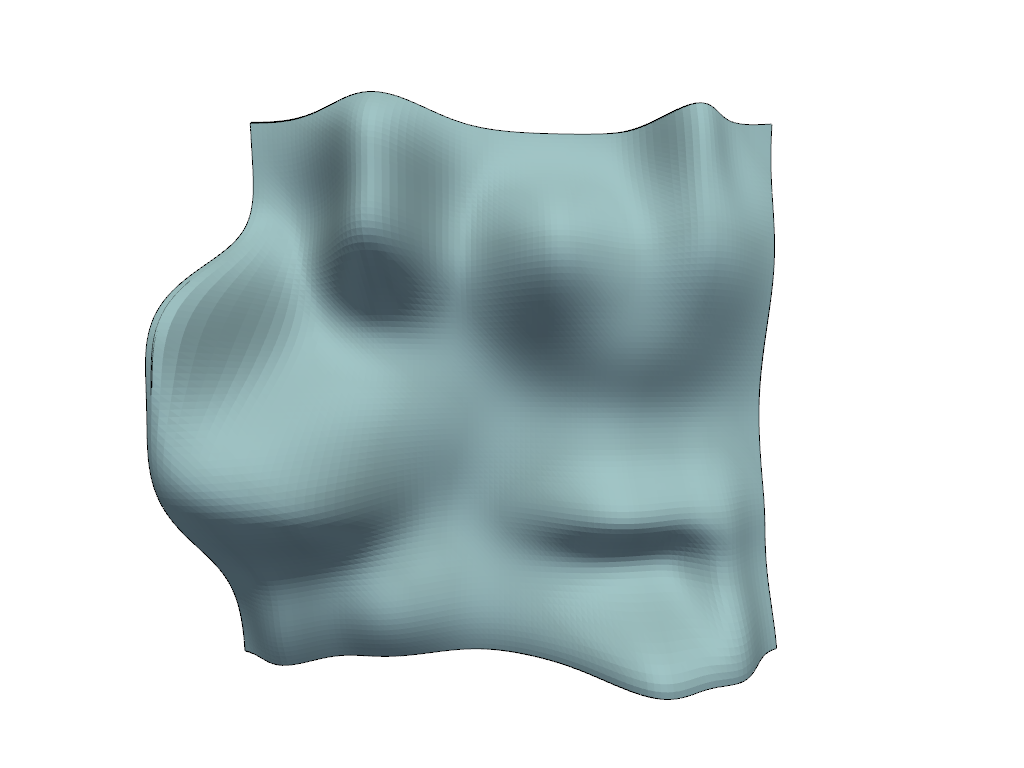
Everything the plotter draws is distorted, and actors added after the call are picked up as well, so the order of these two lines does not matter.
hills = pv.ParametricRandomHills()
x, y, z = hills.center

pl = pv.Plotter()
pl.enable_camera_distortion((0.3, 0.1, 0.0, 0.0))
pl.add_mesh(hills, cmap='terrain', show_scalar_bar=False)
pl.add_mesh(hills.extract_feature_edges(), color='black', line_width=2)
pl.camera_position = [(x, y, z + 20.0), (x, y, z), (0.0, 1.0, 0.0)]
pl.camera.view_angle = 70.0
pl.show()
Geometry Has to Be Fine Enough to Bend#
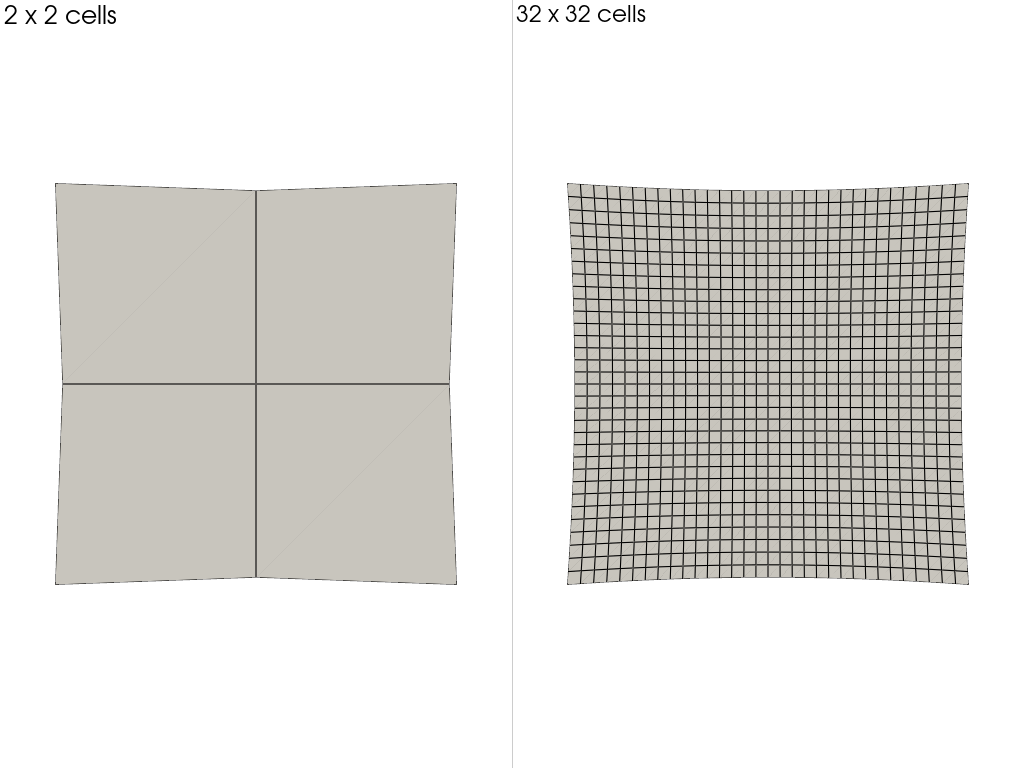
The distortion is applied by a vertex shader, so it displaces vertices rather than resampling the finished image. An edge with nothing along it stays straight however strong the distortion is. Both planes below carry the same coefficients – one call covers every subplot – and differ only in how finely they are divided.
pl = pv.Plotter(shape=(1, 2))
for column, resolution in enumerate([2, 32]):
    pl.subplot(0, column)
    pl.add_text(f'{resolution} x {resolution} cells', font_size=10)
    pl.add_mesh(
        pv.Plane(
            i_size=3.0, j_size=3.0, i_resolution=resolution, j_resolution=resolution
        ),
        color='white',
        show_edges=True,
    )
    pl.camera_position = [(0.0, 0.0, 4.4), (0.0, 0.0, 0.0), (0.0, 1.0, 0.0)]
    pl.camera.view_angle = 70.0
pl.enable_camera_distortion((0.3, 0.1, 0.0, 0.0))
pl.show()
Coefficients From a Calibration#
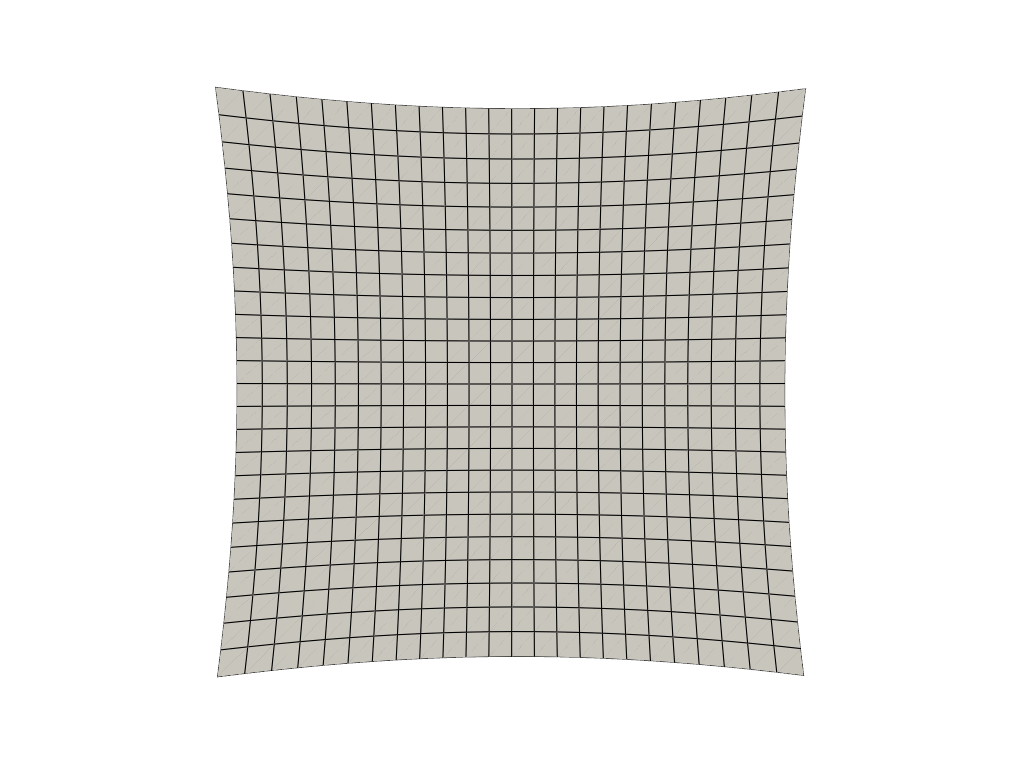
Any array-like will do, including the shape cv2.calibrateCamera hands
back. Only the four Brown-Conrady terms are supported; a fifth coefficient,
OpenCV’s higher-order radial k3, raises rather than being dropped
quietly.
distortion_coefficients = np.array([[0.28, 0.12, 0.004, -0.003]])

pl = pv.Plotter()
pl.add_mesh(grid, color='white', show_edges=True)
pl.camera_position = wide_angle
pl.camera.view_angle = 70.0
pl.enable_camera_distortion(distortion_coefficients)
pl.show()
Turning It Off#
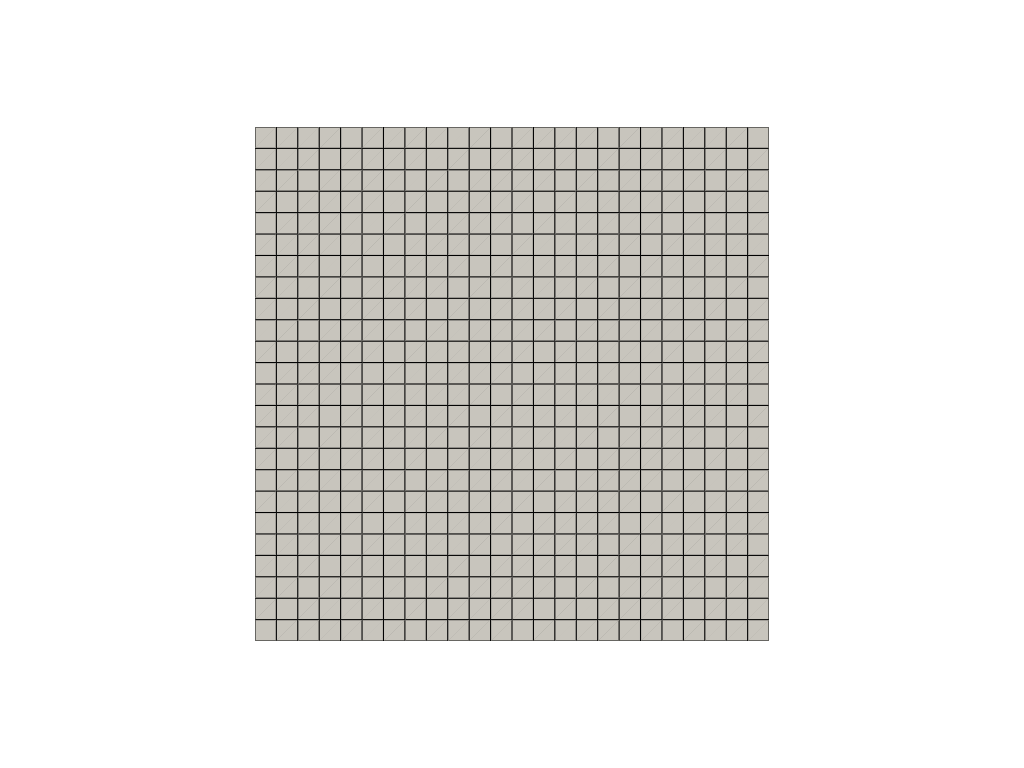
disable_camera_distortion() puts every actor back on
the ordinary projection, and the straight lines return.
pl = pv.Plotter()
pl.add_mesh(grid, color='white', show_edges=True)
pl.camera_position = wide_angle
pl.camera.view_angle = 70.0
pl.enable_camera_distortion((0.3, 0.1, 0.0, 0.0))
pl.disable_camera_distortion()
pl.show()
Total running time of the script: (0 minutes 1.648 seconds)
