pyvista.DataSetFilters.warp_by_vector#
- DataSetFilters.warp_by_vector(vectors=None, factor=1.0, inplace=False, progress_bar=False)[source]#
Warp the dataset’s points by a point data vectors array’s values.
This modifies point coordinates by moving points along point vectors by the local vector times the scale factor.
A classical application of this transform is to visualize eigenmodes in mechanics.
- Parameters:
- vectors
str,optional Name of vector to warp by. Defaults to currently active vector.
- factor
float, default: 1.0 A scaling factor that multiplies the vectors to warp by. Can be used to enhance the warping effect.
- inplacebool, default:
False If
True, the function will update the mesh in-place.- progress_barbool, default:
False Display a progress bar to indicate progress.
- vectors
- Returns:
pyvista.PolyDataThe warped mesh resulting from the operation.
Examples
Warp a sphere by vectors.
>>> import pyvista as pv
>>> from pyvista import examples
>>> sphere = examples.load_sphere_vectors()
>>> warped = sphere.warp_by_vector()
>>> pl = pv.Plotter(shape=(1, 2))
>>> pl.subplot(0, 0)
>>> actor = pl.add_text("Before warp")
>>> actor = pl.add_mesh(sphere, color='white')
>>> pl.subplot(0, 1)
>>> actor = pl.add_text("After warp")
>>> actor = pl.add_mesh(warped, color='white')
>>> pl.show()
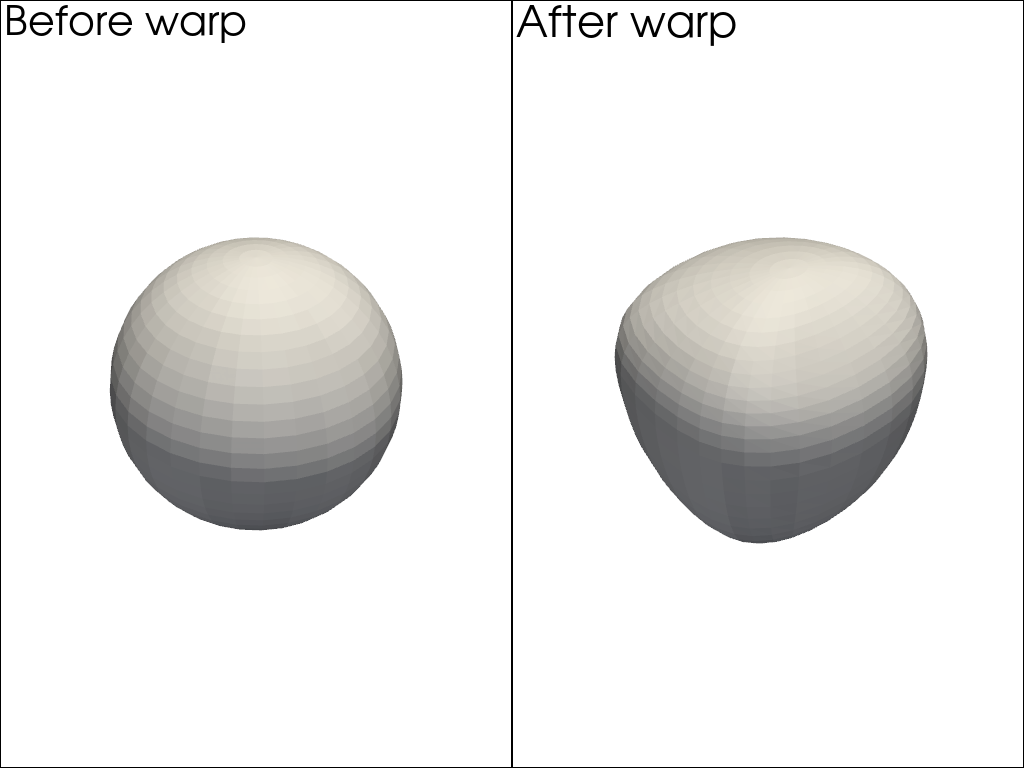
See Warping by Vectors and Display Eigenmodes of Vibration for more examples using this filter.