DataSetFilters.extract_cells

DataSetFilters.extract_cells#

DataSetFilters.extract_cells(
ind: int | VectorLikeInt | VectorLikeBool,
*,
invert: bool = False,
pass_cell_ids: bool = True,
pass_point_ids: bool = True,
progress_bar: bool = False,
) → UnstructuredGrid[source]#

Return a subset of the grid.

The output is an UnstructuredGrid. Use remove_cells() with invert=True to extract the same cells while keeping the input type:

# UnstructuredGrid, whatever the input
extracted = mesh.extract_cells(ind)

# PolyData for PolyData input, UnstructuredGrid otherwise
extracted = mesh.remove_cells(ind, invert=True)

Changed in version 0.49: Negative and out-of-range indices raise IndexError.

Parameters:
indint | VectorLikeInt | VectorLikeBool

Cell indices to extract. Can be a single int or a vector of ints. A bool vector is also supported; the vector size should match the number of cells.

invertbool, default: False

Invert the selection.

pass_point_idsbool, default: True

Add a point array 'vtkOriginalPointIds' that identifies the original points the extracted points correspond to.

Added in version 0.47.

pass_cell_idsbool, default: True

Add a cell array 'vtkOriginalCellIds' that identifies the original cells the extracted cells correspond to.

Added in version 0.47.

progress_barbool, default: False

Display a progress bar to indicate progress.

Returns:
pyvista.UnstructuredGrid

Subselected grid.

Examples#

Download Python source code | Download Jupyter notebook

>>> import pyvista as pv
>>> from pyvista import examples
>>> grid = pv.read(examples.hexbeamfile)
>>> subset = grid.extract_cells(range(20))
>>> subset.n_cells
20
>>> pl = pv.Plotter()
>>> actor = pl.add_mesh(grid, style='wireframe', line_width=5, color='black')
>>> actor = pl.add_mesh(subset, color='grey')
>>> pl.show()
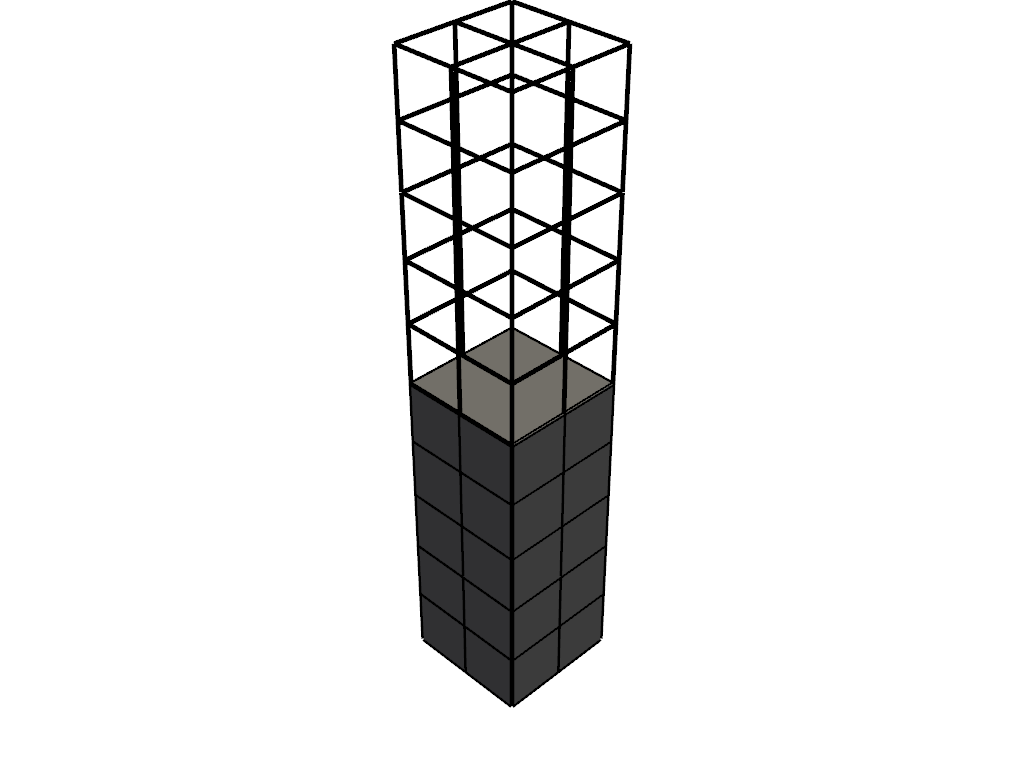
../../../_images/pyvista-DataSetFilters-extract_cells-9b91e5b42e33a981_00_00.png

See Also#

extract_points, extract_values, remove_cells