Actor.line_style#
- property Actor.line_style: LineStyle | None[source]#
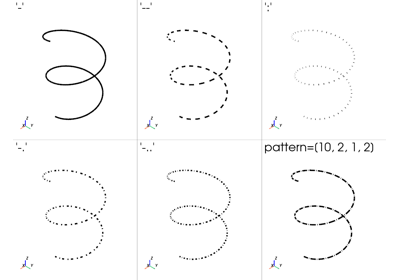
Return or set the dash style drawn along this actor’s lines.
Unlike
pyvista.PolyDataFilters.dash_lines(), which splits the line cells into shorter cells, the dashes are produced by the fragment shader and keep a constant size on screen as the camera zooms. The geometry is unchanged and the dashes are not present in exported scenes.Set to a style string to dash the lines, to
''to hide them, or toNoneto draw them solid. Accepts the same styles aspyvista.PolyDataFilters.dash_lines(). Usedash_intervalto set the size of the interval pattern.Added in version 0.50.
Notes#
Style |
Description |
Example |
|---|---|---|
|
Hidden |

|
|
Solid |

|
|
Dashed |

|
|
Dotted |

|
|
Dash-dot |

|
|
Dash-dot-dot |

|
Requires an actor from
add_mesh()with aline_styleother than'-'.Requires a mesh of line cells. Polygons and strips are rejected.
Edges drawn with
show_edges=Trueare not dashed. Extract them withextract_all_edges()and add that as its own mesh.Cells shorter on screen than
line_widthare drawn solid.Cell scalars restart the pattern at each cell.
Examples#
Download Python source code | Download Jupyter notebook
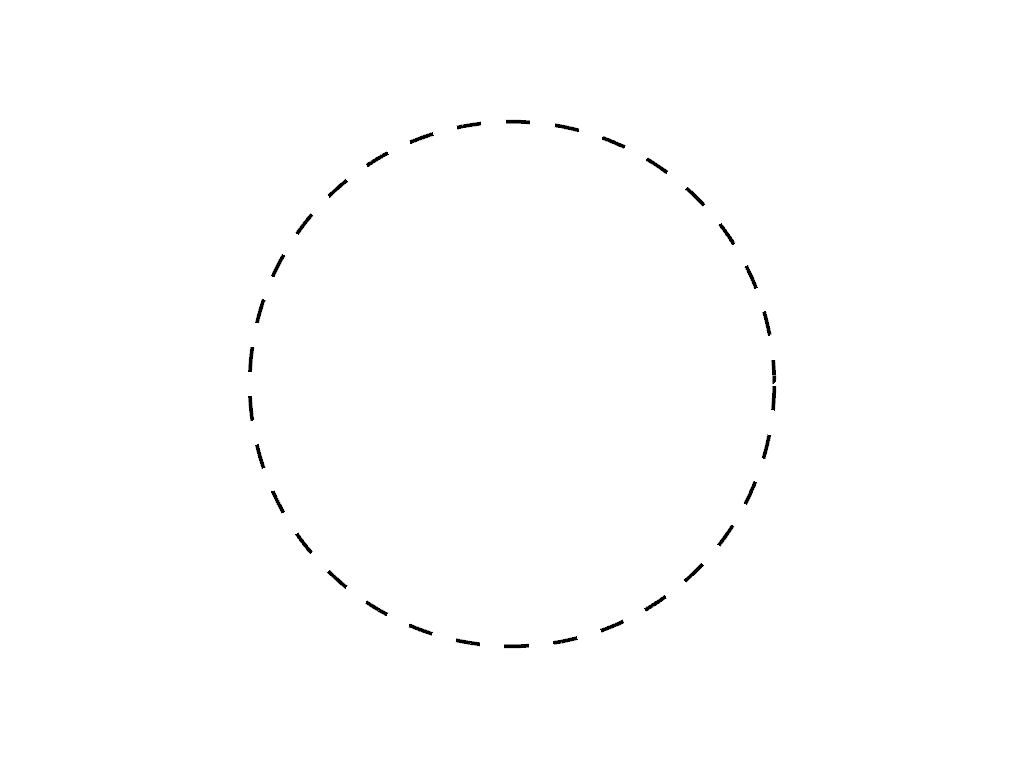
Dash the lines of a circle.
>>> import pyvista as pv
>>> circle = pv.Circle(resolution=200).extract_all_edges()
>>> pl = pv.Plotter()
>>> actor = pl.add_mesh(circle, color='black', line_width=4, line_style='--')
>>> pl.show(cpos='xy')
Used In#
Gallery Examples