
Prop3D.orientation#
- property Prop3D.orientation: tuple[float, float, float][source]#
Return or set the entity orientation angles.
Orientation angles of the axes which define rotations about the world’s x-y-z axes. The angles are specified in degrees and in x-y-z order. However, the actual rotations are applied in the following order:
rotate_y()first, thenrotate_x()and finallyrotate_z().Rotations are applied about the specified
origin.
Examples#
Download Python source code | Download Jupyter notebook
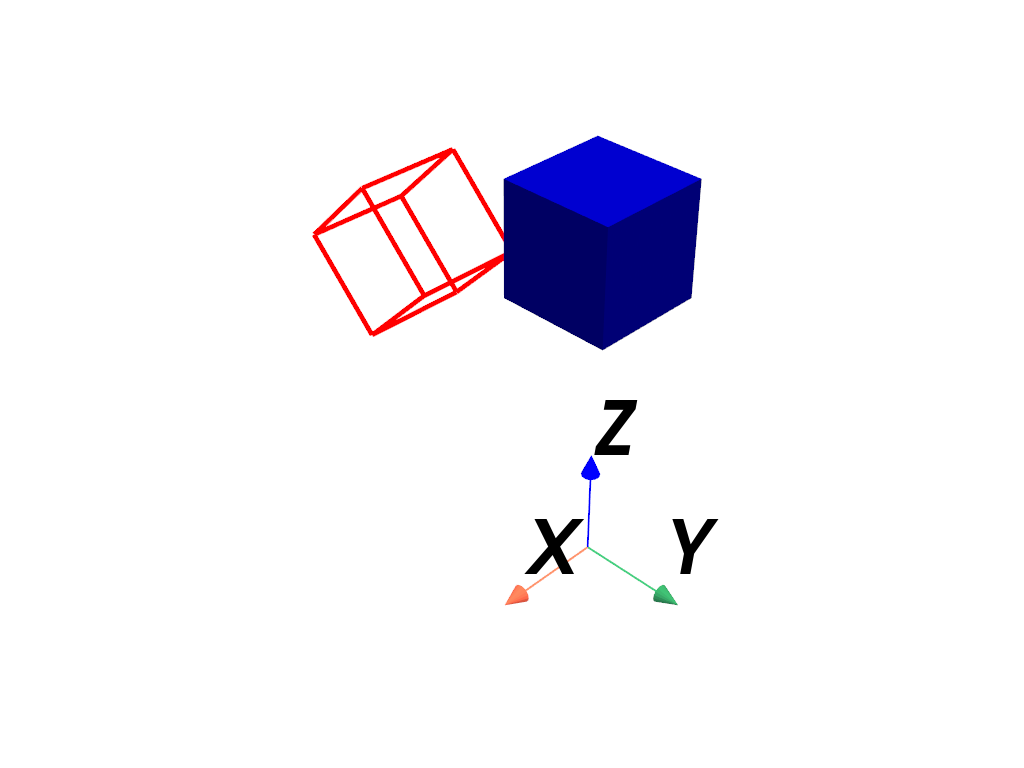
Reorient just the actor and plot it. Note how the actor is rotated
about the origin (0, 0, 0) by default.
>>> import pyvista as pv
>>> mesh = pv.Cube(center=(0, 0, 3))
>>> pl = pv.Plotter()
>>> _ = pl.add_mesh(mesh, color='b')
>>> actor = pl.add_mesh(
...     mesh,
...     color='r',
...     style='wireframe',
...     line_width=5,
...     lighting=False,
... )
>>> actor.orientation = (45, 0, 0)
>>> _ = pl.add_axes_at_origin()
>>> pl.show()
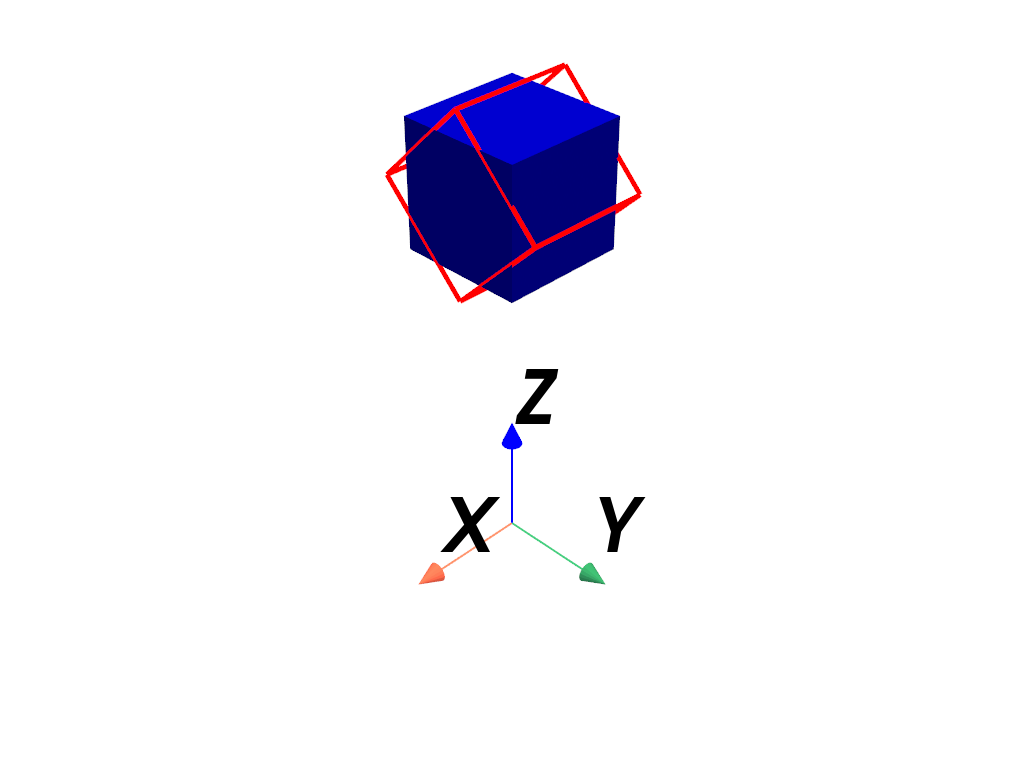
Repeat the last example, but this time reorient the actor about
its center by specifying its origin.
>>> import pyvista as pv
>>> mesh = pv.Cube(center=(0, 0, 3))
>>> pl = pv.Plotter()
>>> _ = pl.add_mesh(mesh, color='b')
>>> actor = pl.add_mesh(
...     mesh,
...     color='r',
...     style='wireframe',
...     line_width=5,
...     lighting=False,
... )
>>> actor.origin = actor.center
>>> actor.orientation = (45, 0, 0)
>>> _ = pl.add_axes_at_origin()
>>> pl.show()
Show that the orientation changes with rotation.
>>> import pyvista as pv
>>> mesh = pv.Cube()
>>> pl = pv.Plotter()
>>> actor = pl.add_mesh(mesh)
>>> actor.rotate_x(90)
>>> actor.orientation
(90, 0, 0)
Set the orientation directly.
>>> actor.orientation = (0, 45, 45)
>>> actor.orientation
(0, 45, 45)
See Also#
pyvista.Prop3D.rotation_fromAlternative method for setting the orientation.
Used In#
API Examples
Label(1 use)Prop3D.rotation_from(1 use)_Prop3DMixin.orientation(1 use)
