
Geometric Objects#
Download Python source code | Download Jupyter notebook
The “Hello, world!” of VTK.
Uses objects from Geometry.
import pyvista as pv
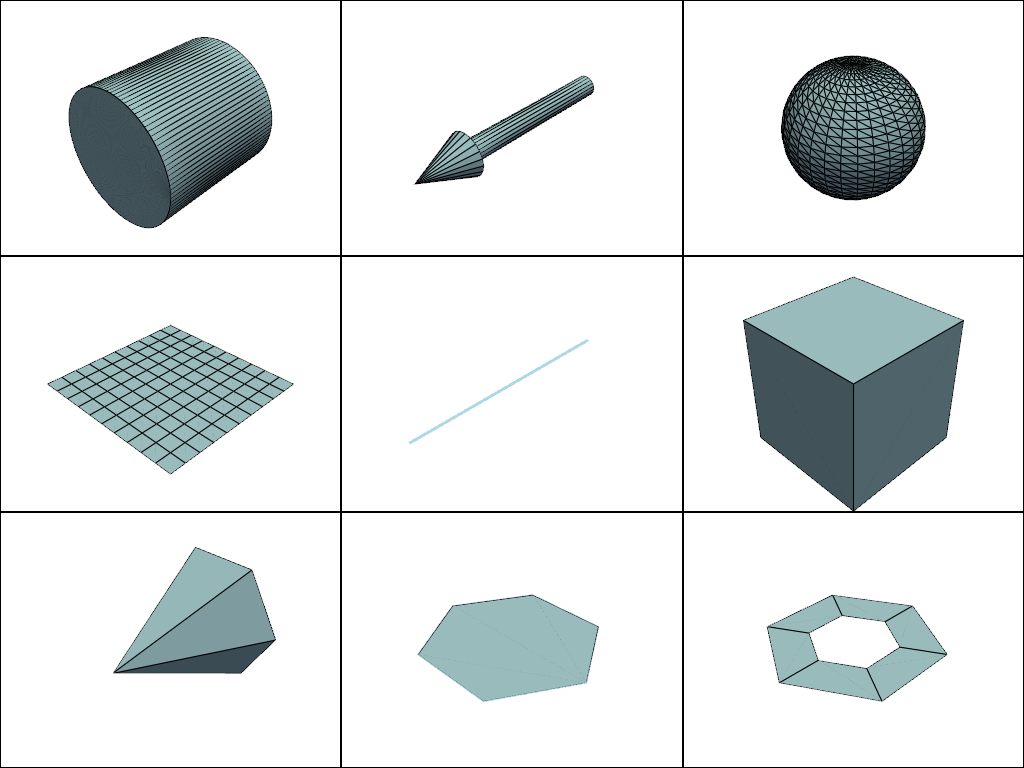
This runs through several of the available geometric objects available in VTK which PyVista provides simple convenience methods for generating.
Let’s run through creating a few geometric objects.
Now let’s plot them all in one window
pl = pv.Plotter(shape=(3, 3))
# Top row
pl.subplot(0, 0)
pl.add_mesh(cyl, color='lightblue', show_edges=True)
pl.subplot(0, 1)
pl.add_mesh(arrow, color='lightblue', show_edges=True)
pl.subplot(0, 2)
pl.add_mesh(sphere, color='lightblue', show_edges=True)
# Middle row
pl.subplot(1, 0)
pl.add_mesh(plane, color='lightblue', show_edges=True)
pl.subplot(1, 1)
pl.add_mesh(line, color='lightblue', line_width=3)
pl.subplot(1, 2)
pl.add_mesh(box, color='lightblue', show_edges=True)
# Bottom row
pl.subplot(2, 0)
pl.add_mesh(cone, color='lightblue', show_edges=True)
pl.subplot(2, 1)
pl.add_mesh(poly, color='lightblue', show_edges=True)
pl.subplot(2, 2)
pl.add_mesh(disc, color='lightblue', show_edges=True)
# Render all of them
pl.show()
Total running time of the script: (0 minutes 0.750 seconds)
