DataSetFilters.voxelize#
- DataSetFilters.voxelize(
- *,
- reference_volume: ImageData | None = None,
- dimensions: VectorLikeInt | None = None,
- spacing: float | VectorLikeFloat | None = None,
- rounding_func: Callable[[VectorLikeFloat], VectorLikeInt] | None = None,
- cell_length_percentile: float | None = None,
- cell_length_sample_size: int | None = None,
- progress_bar: bool = False,
Voxelize mesh to UnstructuredGrid.
The voxelization can be controlled in several ways:
Specify the output geometry using a
reference_volume.Specify the
spacingexplicitly.Specify the
dimensionsexplicitly.Specify the
cell_length_percentile. The spacing is estimated from the surface’s cells using the specified percentile.
Use
reference_volumefor full control of the output geometry. For all other options, the geometry is implicitly defined such that the generated mesh fits the bounds of the input mesh.Only the foreground cells are returned, so this filter has no
target_n_pointsormax_n_points. To bound the size of the grid, callvoxelize_rectilinear()withmax_n_pointsandthreshold()its output.If no inputs are provided,
cell_length_percentile=0.1(tenth percentile) is used by default to estimate the spacing.Added in version 0.46.
Note
The input must be a surface with faces or strips. Generate a surface from a point cloud with
reconstruct_surface()before voxelizing it.Note
This method is a wrapper around
voxelize_binary_mask(). See that method for additional information.- Parameters:
- reference_volume
ImageData, optional Volume to use as a reference. The output will have the same
dimensions,origin,spacing,offset, anddirection_matrixas the reference.- dimensions
VectorLikeInt, optional Dimensions of the voxelized mesh. Set this value to control the dimensions explicitly. If unset, the dimensions are defined implicitly through other parameter. See summary and examples for details.
Note
Dimensions is the number of points along each axis, not cells. Set dimensions to
N+1instead forNcells along each axis.- spacing
float|VectorLikeFloat, optional Approximate spacing to use for the generated mesh. Set this value to control the spacing explicitly. If unset, the spacing is defined implicitly through other parameters. See summary and examples for details.
- rounding_func
Callable[VectorLikeFloat,VectorLikeInt], optional Control how the dimensions are rounded to integers based on the provided or calculated
spacing. Should accept a length-3 vector containing the dimension values along the three directions and return a length-3 vector.numpy.round()is used by default.Rounding the dimensions implies rounding the actual spacing.
Has no effect if
dimensionsis specified.- cell_length_percentile
float, optional Cell length percentage
pto use for computing the defaultspacing. Default is0.1(tenth percentile) and must be between0and1. The input’s surface is extracted first, and thep-th percentile is computed from the lengths of the edges of its cells. Up tocell_length_sample_sizeof those cells are used, drawn at random with a fixed seed, and degenerate edges with zero length are ignored.Changed in version 0.50.0: The percentile is computed from every edge of the sampled cells instead of the distance between two random points of each triangulated cell, and the sample is drawn with a fixed seed. The estimate is now deterministic.
Has no effect if
dimensionsis specified.- cell_length_sample_size
int, optional Maximum number of cells to use when computing the
cell_length_percentile.100 000cells are used by default.- progress_barbool, default:
False Display a progress bar to indicate progress.
- reference_volume
- Returns:
UnstructuredGridVoxelized unstructured grid of the original mesh.
Examples#
Download Python source code | Download Jupyter notebook
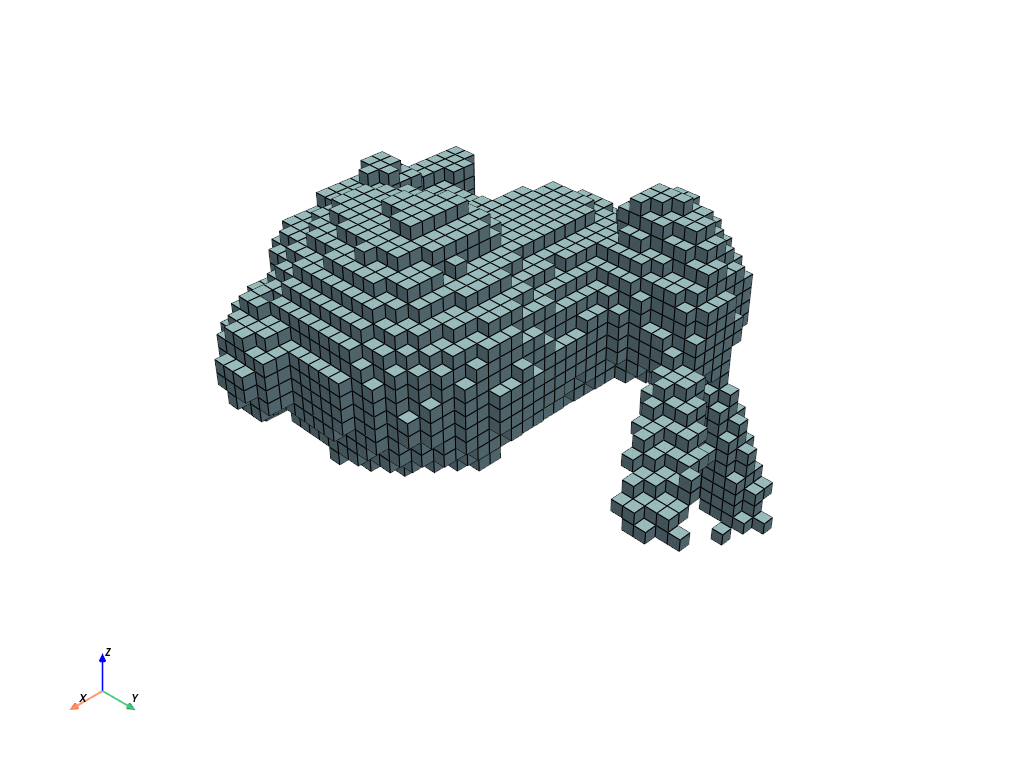
Create a voxelized mesh with uniform spacing.
>>> import numpy as np
>>> import pyvista as pv
>>> from pyvista import examples
>>> mesh = examples.download_bunny_coarse()
>>> vox = mesh.voxelize(spacing=0.01)
>>> vox.plot(show_edges=True)
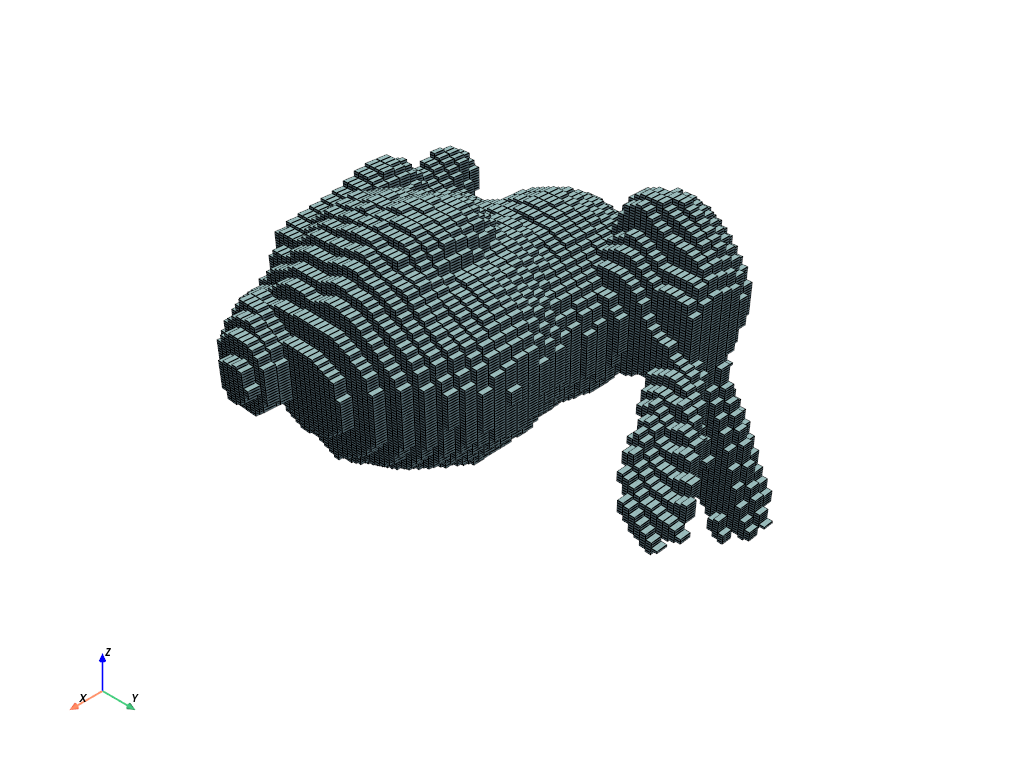
Create a voxelized mesh using non-uniform spacing.
>>> vox = mesh.voxelize(spacing=(0.01, 0.005, 0.002))
>>> vox.plot(show_edges=True)
The bounds of the voxelized mesh always match the bounds of the input.
>>> mesh.bounds
BoundsTuple(x_min = -0.13155962526798248,
            x_max =  0.18016336858272552,
            y_min = -0.12048563361167908,
            y_max =  0.18769524991512299,
            z_min = -0.14300920069217682,
            z_max =  0.09850578755140305)
>>> vox.bounds
BoundsTuple(x_min = -0.13155962526798248,
            x_max =  0.18016336858272552,
            y_min = -0.12048563361167908,
            y_max =  0.18769524991512299,
            z_min = -0.14300920069217682,
            z_max =  0.09650979936122894)
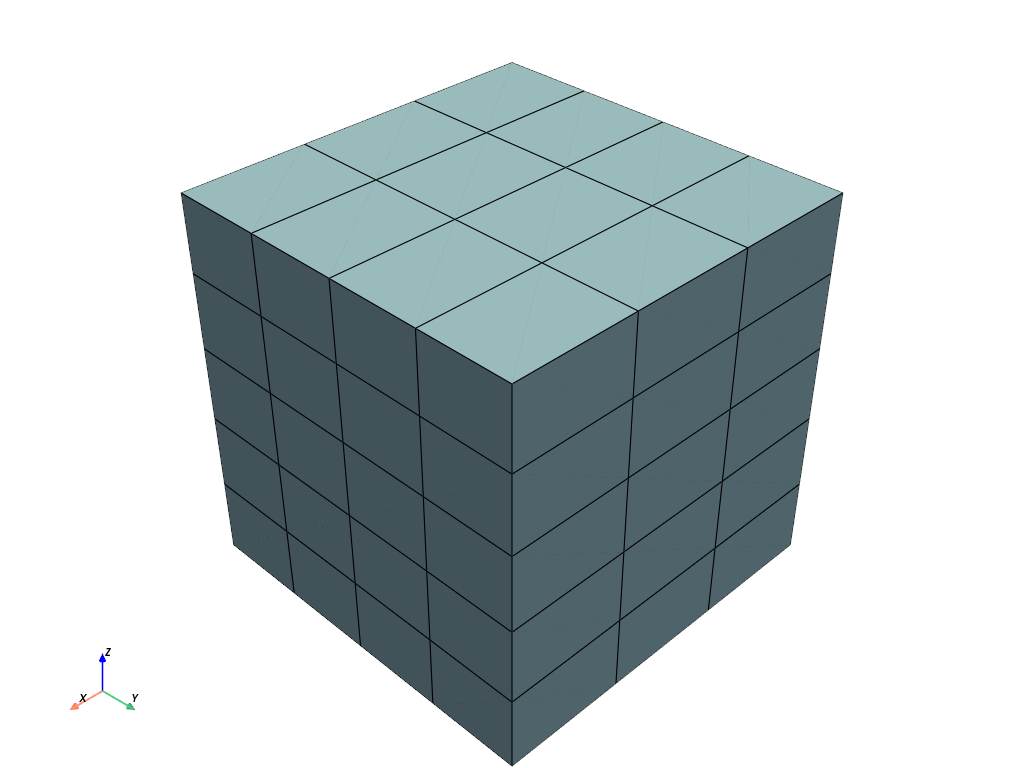
Create a voxelized mesh with 3 x 4 x 5 cells. Since dimensions is the
number of points, not cells, we need to add 1 to get the number of desired cells.
>>> mesh = pv.Box()
>>> cell_dimensions = np.array((3, 4, 5))
>>> vox = mesh.voxelize(dimensions=cell_dimensions + 1)
>>> vox.plot(show_edges=True)
See Also#
voxelize_rectilinearSimilar function that returns a
RectilinearGridwith cell data.voxelize_binary_maskSimilar function that returns a
ImageDatawith point data.pyvista.DataObjectFilters.resample_to_imageSimilar function which generates a
ImageDataof the same geometry. It resamples the input’s data arrays instead of generating a mask, and fills the voxels its cells or points reach rather than a closed surface’s interior.
Used In#
Gallery Examples